84.4.5.55 CUSTOM > DISCOVERY > ASSETS XML
Import Scope
The "Discovery - Assets XML" import has been developed to help DMAX import scheduled assets. This function is able to import an XML file named after the asset code (e.g. EHD~t875140I.XML), which contains data related to a specific asset.
The import also supports asset type management, asset quality assignment, primary and secondary event classification based on asset type, and the automatic launch of a workflow upon completion of the import.
Import parameters
This import allows the following parameters to be set and then saved:
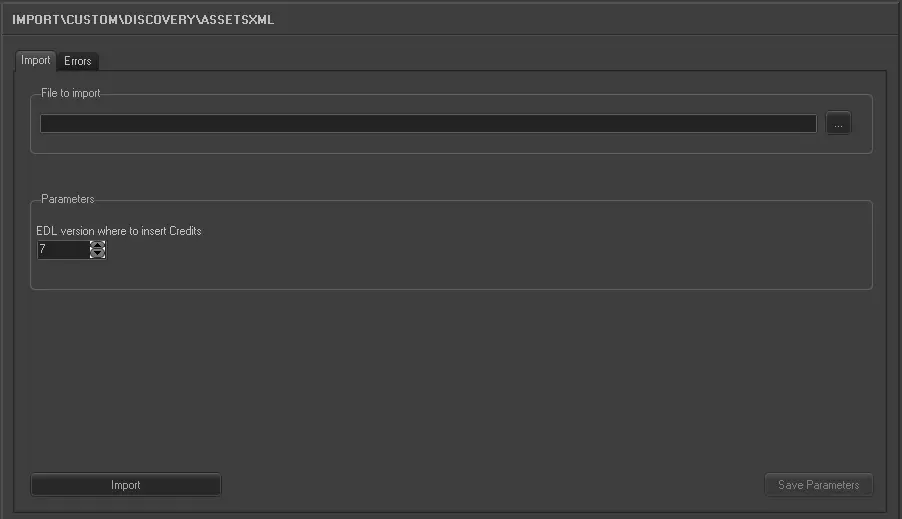
IMPORT_CUSTOM_DISCOVERY_ASSETXML
Import tab
File to import – Browse for the file from which data will be imported. Only
.XMLfiles will be displayed, since they are the only supported format.EDL version containing credits – Indicate the number of the EDL into which credit segments will be inserted.
Additional import features
The IMPORT_CUSTOM_DISCOVERY_ASSETXML import supports the following additional features:
Primary/secondary event classification – Allows the asset type to determine whether the imported asset is classified as a primary or secondary event.
Workflow launch – Allows a workflow (WF) to be launched automatically upon completion of the import operation.
Asset quality assignment – Allows a specific quality to be assigned to the imported asset.
Asset type import and management – If the asset type is specified in the XML file, it is imported along with the other asset information. If the asset type is not specified in the XML file, the default value
0000is assigned. If the specified asset type does not already exist in Etere, it is created automatically.
Credit segments
Credit segments are inserted as visible segments with the following properties:
To explode: False (i.e. not to be divided into playlists).
Description: The same value as the
<VoecSuitable>tag.
Launch the import
Once all parameters have been correctly set, press the Import button to launch the import operation.
If a workflow has been configured, it will be launched automatically upon completion of the import.
Sample file to import
The file to be imported using this method must follow the XML structure described below in order to be imported correctly.
The existing XML example can remain unchanged unless the new asset type and quality information is provided through additional XML elements.
If new XML elements are required, they should be documented in the example using their actual names as supported by the import implementation.
Note: The XML element names for asset type and quality must be confirmed before adding them to the sample file. The same applies to primary/secondary event classification if this information is managed through XML rather than through import configuration.
 5264_Import_custom_discovery_asset_xml