59.7.3.4 Divide one disk into cloud-devices
Etere allows through its Resources Editor module, to distribute your disk volumes according to your own convenience without the need of creating partitions. You are able to associate individual disk volumes to different metadevices properly created to store a specific type of files.
divide
The diagram previously shown, illustrates how a disk spread in volumes, has been distrubuted between various single metadevices, improving the organization of media files on its inside. To divide a disk between various metadevices just follow the steps described below.
1. Add a resource for the disk you want to use by opening Etere Configuration > Resources Editor and selecting the Add > Archives > Generic Server Storage.
2. Define the various existing directories (volumes) present within the disk that you intend to use.
existing_directories
3. Go to Tools > Configure > Cloud-device, right-click on the Assigned section and select the "Add new metadevice" option. Give it a name (e.g.: 'Archive-HighRes') and optionally a custom icon, then drag & drop the defined directories according to your needs.
Archive-HighRes
4. Repeat the last step as many times as required for defining other metadevices.
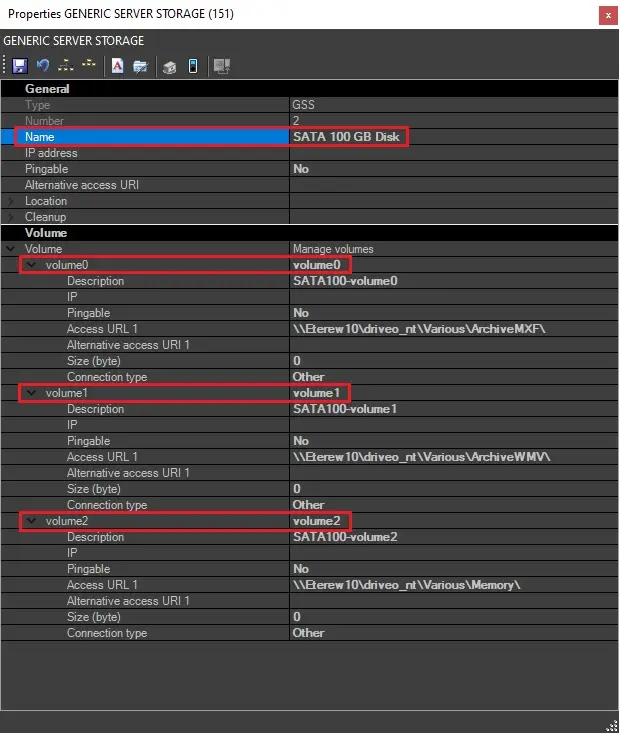 volume0,_volume1,_volume2,_etc
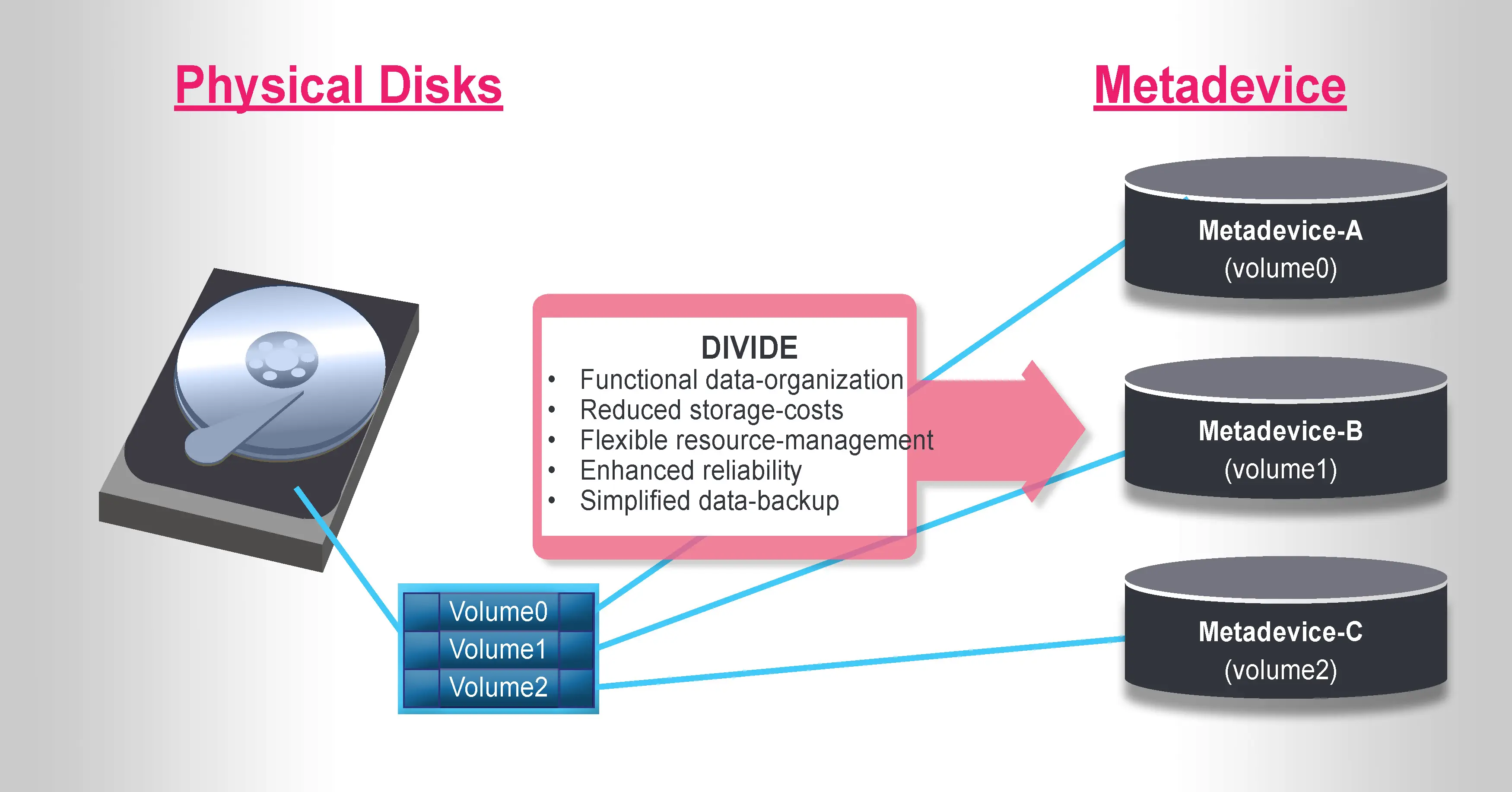 divide
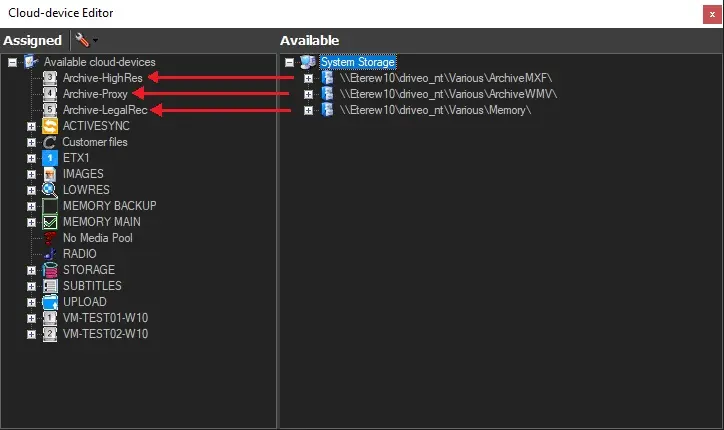 Archive-HighRes