59.2.30.1 Cities
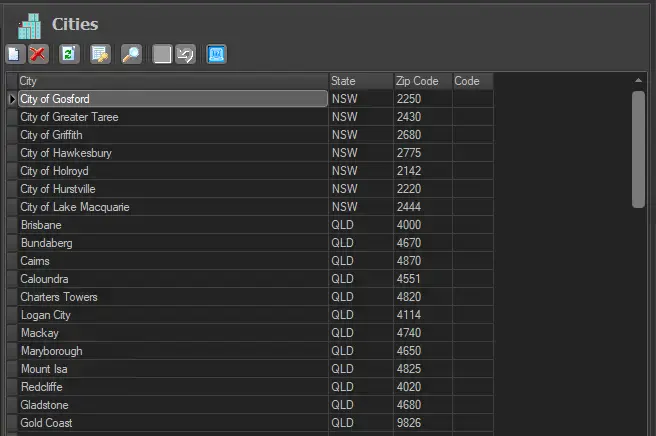
The "Cities" table contains a list of all the cities within the selected country in the "basic > system" settings. For each city, it indicates the State the city is located, its zip code and city code.
Cities
This section allows you to manage the "Cities" table through the following functions:
New - Inserts a new record into the table.
Delete - Removes the selected record from the table.
Update - Updates the table by reading data from the database.
Restore defaults - Deletes ALL records and loads the records related to the selected country.
NB: Only the cities of some countries are available to be retrieved from the database, therefore, according to the country selected, the list could be empty even after launching this function.
Go to... - Locates the record matching a certain string.
Confirm - Stores all changes performed to the table into the database.
Cancel - Cancels the last performed change.
 Cities