72.2.2.32 Annotations - Preview Browser
The Preview Browser module is a useful interface that enables operators to browse Hires and Lowres files linked to assets, thus allowing to, for example, check the audio/video stream after an ingest operation or just before an on-air transmission. The preview browser provides the following features especially aimed to improve the browsing experience of media content:
Preview Browser
➢ Useful for previewing asset’s media files
➢ Availability from any network Etere PC
➢ Simple and easy-to-use interface
➢ Specific hires, proxy and logged video preview
➢ Frame-accurate viewing and scrubbing
➢ On-screen properties, counters and time codes
➢ Multilanguage support of subtitles and audio tracks
➢ Inclusion of the most common playback controls
➢ Ability to preview clip with zero-based timecode and non-zero based timecode.
Topics in this chapter:
Available Players (Etere Player. DirectShow, WMP, QuickTime, External)
Playback Controls (playback functions of players)
Contextual functions (right-click functions of players)
Supported features (Full capabilities of all players)
Preview Integration (Availability across Etere modules)
Creating proxies via workflow (Generate proxies via workflow)
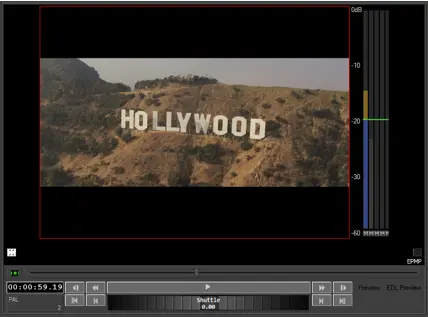 Preview_Browser