65.1.2.6 Playout channel
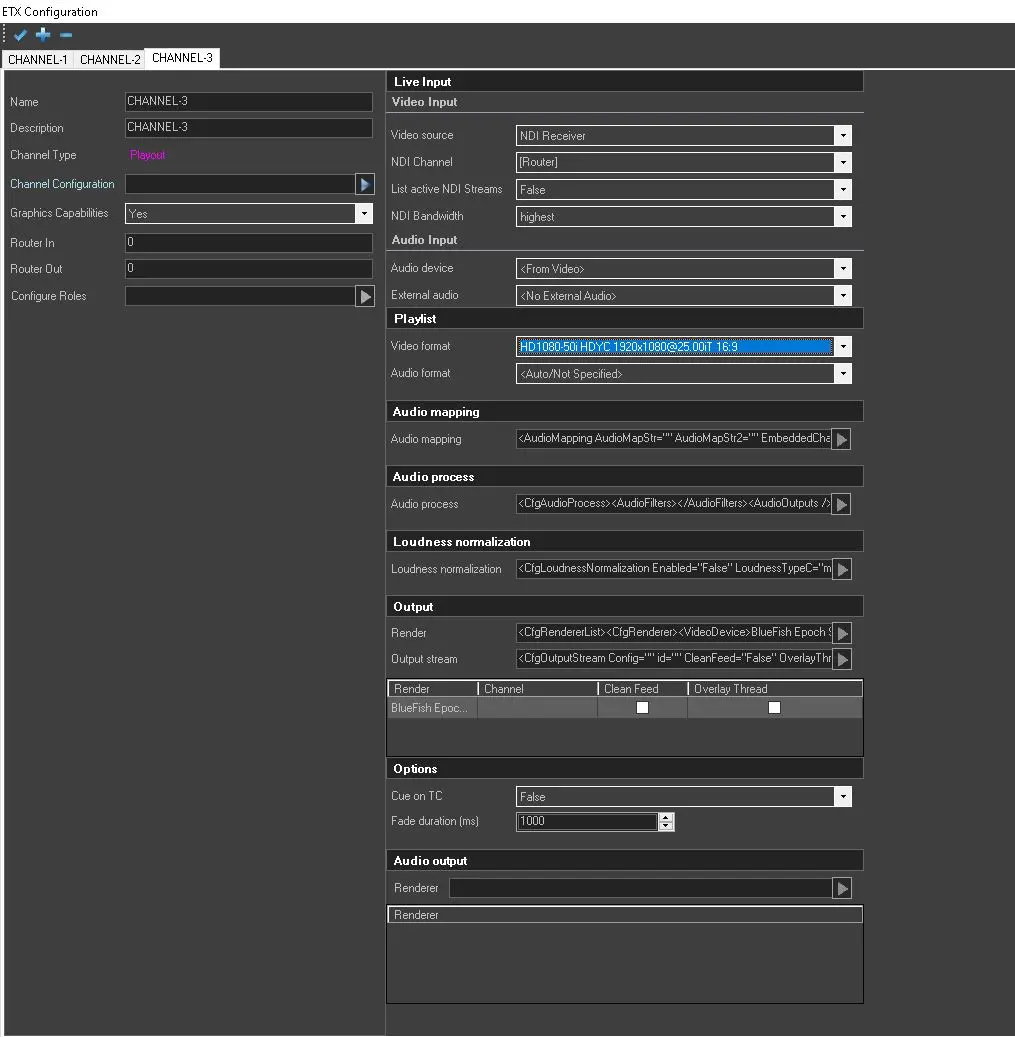
To configure an Etere Playout Channel, set the parameters listed below.
etx_playout_ch_conf
-----------------------------------------------------------------------------------------------------------------------------------
Live Input - Video InputVideo Source: Select the video source for live transmissions.
Video line: If the SDI video card is selected as the input source, select the specific SDI input channel.
Video format: If the SDI video card is selected as the input source, select the input video format.
Acquire when not selected: Allows to avoid load\unload of live inputs processes, to minimize the timing of switch. This parameter is available only for SDI input and a physical router must be present.
Audio device: Select an audio format or default to the video card;
External audio: Select any available external audio, or leave it as default if there is no external audio;
Audio format: Select the incoming audio format, i.e. frequency, channels, bit, etc;
-----------------------------------------------------------------------------------------------------------------------------------
Video Format: Select the output video format from the list.
Audio format: Select the output audio format from the list.
-----------------------------------------------------------------------------------------------------------------------------------
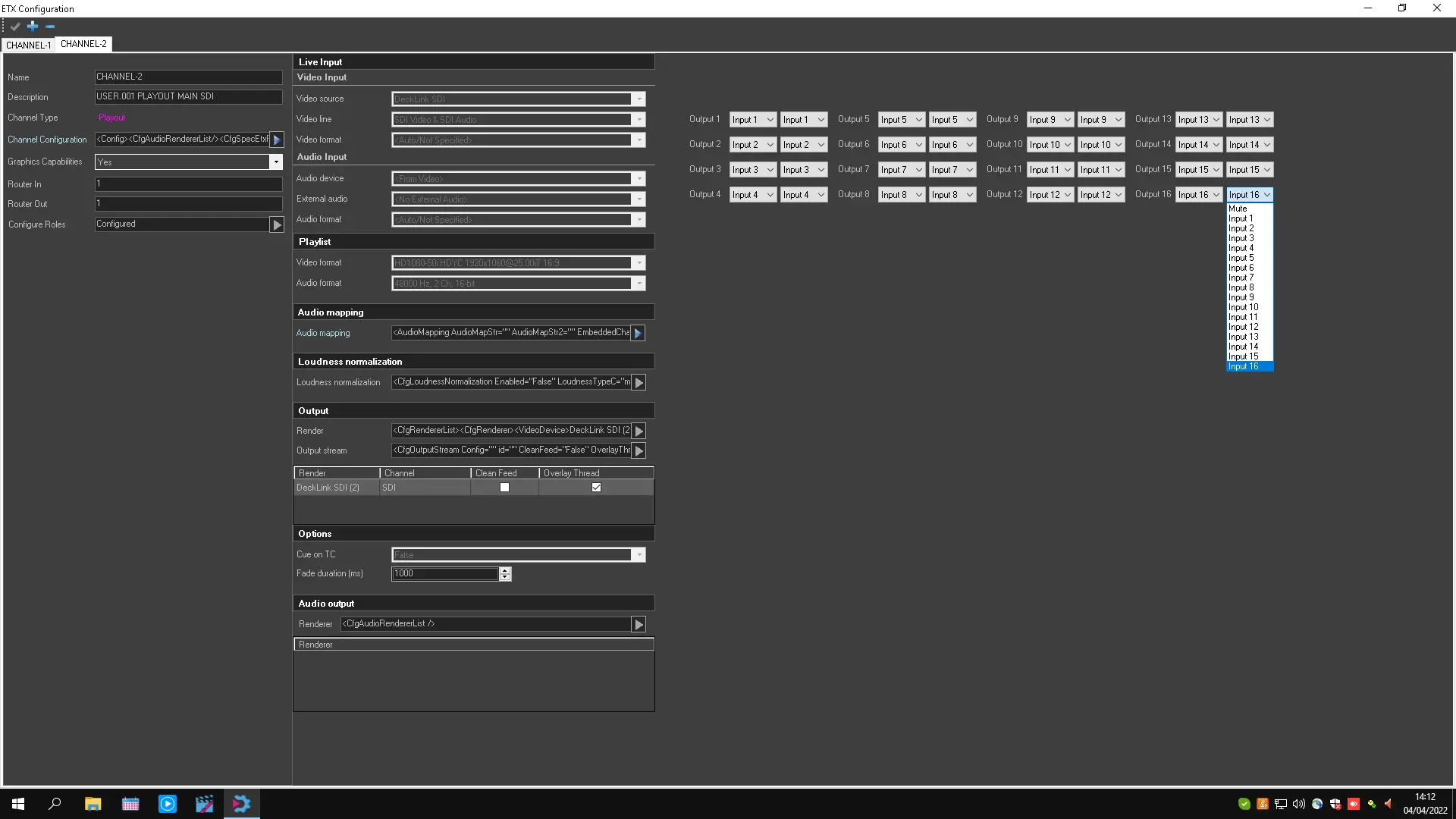
Audio Mapping: The Audio Mapping allows to define up to 16 audio channels.
Note: In Audio Mapping, default audio channels would be inserted if the mapped audio channels are not present in the file.
4962_etx_audio_mapping
-----------------------------------------------------------------------------------------------------------------------------------
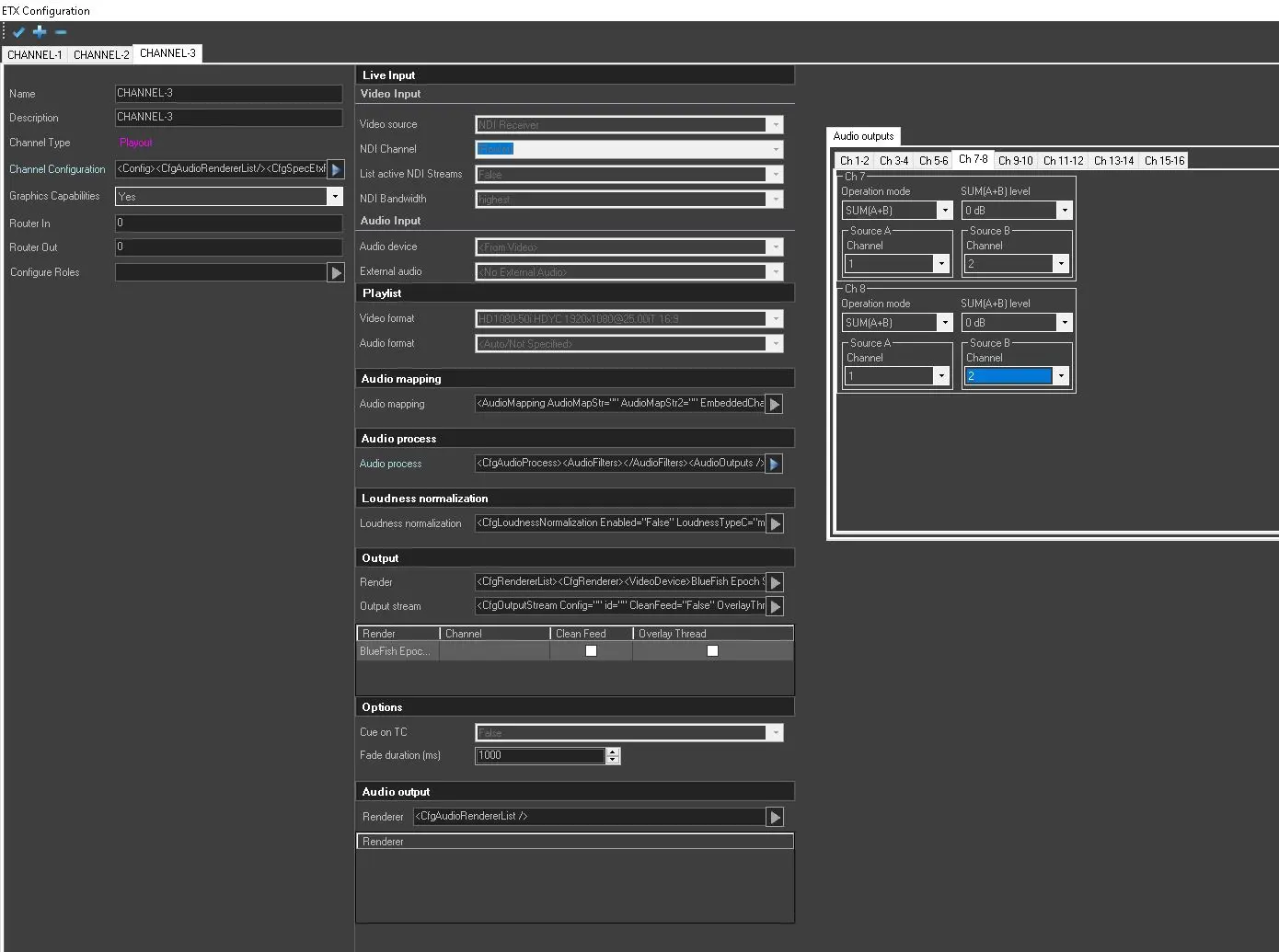
Audio Process: The Audio Process allows the configuration of the SUM and the MIX of 2 Audio Channels A and B.
It is possible to SUM Left and Right of Channel A and Left and Right of Channel B and apply the Audio Normalization in output. On the other hand, with the MIX function, MIX a Stereo channel into a MONO one is possible.
Audio_process_playout
-----------------------------------------------------------------------------------------------------------------------------------
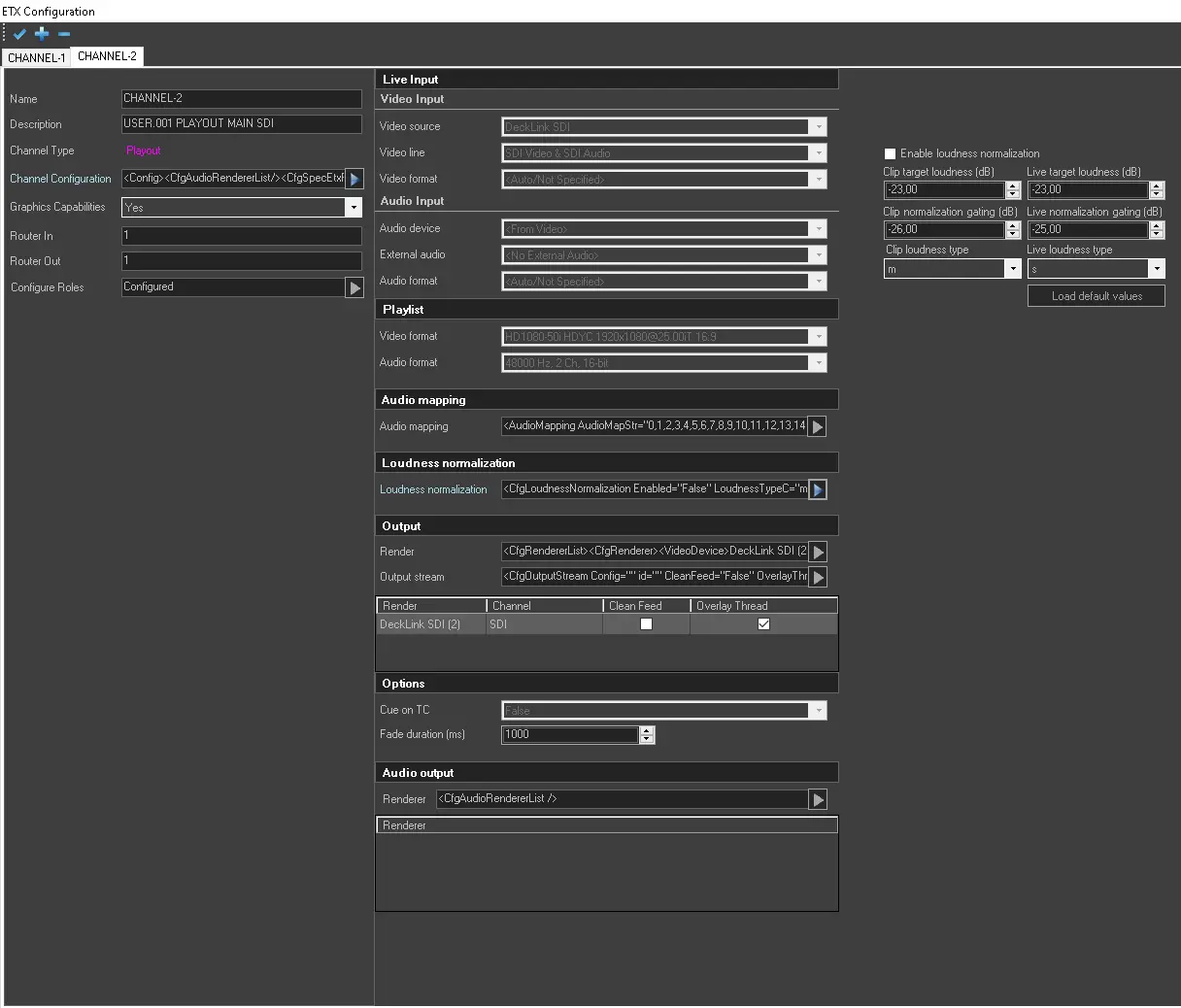
Loudness Normalization: Enable/Disable the Loudness normalization feature. If loudness normalization is enabled, set a loudness unit to normalize the loudness to a target level. For example, when the reference normalization level is set at 14.00 LUFS, if a program is analyzed to be 10.00 LUFS, the level would be lower by 4 dB to match the target loudness of 14.00 LUFS.
Note: To use this feature, the license ET5535 is required.
4963_etx_loudness_conf
-----------------------------------------------------------------------------------------------------------------------------------
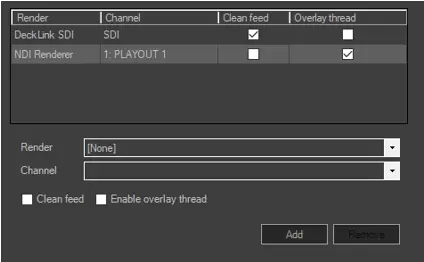
Render: Specify the render and channel of the output device. Upon selecting output render, you can choose the "Clean feed" (render without any CG) or "Overlay thread" (CG loaded in a separate thread) options during the output streaming.
ETX__playout_render_settings
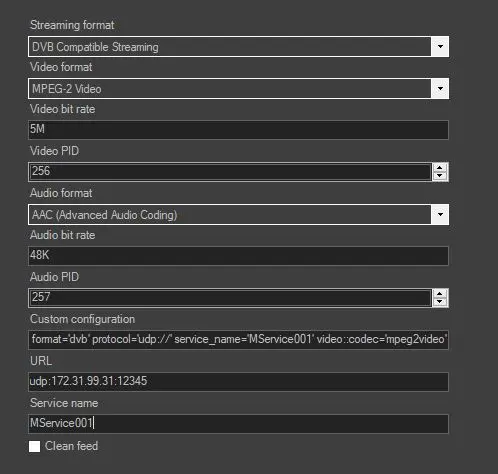
Once the output stream has been configured, it is possible to edit the string by inserting custom parameters that are not available during the configuration phase.
It is possible, for example, for the SRT stream to add additional destinations instead of a single one, adding them manually on the Custom configuration field, in the following format:
stream.1::path='srt://172.31.230.1:9998? mode=caller' stream.2::path='srt://172.31.230.2:9999?mode=caller'
ETX_playout_output_stream
-----------------------------------------------------------------------------------------------------------------------------------
Cue on TC: Set it as True to cue clips according to the timecode of the first frame of the clip. It is adviced to leave this parameter as false, the default value.
Fade Duration(ms): Set the duration of the fade transition between live and playlist.
-----------------------------------------------------------------------------------------------------------------------------------
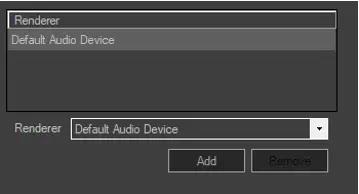
Renderer: Select the audio device for the output.
ETX_audio_output
-----------------------------------------------------------------------------------------------------------------------------------
Configure in this section the settings for SCTE signals.
Remote control port: Specify the port where the insertion commands from STMan are received (setting the port to 0 will disable this function).
AS index: AS_index uniquely identifies the source of the message (AS stands for Automation System, since it is possible to have several automation systems active at once). The number ranges from 0 to 255 and shall be zero if this index is not required.
DPI PID index: The DPI_PID_index allows a given AS to direct messages to a specific DPI PID within a specific MPEG program in a specific Transport Stream (TS) within the purview of the operational system (DCS).
Note: DPI_PID_index is required only if multiple Injector Instances (logical injectors) are present for any physical connection or if one or more Injector Instances are generating more than one DPI PID.
Normally, there shall be one value of DPI_PID_index for each DPI PID referenced by a program’s PMT for each program within the purview of the DCS. The exception to the rule is the case where a single DPI PID is shared by more than one program within a single TS. In this case, more than one PMT may make reference to the same shared DPI PID via a common value for DPI_PID_index (example, multiple language versions of the same movie).
Heartbeat period (ms): Configure the time interval in which the heartbeat is sent.
Renderer: Select the device where the SCTE-104 signal should be sent through.
Renderer/ANC line: Select the channel and the ANC line where the SCTE-104 signal should be inserted.
-----------------------------------------------------------------------------------------------------------------------------------
 ETX_audio_output
 ETX__playout_render_settings
 ETX_playout_output_stream
 4962_etx_audio_mapping
 4963_etx_loudness_conf
 etx_playout_ch_conf
 audio_process_playout