Settings
6.2.3 Link Areas
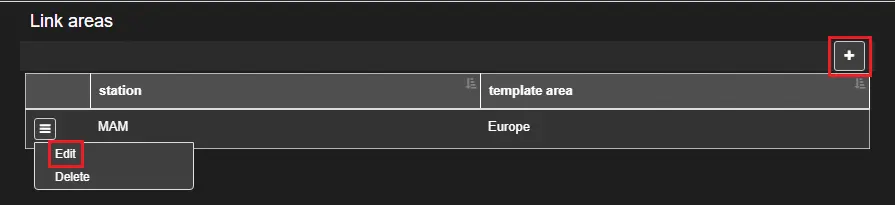
The Link Areas section displays the template area that is available to be used by the licensed station. You can edit/define the template area associated with the current station.
Link_Areas
You can either click on the + button and link the current station to one of the template area defined in the system, or click on the ☰ button of an existing line to edit or remove the template area assigned.
bms_link_area_edit
Note: It's not possible to see the template areas linked to the other stations, unless you switch station from the top-right user menu.
 Link_Areas
 bms_link_area_edit