79.2.4.5 Start Using Etere Nunzio Graphics Player
Once the first configuration has been done, we can start using Etere Nunzio Graphics Player in order to air our daily news Rundown.
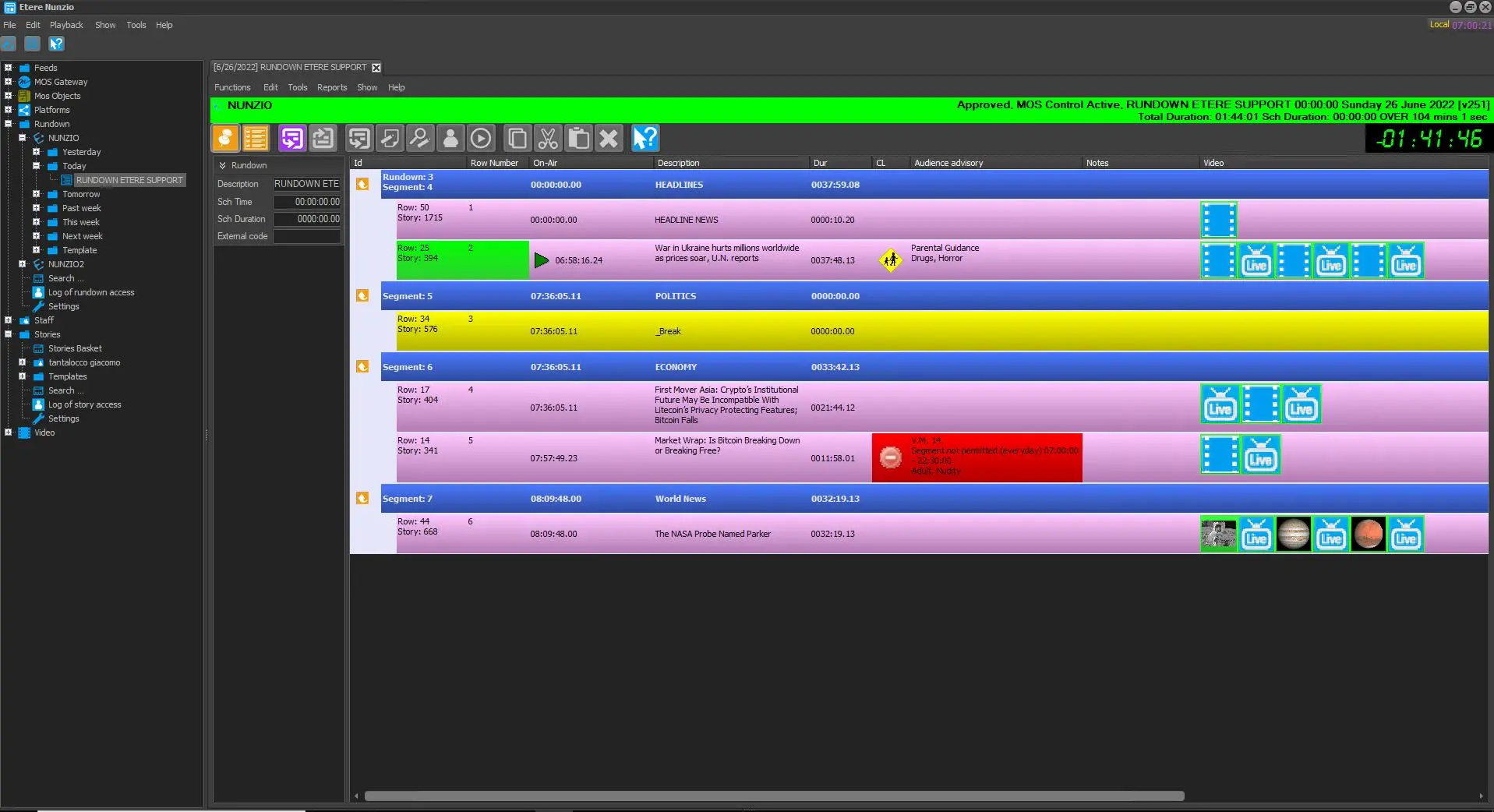
First thing first, we need to have the wanted Rundown as Approved and MOS Active in today tree.
approved_active_rndwn
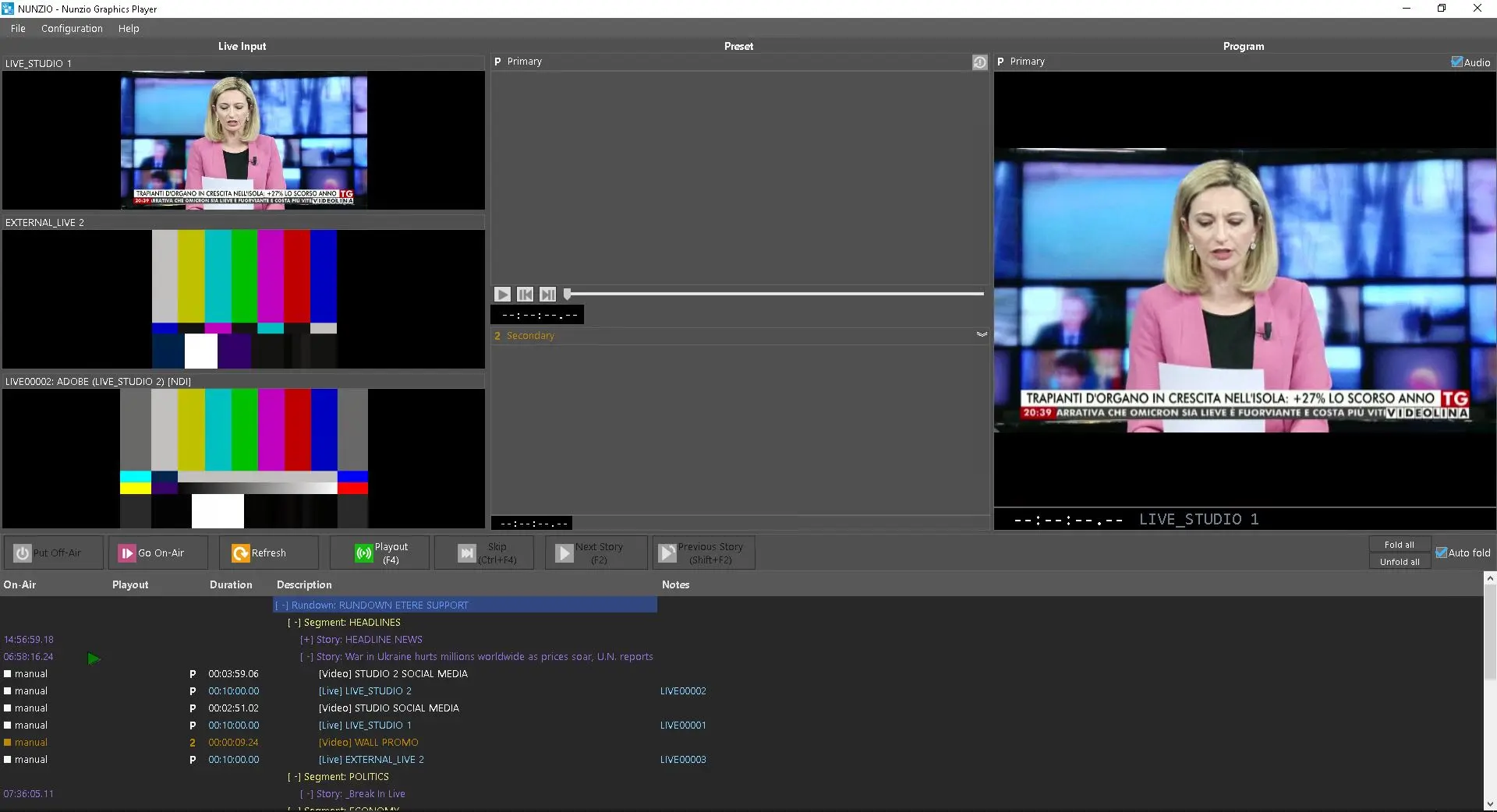
Once the today Rundown has been Approved and MOS Activated from any Etere Nunzio Client, it will be immediately taken and loaded by Etere Nunzio Graphics Player in a automatic way.
first_time_load
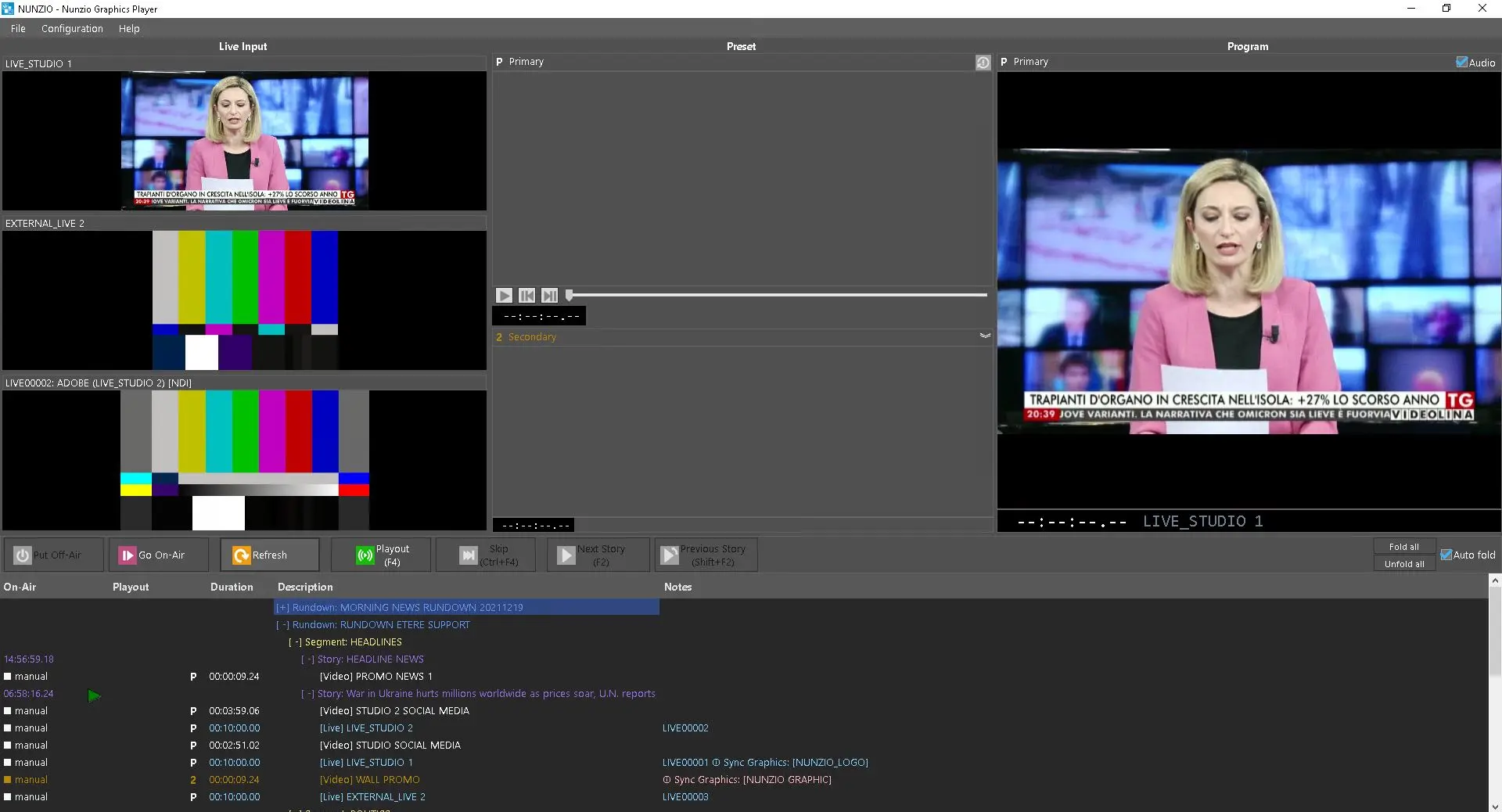
It worth mention that every Nunzio Rundown which has been Approved and MOS Activated will be present in the Etere Nunzio Graphic Player GUI.
rundown_layout2
The Nunzio Rundown in Etere Nunzio Player is easely recognizable as is formatted in a way that distinguish any section of the given playlist.
Any object which has child can be expandend down to the last element, aswell as collapsed. At a first look we can easely distinguish Rundowns from Segments, Stories from Contents and so on.
-
Purple
we have all the available Nunzio Rundown;
-
Yellow
all the segments in which the given Nunzio Rundown has been split into.
-
Violet
is the rapresentation of any Story within the Nunzio Rundown;
-
Light Blue
for the LIVE Events;
-
White
for the Primary Video content;
-
Orange
for the Secondary Video content;
-
Light Pink
On the other hands, ETX-G graphics are represented as Pink, as the following image shows.
rundown_layout2
Once done, the latest modifications made to the given Rundown and Stories would be immediately applied in Etere Nunzio Graphics Player.
Once our daily Rundowns are loaded, we can start airing it according to Etere Nunzio Player functions.
 approved_active_rndwn
 first_time_load
 rundown_layout2