9.6 Yandex Text to Speech
This integration aims at creating audio files with Yandex service from clips with subtitles associated.
In order to use Yandex Text to Speech integration with Etere you will need:
- Speech-to-text Etere module
- Yandex account
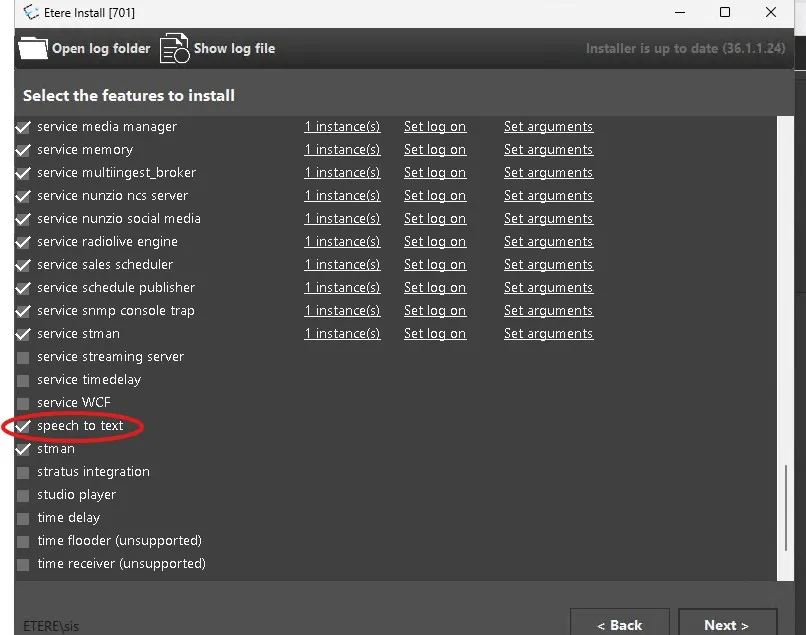
1. Speech-to-Text module
Opens Etere Update, select the latest Etereinstall package and click on "next", then select from the list of modules "Speech-to-Text" and click "next" until the installation is completed.
2. Yandex Account
Go to https://console.yandex.cloud/ and login with your Yandex account (take note of the folder ID, you will need it later.), next:
- Go to "Identity and Access Management", create a new service account with ai.speechkit-tts.user role and access it.
- Inside the service account create the API key with yc.ai.speechkitTts
- Next, take note of the API key and execute it , it cannot be regenerated, so if you lose it you have to recreate it.
Now, you are ready to configure and use Yandex Text-to-Speech integration.
 speech_to_text