Lines tab
201.13.6.2 Assign Assets and season
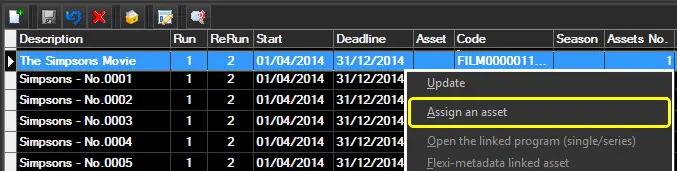
The [Assign asset] function available from the contextual menu and the main tab, enables the selection of the Program (e.g. Movies, Video Clips) or season (e.g. Sitcoms, Soap Operas, Cartoon season, Action season, etc) to which an order line is related:
traffic_bms_asset_assignment_1
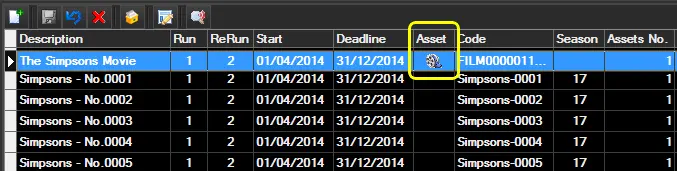
Once the asset has been successfully assigned to the related order line, an icon will be displayed under the asset column:
Traffic_bms_asset_assignment_2
Note:
In case checks are enabled in the Tools menu, assets may be prevented from being assigned (if already assigned to the current platform or if already assigned to another customer in the same period).
 traffic_bms_asset_assignment_1
 Traffic_bms_asset_assignment_2