79.2.4.7 Event Start Type
In Etere Nunzio Graphic Player is possible to assign 3 different starting state either for normal Video Clip, aswell as for Etere ETX-G Graphic Objects.
In this scenario, an operator can deceide if the next Video Clip or the next graphic to air, might be Automatic or Manual or timed with the previous event.
In order to do so, is enough to set the given state directly into the object embedded into any Etere Nunzio Story by relying on any Etere Nunzio Content Management client.
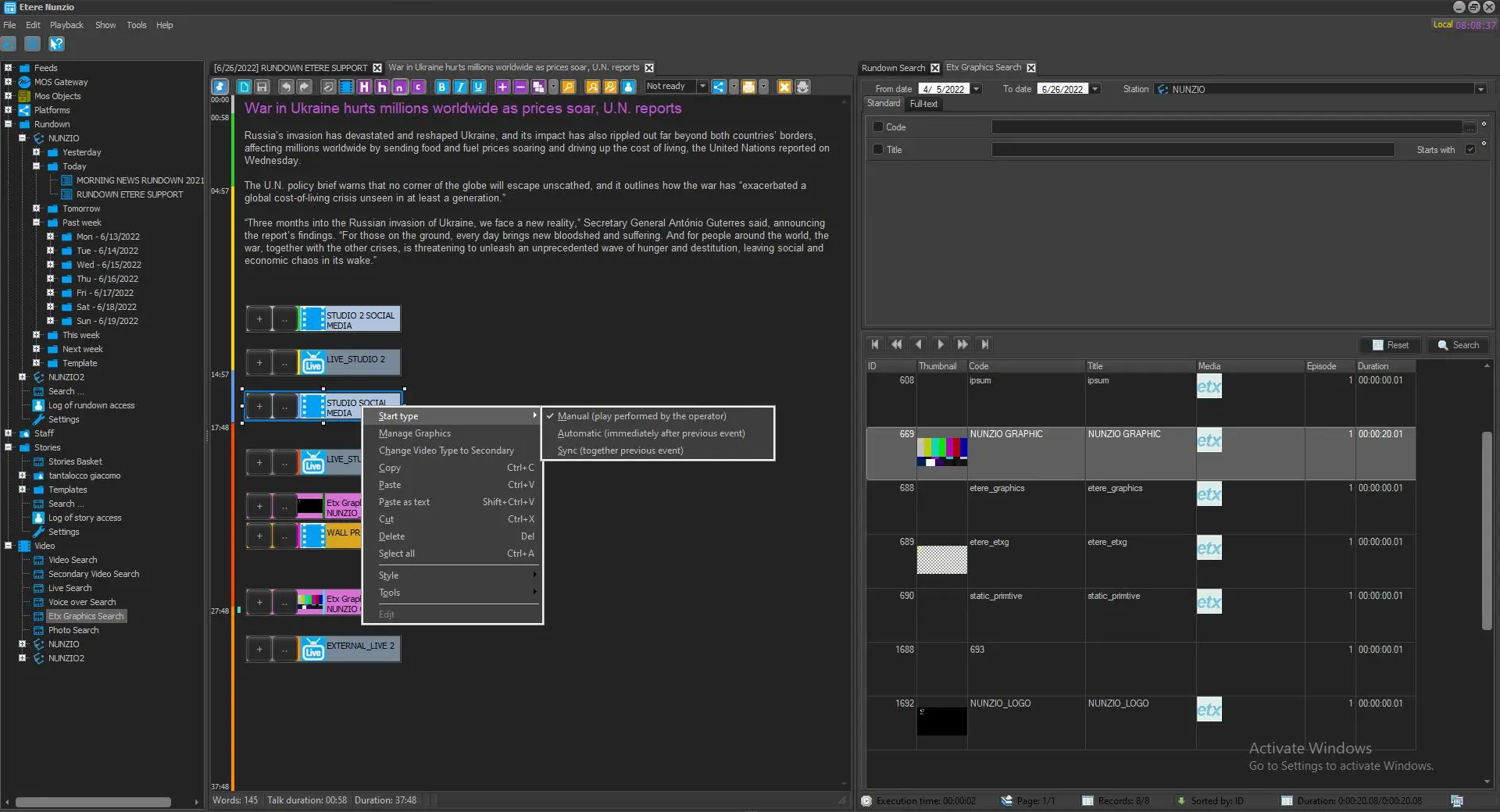
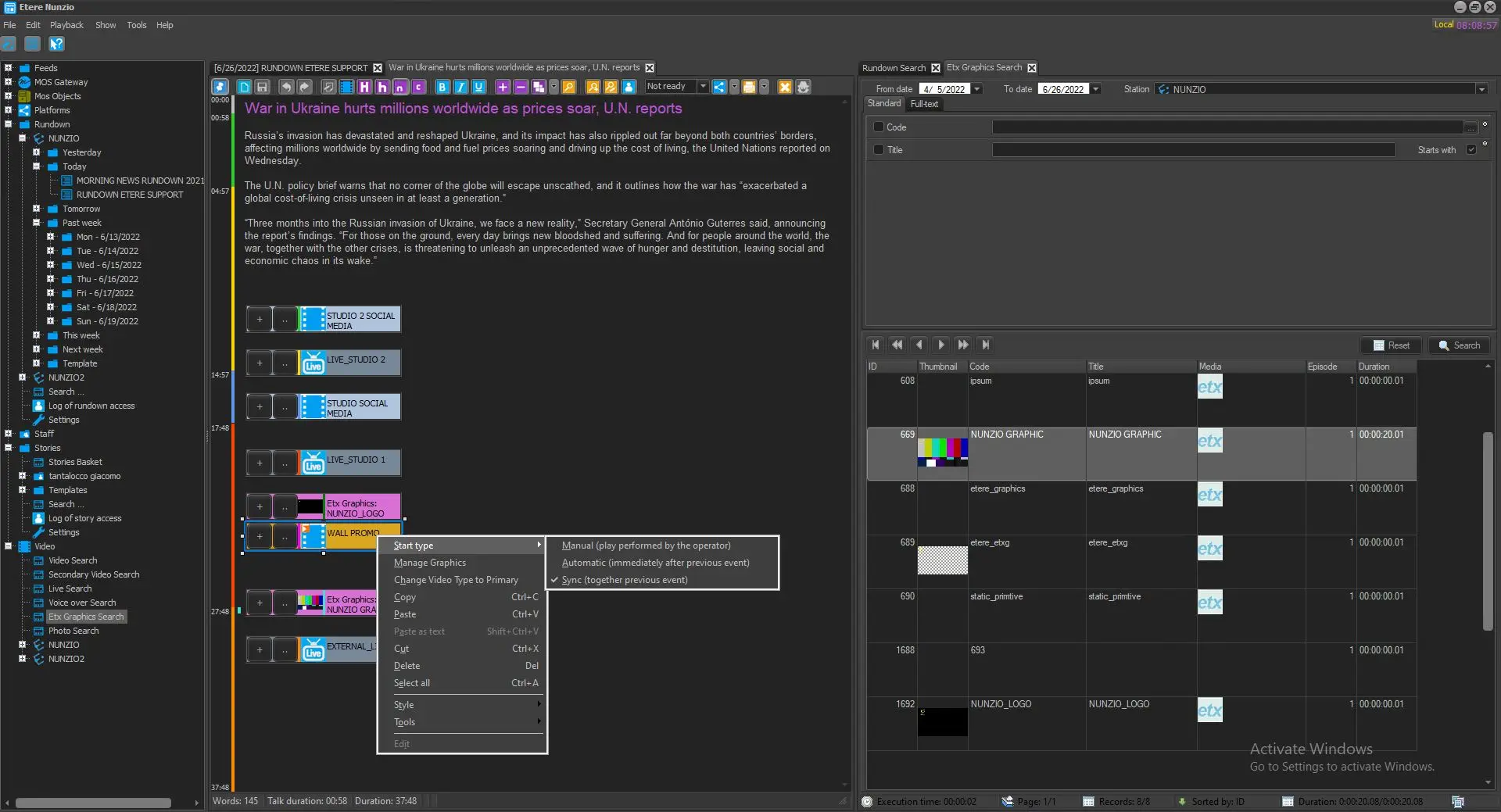
Is possible to accomplish this just by right-clicking the given object > Start Type and then set the wanted state:
manual_start
sync_start
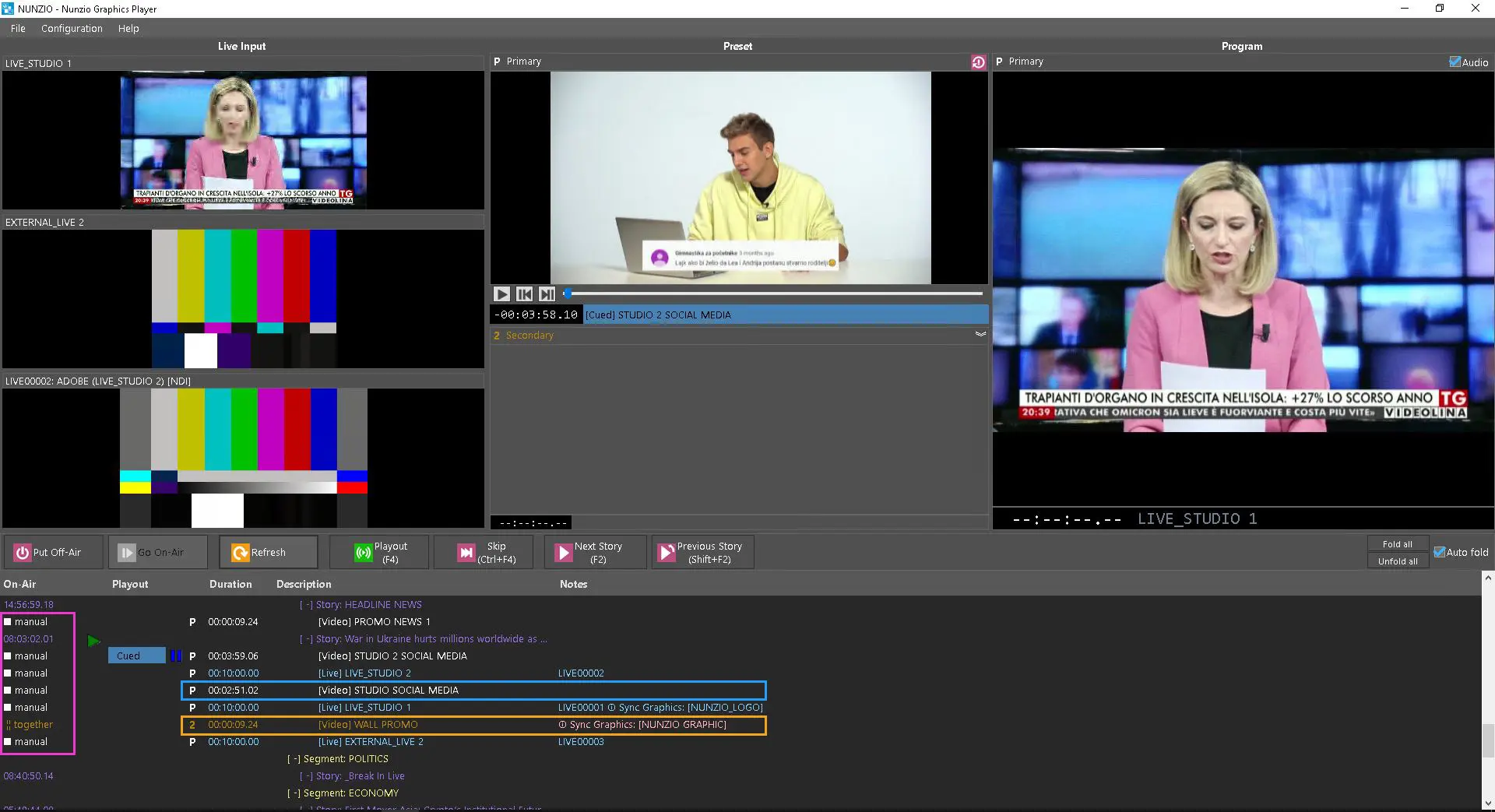
Once we set the given state, we can see the result directly on Etere Nunzio Graphic Player GUI just by press the Refresh button in order to let the story modification to be applied in the Nunzio Playout:
start_type_event
Following the description for each Start Type function:
1. Manual: The air operation of the given object is performed manually by the operator;
2. Automatic: The given object is aired automatically at clip change without any intervention of the operator;
3. Sync: If the given state is set, the object would start as the previous event starts.
 manual_start
 sync_start
 start_type_event