9.6.1 Using Yandex text to speech
Select from Etere Web the subtitle language along with any voice available for that language. The available voices and their associated languages can be consulted from here:
https://aistudio.yandex.ru/docs/en/speechkit/tts/voices.html
1. Configuration:
- Create a metafile filter from Etere Web as "media folders and codecs", select the destination media folder for the generated audio files and assign the WAVE codec
- Go to Etere Configuration > Configuration Editor > Yandex management > Yandex text to speech and insert the folder ID , api key that you noted in chapter 9.6.0.0 and the metafile filter you've created.
To create the associated workflow with the Yandex action responsible to create the audio file:
- Go to Etere Configuration > Configuration Editor > T-Workflow > Actions and create a new action. Here at creation if you leave the combo boxes as default , the voice choice can be set up later. You can also specify a destination folder after the creation.
- Create a workflow with the previous action and assign it to Configuration > Configuration Editor > T-Workflow > Defaults in the dedicated slot
Now you can go to Etere Web > MAM > Yandex text to speech, select the asset with subtitles, select voice and voice role needed and press start. This will start the default yandex workflow and generate the wav voice audio for the subtitles associated.
Please remember that to generate a speech in a specific language with Yandex TTS, the language must be first enabled in Etere Configuration > Settings > Basic Configuration > Languages, in both the Language and Subtitle tabs.
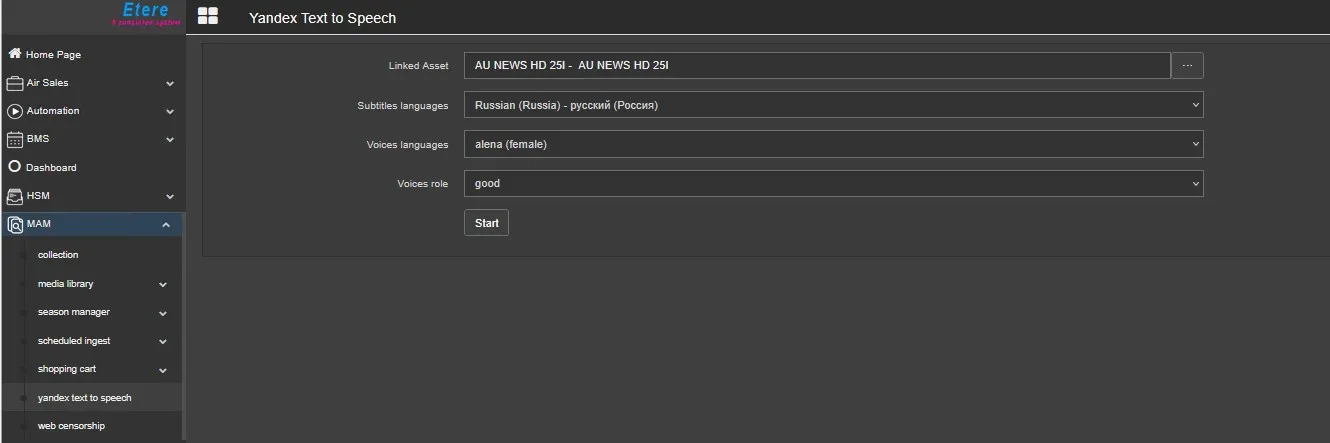 Yandex_text_to_speech
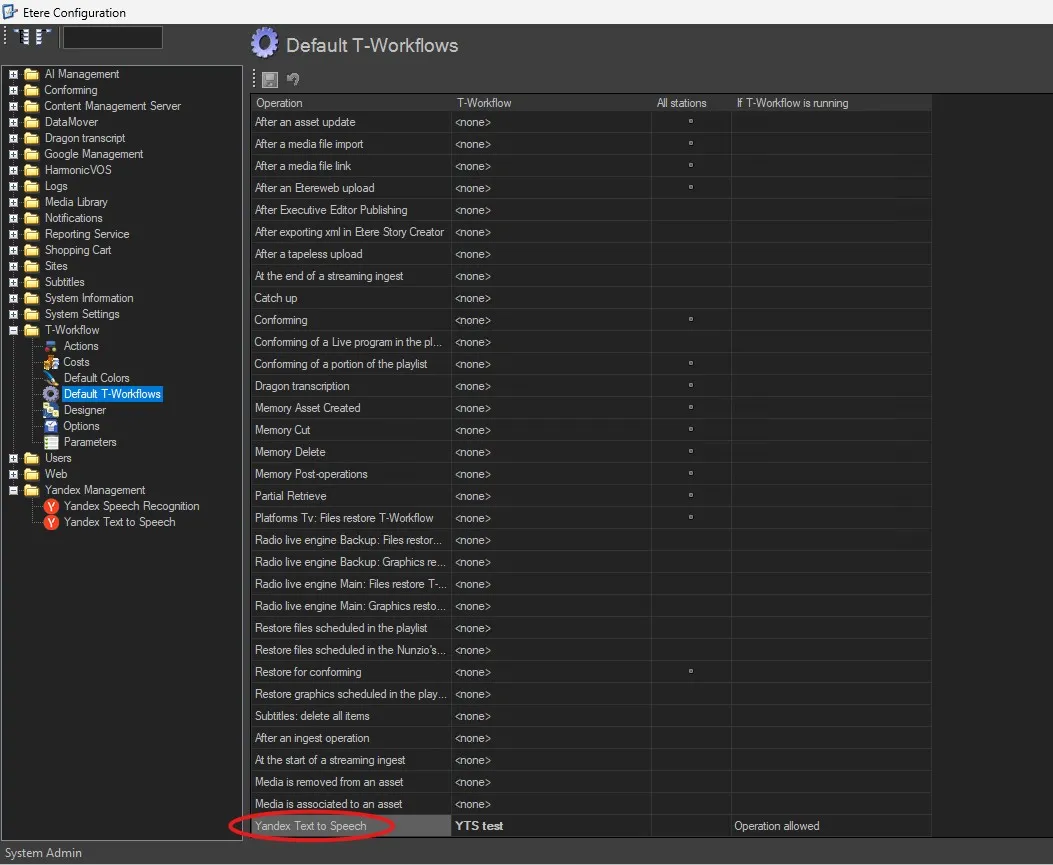 default_workflows
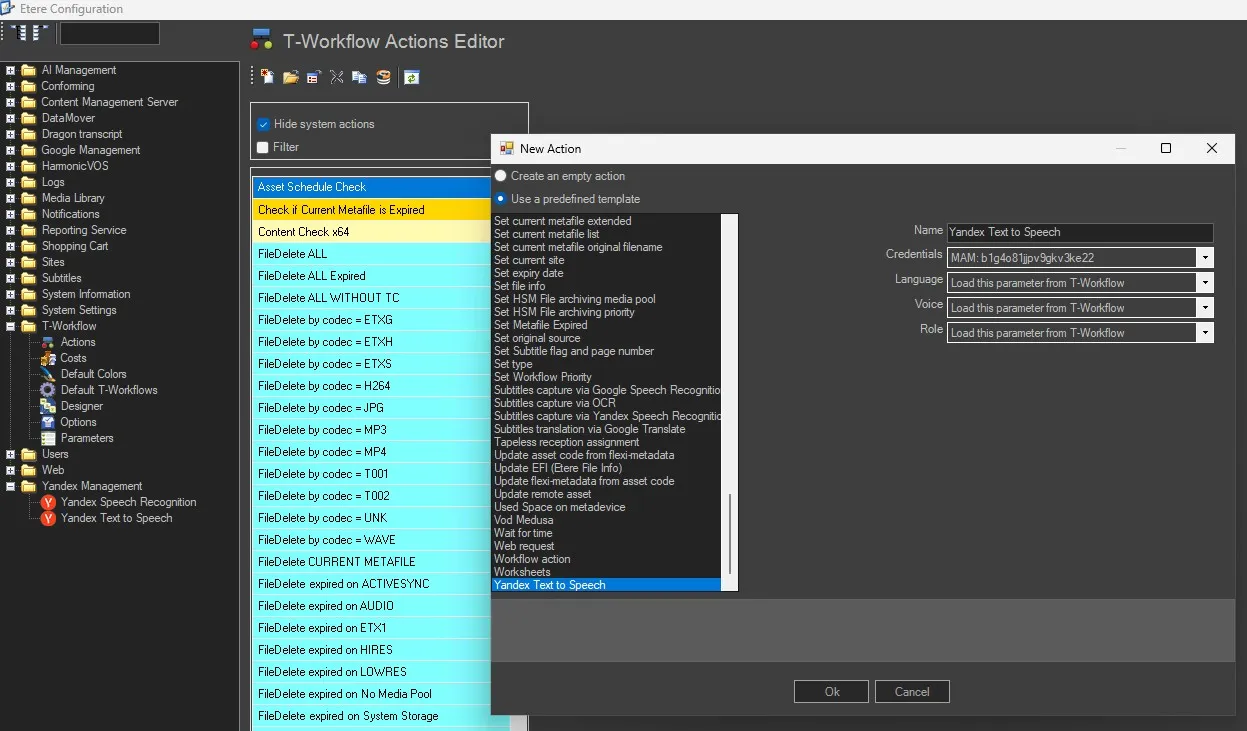 Yandex_Action
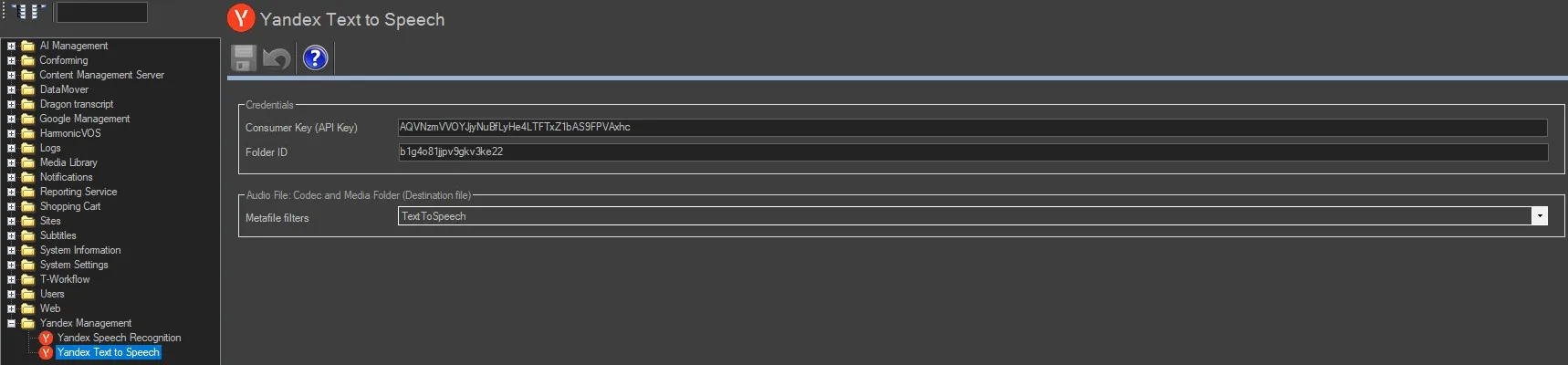 Yandex_integration_configuration