How to
59.3.14.7 Set the Source Media Folder
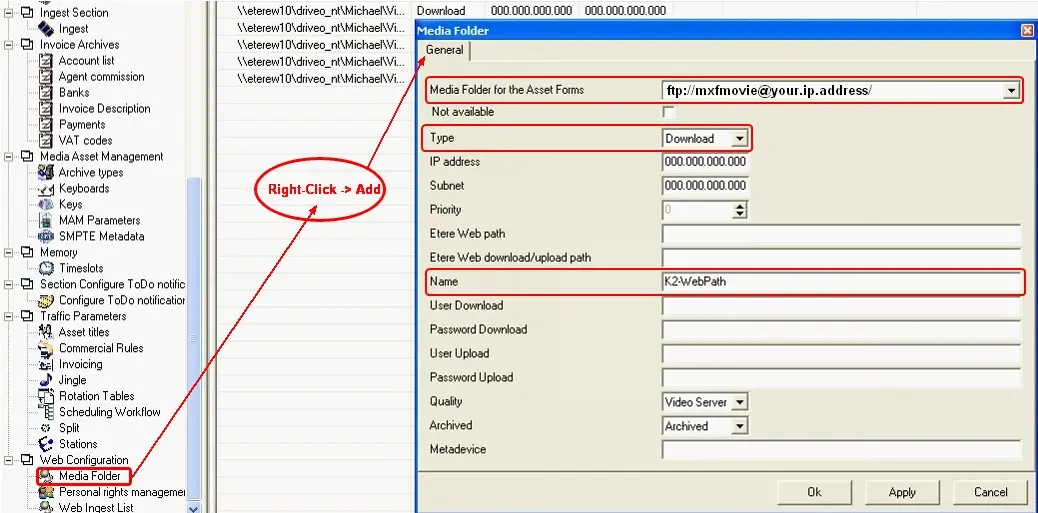
In order to set the destination go to Etere Configuration | Settings | Web Configuration | Media Folder and make right-click on the folder's list and select the Add option, the following window will appear:
Add_option
In the Media Folder for the Asset Forms field choose the volume previously defined for the K2 Video Server (Define a K2 Cloud-device), verify that the Type is set to download, give a Name to the Media Folder and finally click on the 'Ok' button.
 Add_option