98.1 Linked Servers Federated Management
What is a Linked Server?
A Linked Server is a Microsoft SQL Server feature enabling seamless access to data across different SQL Server instances, allowing applications to query remote databases transparently.
How Federated Management Uses Linked Servers
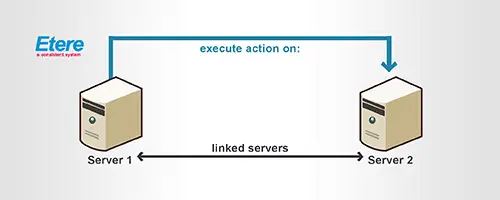
Local sites leverage Etere's federated capabilities to share assets across geographically distributed sites, allowing each site to search and manage remote assets as if local — including metadata updates, EDL management, and T-workflow execution.
[fm_linkedserver_flowchart]
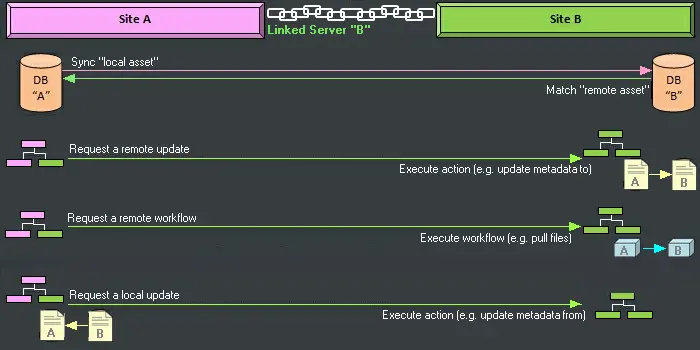
[FM_LinkedServer_diagram]
Four remote operations are supported between Local Site (A) and Remote Site (B):
1. Remote Sync — A T-workflow triggers asset synchronization; DataMover requests the remote asset ID from Site B (matched by code), creating a link between local and remote assets.
2. Remote Update — A T-workflow sends metadata and/or EDL from Site A; the Linked Server updates the corresponding remote asset on Site B.
3. Remote T-workflow — A T-workflow triggers execution on Site B (e.g. pull video file from A); the Linked Server runs it against the linked remote asset.
4. Local Update — A T-workflow requests metadata and/or EDL from Site B; the Linked Server returns the data and the local asset is updated accordingly.
Note: Assets, EDL, and metadata pushed to remote sites via Linked Server do not update the ingest date on the remote site.
Configuration
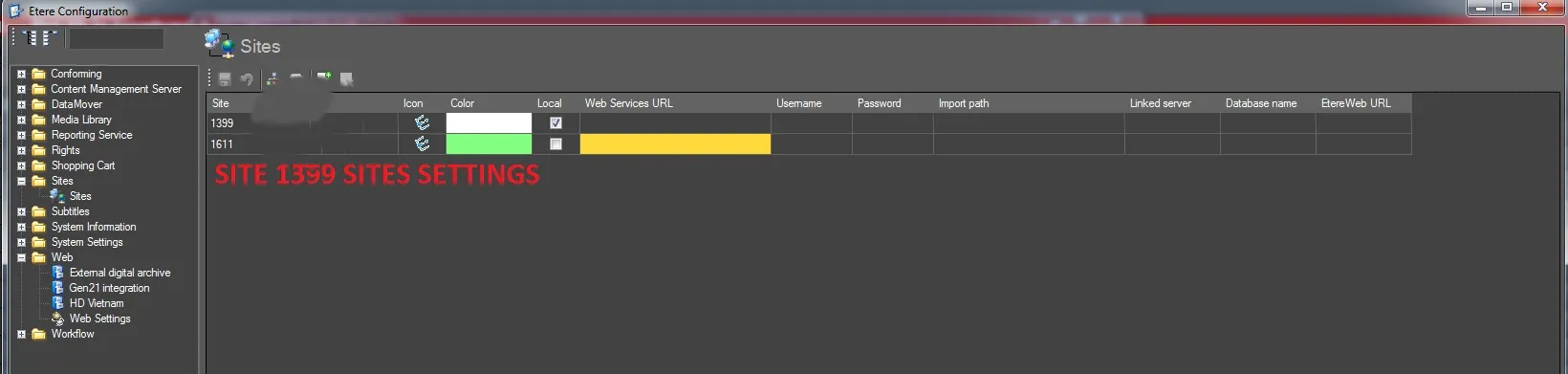
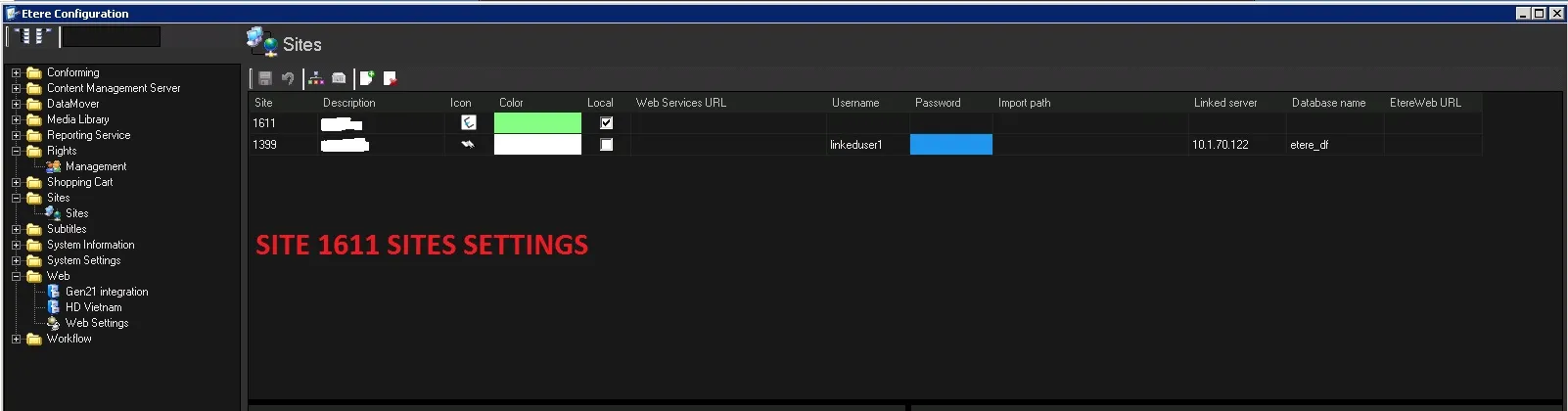
Sites are configured in Etere Configuration → Configuration Editor → Sites. The screenshots below show a two-site federated setup: Site 1399 set as local, and Site 1611 viewing Site 1399 as remote via Linked Server (10.1.70.122, database etere_df).
[1399_Setting] [1611_Setting]
 fm_linkedserver_flowchart_
 FM_LinkedServer_diagram
 1399_Setting
 1611_Setting