18.4.1.1 Ingest Setup
In the Ingest Setup section, the operator can modify or enable several parameters.
The Ingest Setup section is divided into two areas: GLOBAL and GENERAL.
The GLOBAL area contains settings that apply globally, regardless of the selected channel, while the GENERAL tab contains settings specific to the currently selected channel.
Under the GLOBAL tab, the following settings are available:
Update Schedules : If enabled, each time an ingest operation is completed, the duration of the newly ingested asset is automatically updated both in the asset form and in all broadcast schedules — from the current time onward — where the asset is scheduled.
A warning message will also be displayed in the Executive Editor to notify users about the updated duration of the scheduled asset.
NB: Only non-exploded performances of the ingested asset will be updated across broadcast schedules.
NB: To update automation schedules, use the Cart Ingest module. This will also update exploded segments, if enabled under Parameters > General2.
Under the GENERAL tab, the following settings are available:
Set all ingesting assets as streaming: All assets will be marked as streaming during the ingest process, regardless of the server on which they are being ingested. This parameter also applies to assets ingested through the Etere Multichannel Ingest client-server.
T-Workflow to be launched after an ingest operation: In the case of a regular ingest operation (i.e. non-streaming), this T-Workflow is launched automatically at the end of the ingest.
NB: This T-Workflow can also be configured under Etere Configuration > Configuration Editor > T-Workflow > Default T-Workflows.
T-Workflow to be launched at the start of a streaming ingest: Defines the workflow to be launched automatically as soon as a streaming ingest operation starts.
Workflow to be launched at the end of a streaming ingest: In the case of a streaming ingest operation, this workflow is launched automatically when the ingest ends. If no workflow is specified here, the workflow defined in "T-Workflow to be launched after an ingest operation" will be executed instead.
NB: This workflow can also be configured under: Etere Configuration > Configuration Editor > Workflow > Default Workflows.
T-Workflow to launch after a scheduled ingest: Defines the T-Workflow to be automatically launched at the end of a regular ingest operation performed through Scheduled Ingest.
T-Workflow to be launched at the start of a streaming scheduled ingest: Defines the T-Workflow to be automatically launched for assets during a streaming ingest operation performed through Scheduled Ingest.
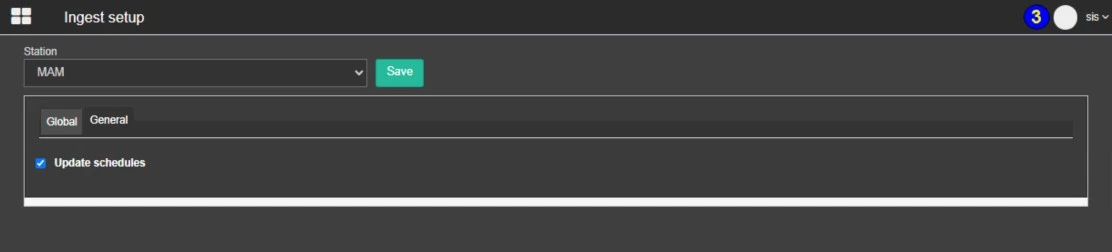 IngestSetup_-_Global
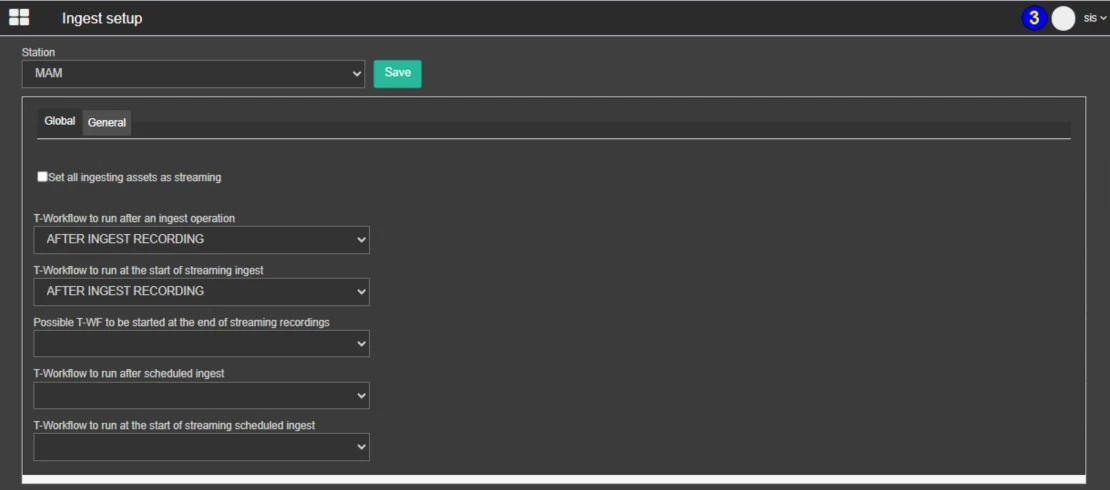 IngestSetup_-_General