61.3 Standalone Do.Ma.
Do.Ma standalone allows to store digital documents without associating to specific orders or assets immediately (i.e. a later association will be possible), in this case, documents will be related to the module from which they have been inserted.
Etere Do.Ma
Where is it available?
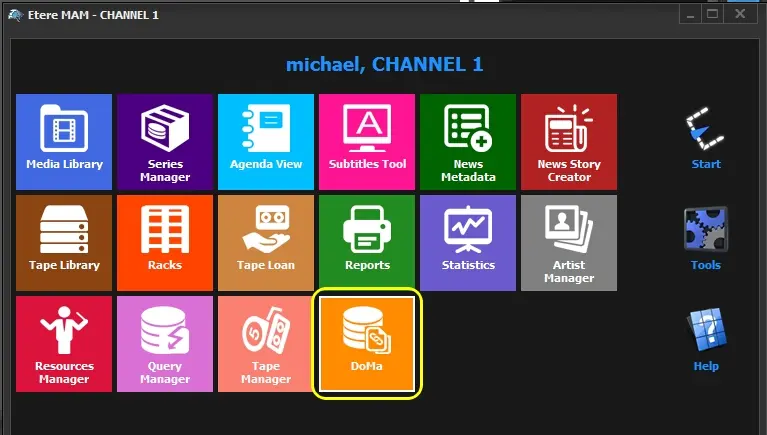
The standalone version of Etere Do.Ma. standalone application, is available as a menu item for those modules which require handling of attached documents, these modules include Air Sales, BMS and MAM.
It's worth mentioning that inserted documents are exclusive by module, documents inserted from one module will not be available for other modules.
Documents_management
Full-Text Search
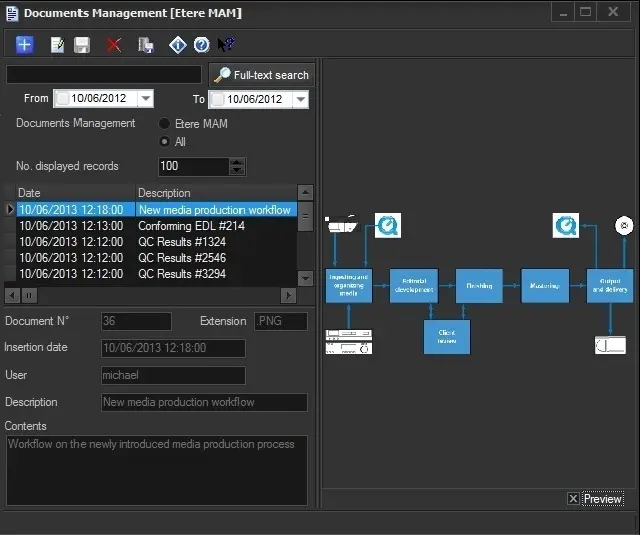
Use the following filters to perform a full text search for all documents archived in the database:
• Text box: Enter a keyword to match the document description. E.g.: News, Movies, Job Number, and so on.
• From - To: Specify a date range when the documents were archived.
• Document Management: Leave as default "All" to search all documents in Etere database or select the name of the module to see only those documents inserted from it.
NB: The option's label changes according to the Etere module which Do.Ma. has been opened from.
• No. displayed records: Specify the number of records to be displayed.
Click the [Full Text Search] button to trigger a full text search to extract documents matching the search criteria. The search results will be displayed in the middle panel.
If you click on any document in the search results, the following information are displayed:
Document N.: The number of the document.
Extension: The file extension of the document.
Insertion date: The date and time when the document is inserted to the database, available also in the results table.
User: The name of the user who inserted the document.
Description: Description of the document, available also in the results table.
Content: The content of the document.
Toolbar Functions
Add new document: Browse and select a file to be stored into the Do.Ma database. See Document Insertion chapter for more information. Once inserted, documents will be available to be linked from the various modules where Do.Ma feature is available.
In MAM, you can use the "Ctrl" or "Shift" keys to select multiple documents, or the "Ctrl+A" combination to select all documents to add.
Modify selected document: Edit the description and/or content of the selected document.
Save performed changes: Apply all changes made to the description and content of the document.
Delete selected document: Permanently delete the selected file from the database.
In MAM module, you can use the "Ctrl" or "Shift" keys to select multiple documents, or use the "Ctrl+A" combination to delete all documents.
Save document as a file: Save the virtual document to a local drive with a different filename.
NB: Please note that files can be saved by right-clicking on the preview or on the result in the list and selecting the "export" option as well.
 Documents_management
 Etere_Do.Ma