72.2.2.83 Annotations - Project folder MXF import
The Project Folder MXF Import feature extends the functionality of the standard Project Folder Import by enabling the automated ingestion of all MXF files located within a selected directory and its subdirectories into a specified metadevice.
During the import process, the system performs a recursive scan of the selected repository and automatically generates a dedicated child asset for each MXF file identified. Each child asset is linked to its corresponding media file and prepared for further processing.
Once the import operation is completed, the system automatically triggers the default Conforming workflow on the current parent asset, using the Conforming profile selected during setup. This workflow consolidates all imported media into a single conformed output.
Procedure
Follow the steps below to correctly execute a Project Folder MXF Import:
- Access the target asset
From the Media Library, open or create an empty asset that will act as the parent asset, then navigate to the Annotation tab. - Open the import menu
Within the Media and Device panel, right-click on an empty area to display the contextual menu. - Select the import function
Choose “Project Folder MXF Import” from the available options. - Select source repository
In the dialog window, browse and select the root folder containing the MXF source files.
The system will include all files found in nested subfolders. - Select destination metadevice
Choose the metadevice where the imported media will be registered and managed.
Ensure that the selected metadevice is correctly configured and accessible. - Define codec settings
Specify the codec that will be uniformly applied to all imported MXF files.
This ensures consistency during subsequent processing and conforming. - Select Conforming profile
Choose the Conforming profile to be executed automatically after the import.
This profile determines how the media files will be processed and merged. - Execute and monitor import
Start the import process and wait for its completion.
At the end:- Click OK to confirm
- Or click DETAILS to review a detailed log/report of the operation, including processed files, potential errors, and system actions
Automatic workflow execution
Upon completion, the system automatically:- Attaches the Conforming workflow to the parent asset
- Starts the workflow using the selected profile
Navigate to the T-WORKFLOW tab to monitor progress and verify successful execution.
- Post-processing and validation
After the workflow has completed:
- Refresh the parent asset
- Return to the Annotation tab to access the generated metafile
- Perform any required metadata updates, annotations, or segmentations
Additional technical and media-related information can be found in the MediaData tab.
System Behavior and Data Structure
- Child Asset Creation
For each MXF file detected during import, the system creates a corresponding child asset.
These assets are automatically linked to the parent asset and can be reviewed in the RELATIONSHIPS tab. - Workflow Dependency
The Conforming workflow uses the generated child assets as input sources to produce a single, unified media output within the parent asset. - Output Generation
The result of the Conforming process is a conformed file (metafile) stored in the parent asset, representing the merged content of all imported MXF files. - Naming Convention
The conformed metafile is automatically renamed according to the global ETERE naming conventions, ensuring consistency with system-wide standards.
Best Practices
- Verify folder structure and file integrity before starting the import
- Ensure the selected metadevice has sufficient capacity and correct permissions
- Use consistent codec settings aligned with your production workflow
- Review the import report (DETAILS) to quickly identify any anomalies
- Monitor the Conforming workflow to ensure successful completion before proceeding with further edits
This feature (implemented from EtereInstall_36.1.191.9285.zip) is designed to streamline bulk ingestion and conforming operations, significantly reducing manual intervention while maintaining full traceability and control over imported media assets.
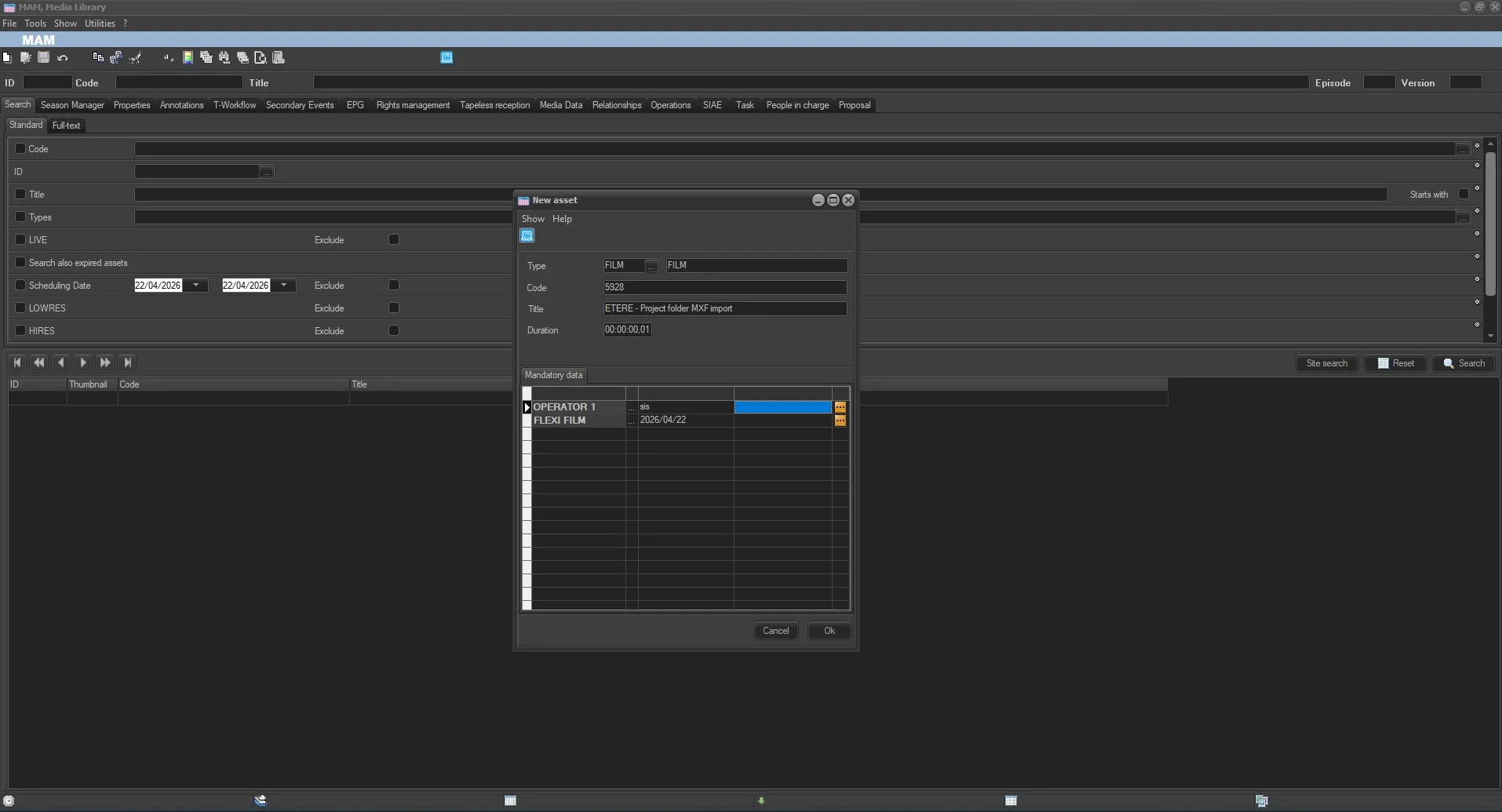 NewAsset
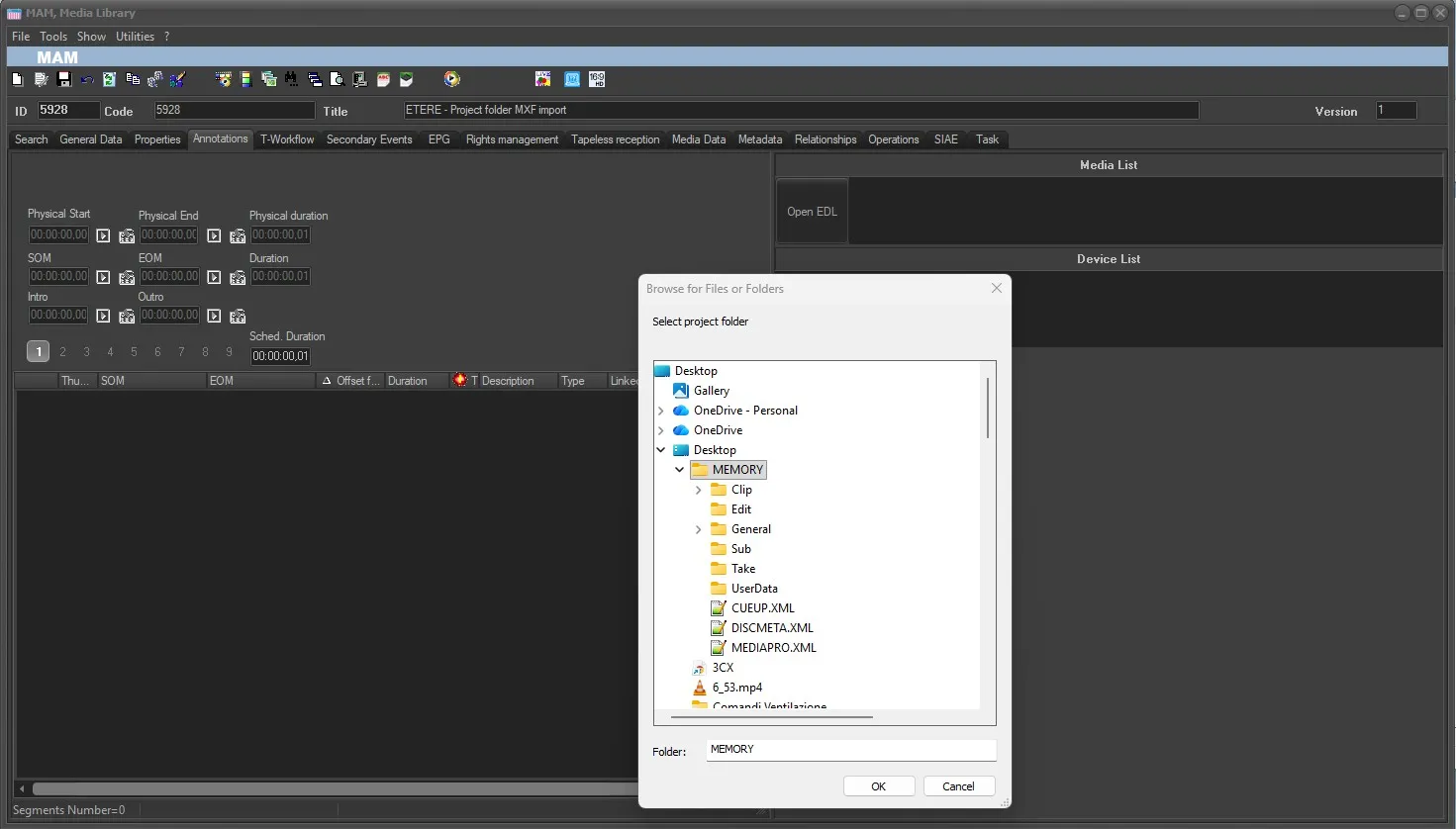 SourceFolderRepository
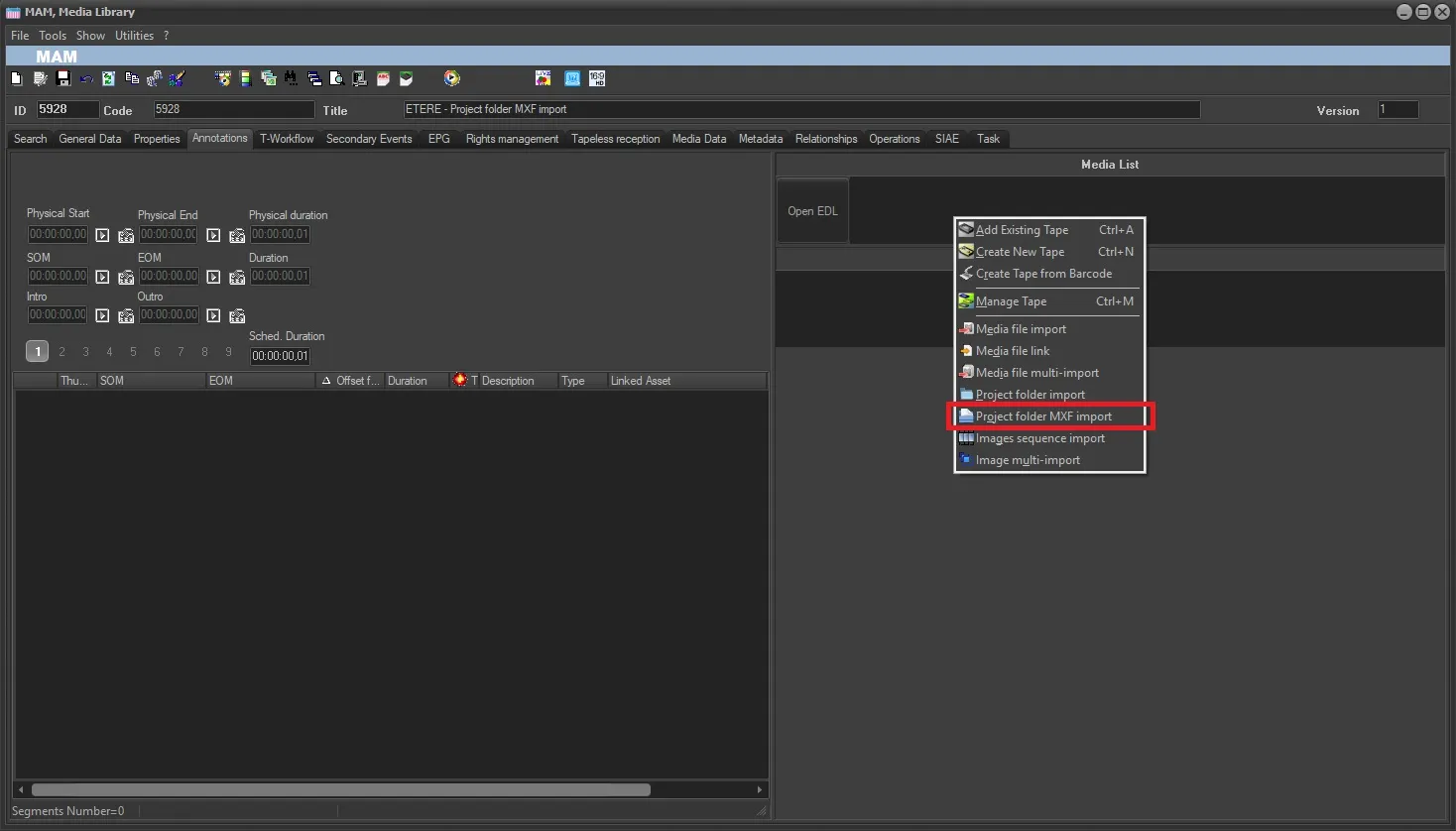 Project_folder_MXF_import
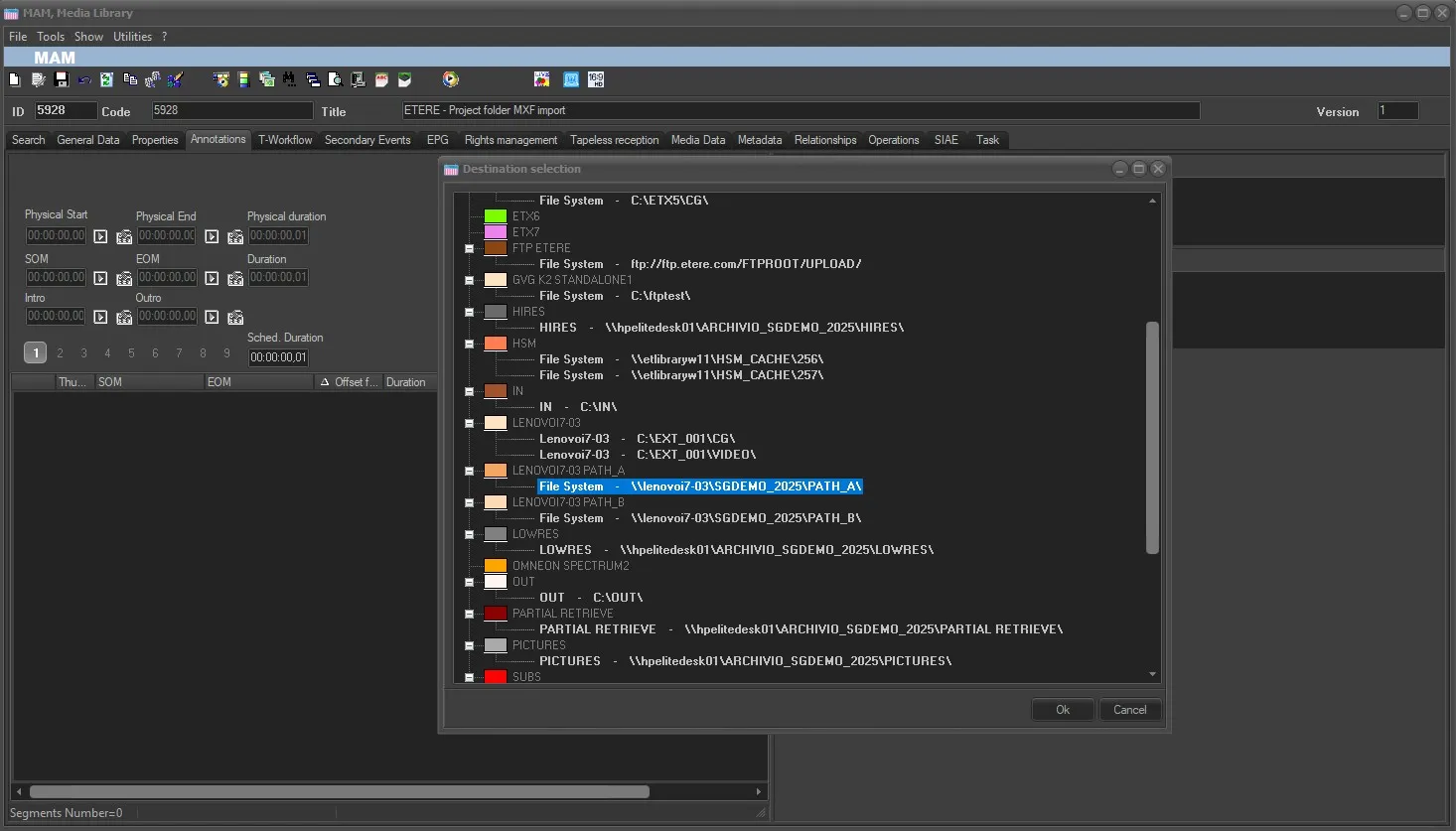 DestinationMetaDevice
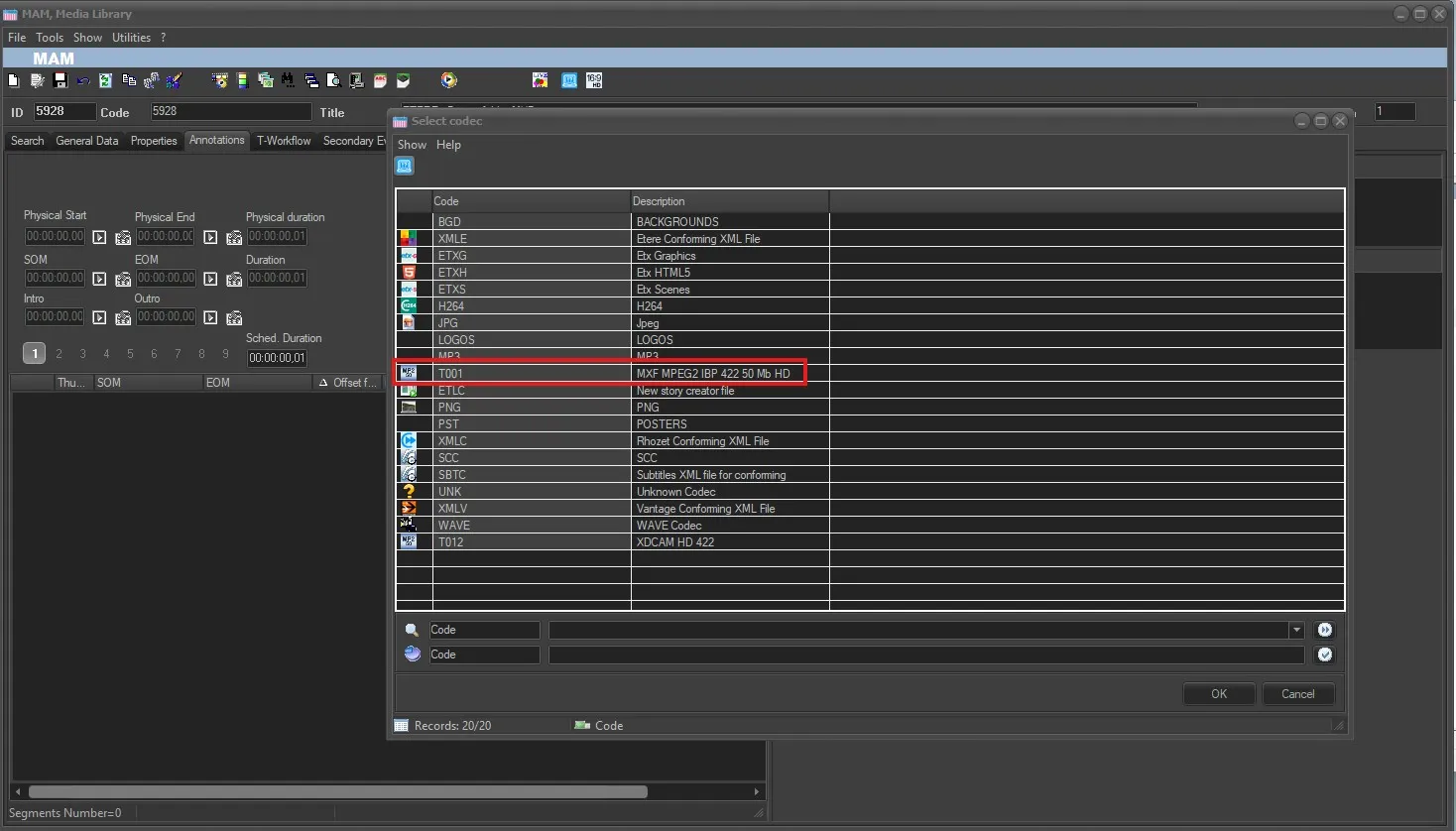 CodecDestination
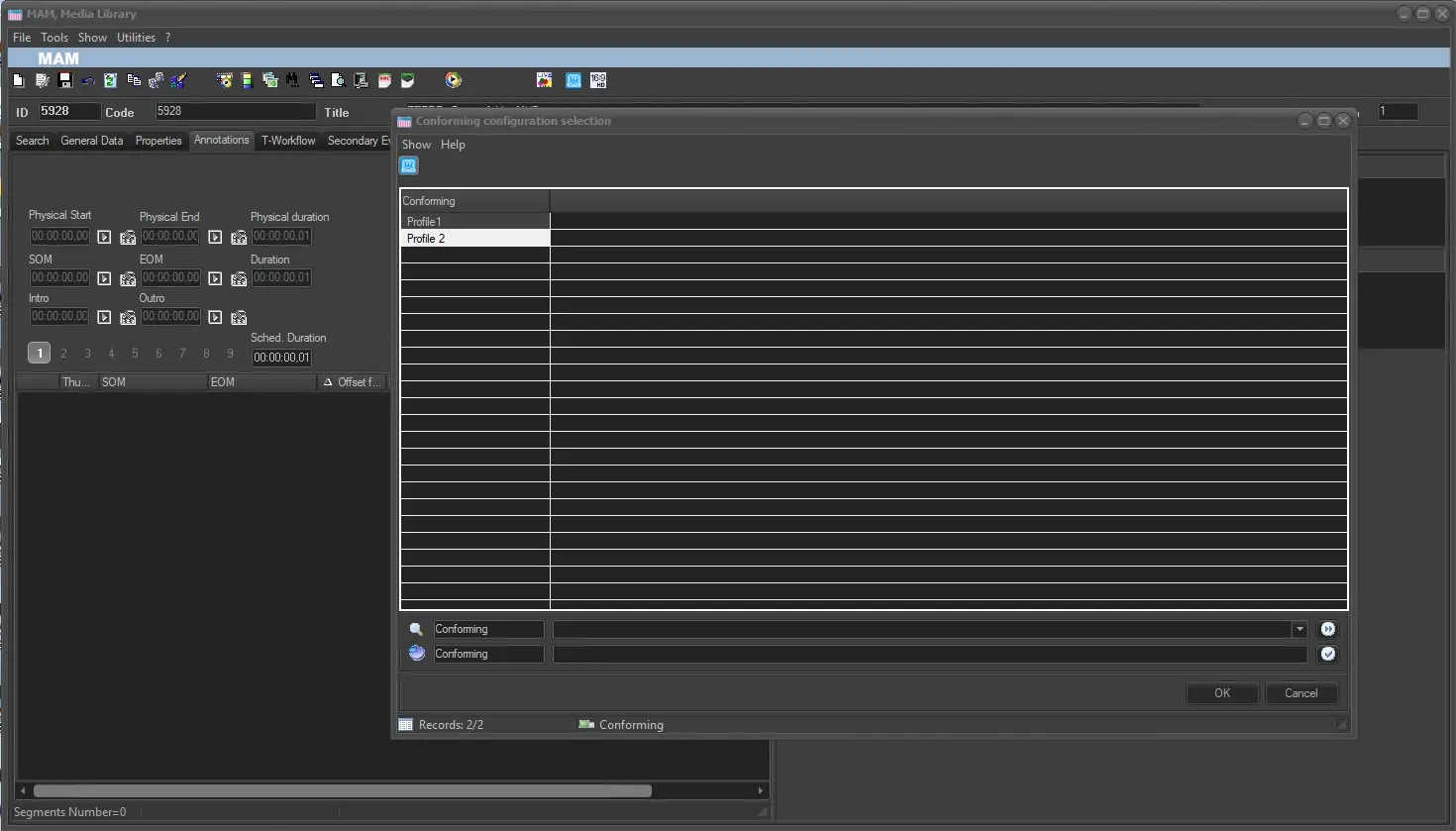 ConformingProfile
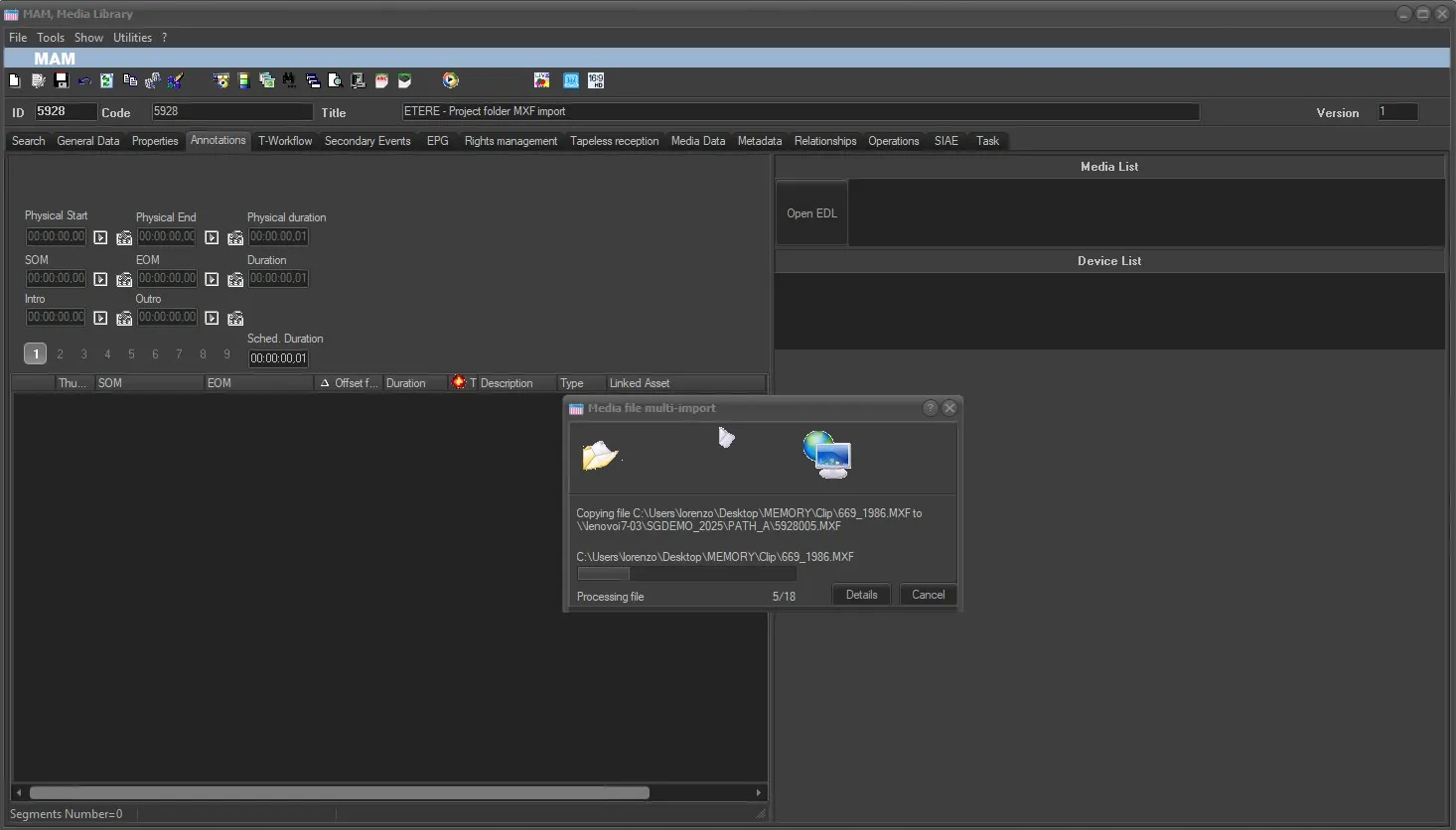 Importing
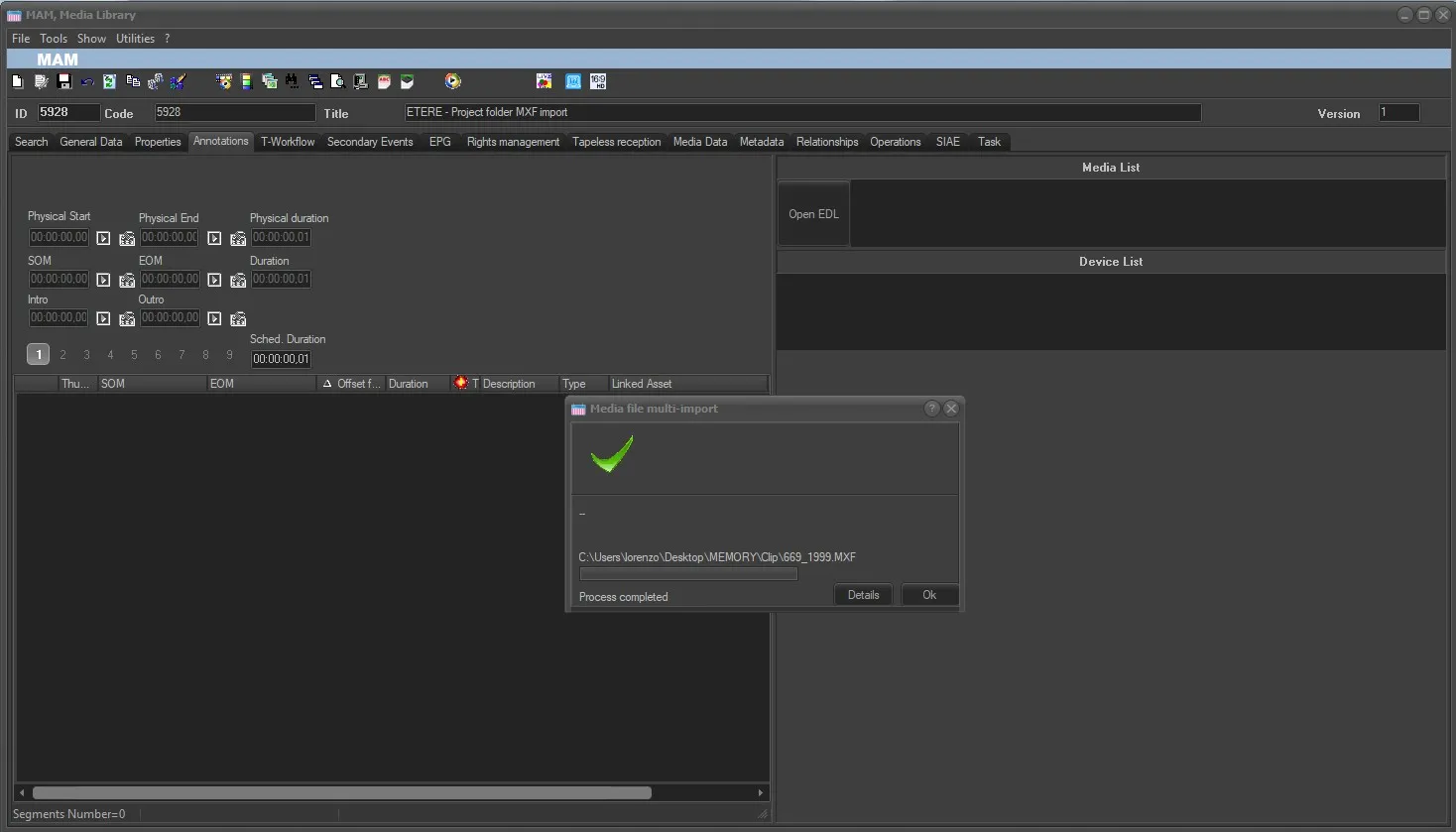 ImportCompleted
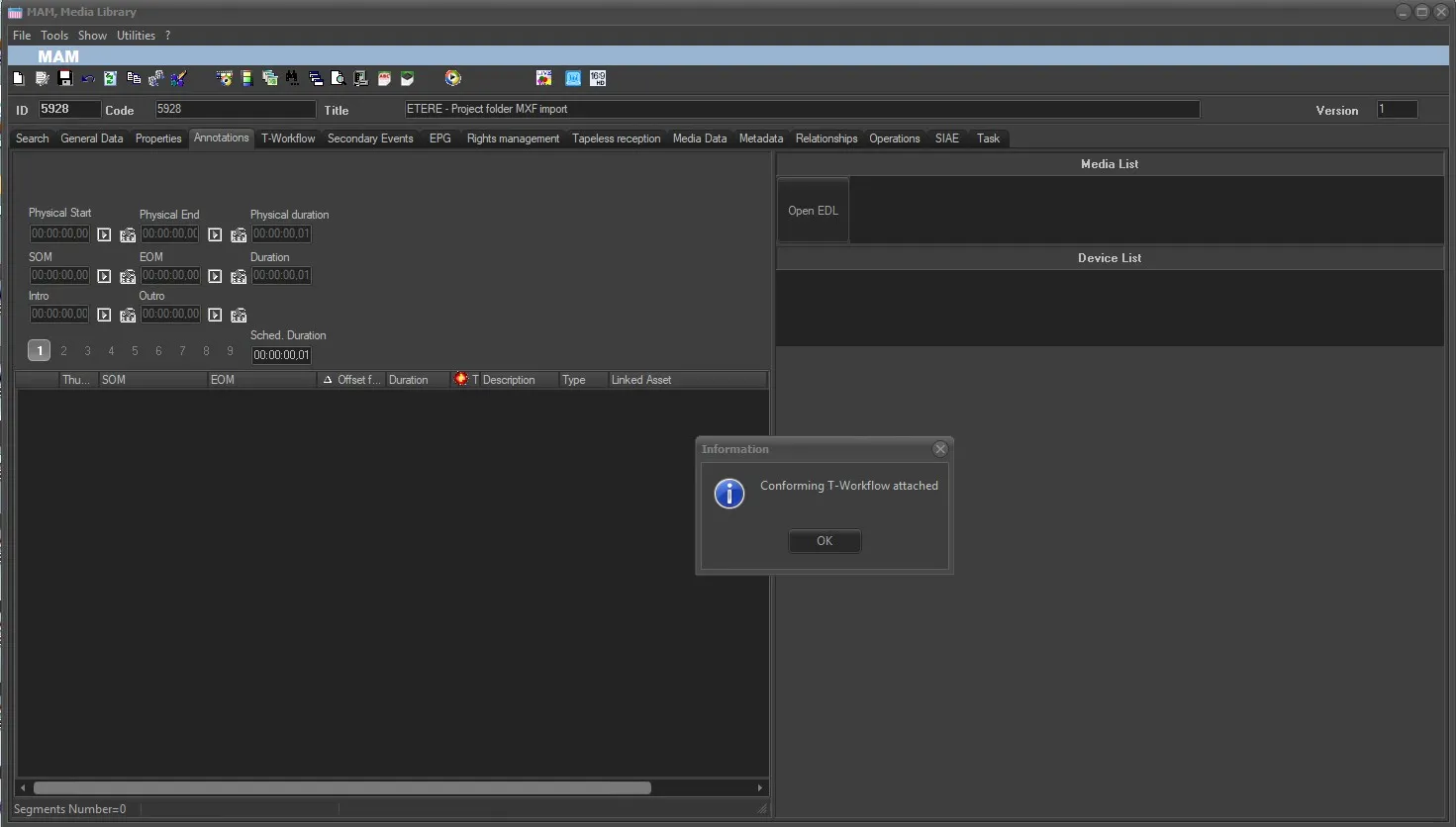 ConforminfWFAttachedandStarted
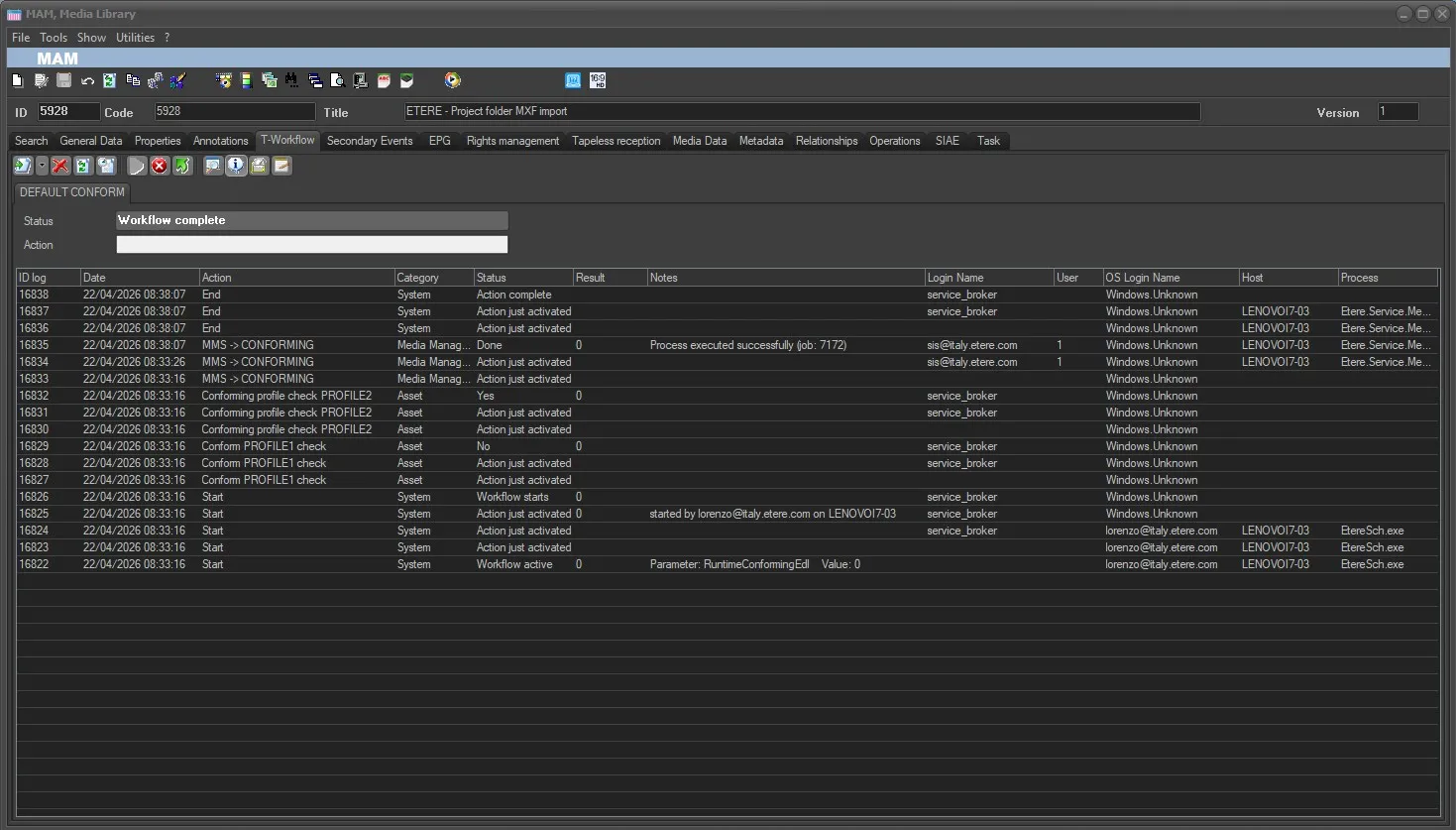 ConformWFCompleted
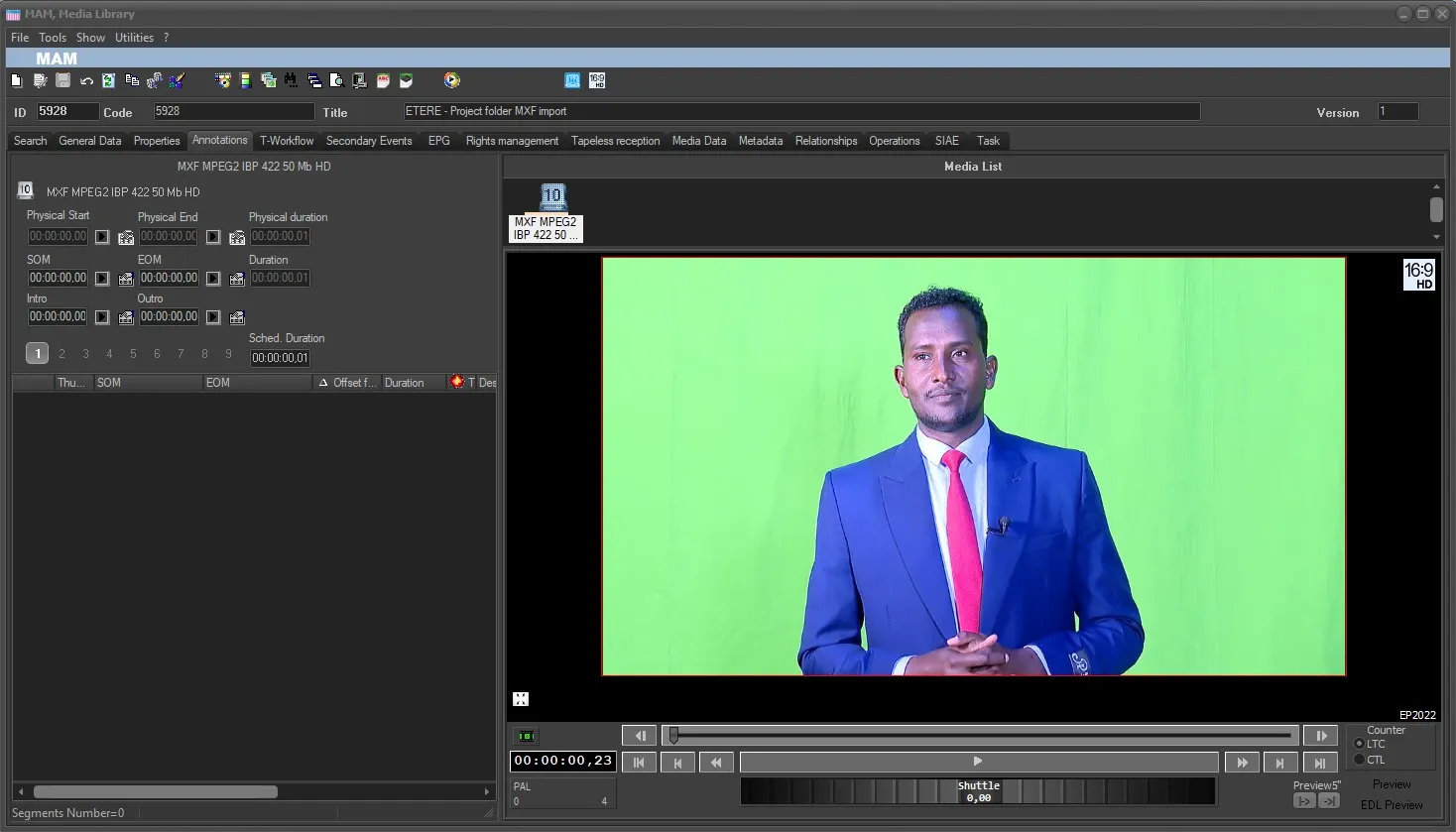 ParentAssetConformed_Annotation
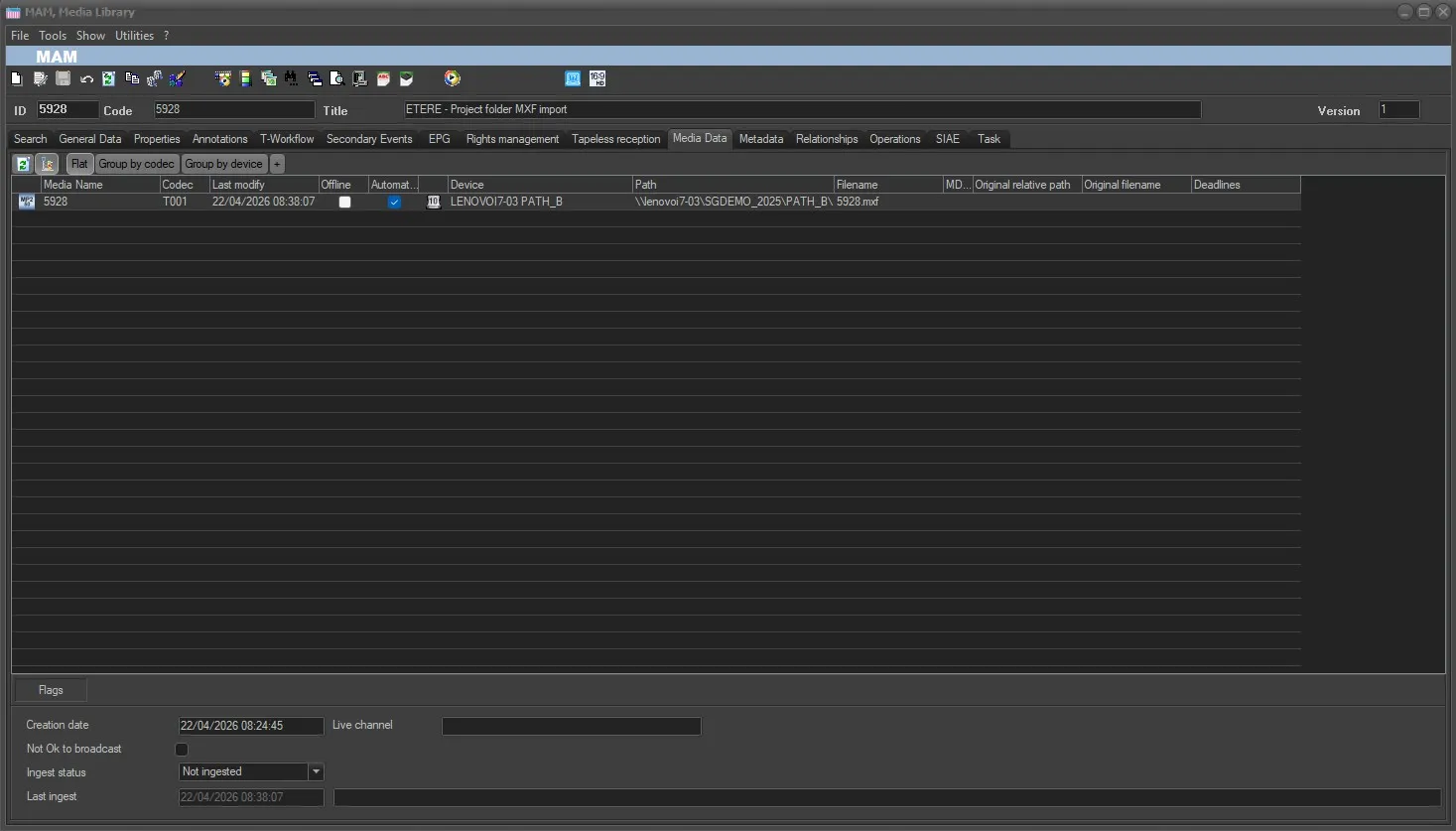 ParentAssetConformed_MediaData
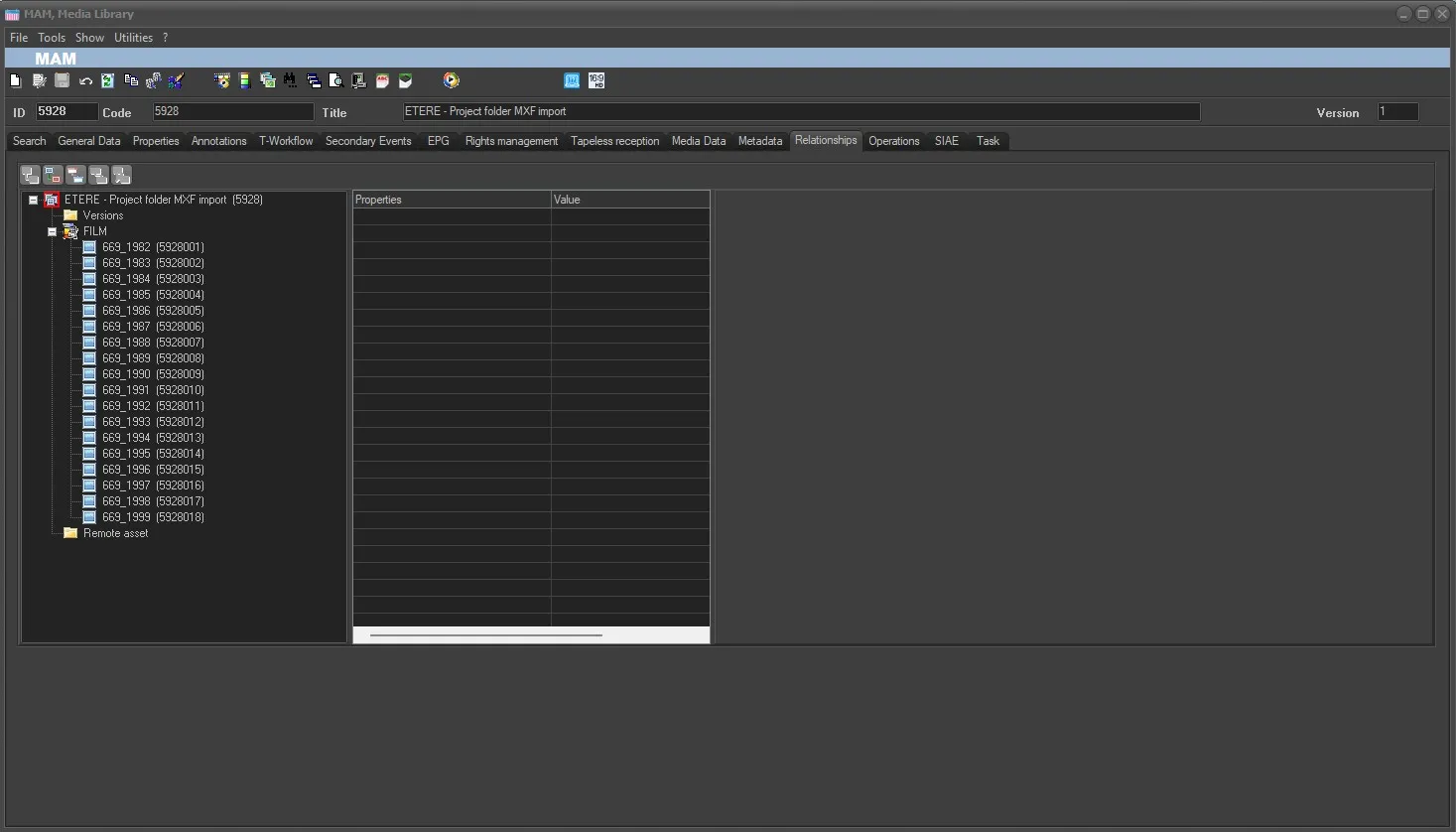 AssetParentAndChilds