Configuration
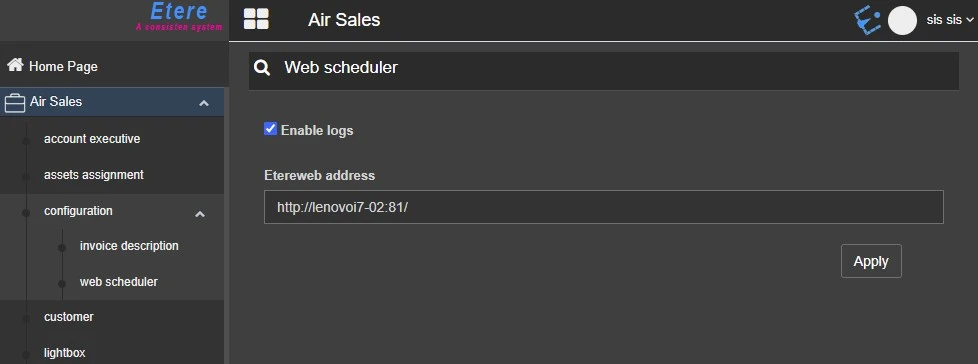
4.8.2 Web scheduler
In order to run and start using Air Sales Scheduler service, it is mandatory to set in this section what follows:
Enable logs: If enabled, the service will write its logs on the local user default path: C:\Users\[username]\AppData\Local\Etere\Log\user.001, where "[username]" is the same user set as logon of the service.
Note: Potential errors at the service startup can be also found in the Windows Event Viewer.
Etereweb address: Type here the complete Etereweb address (e.g.: http://hostname:port) ensuring the service is fully reachable from the web server.
Once done, confirm the changes with the Apply button.
Even if the service is not reachable, these settings are saved anyway in the database.
web_scheduler
 web_scheduler