86.3 Playout
Playout
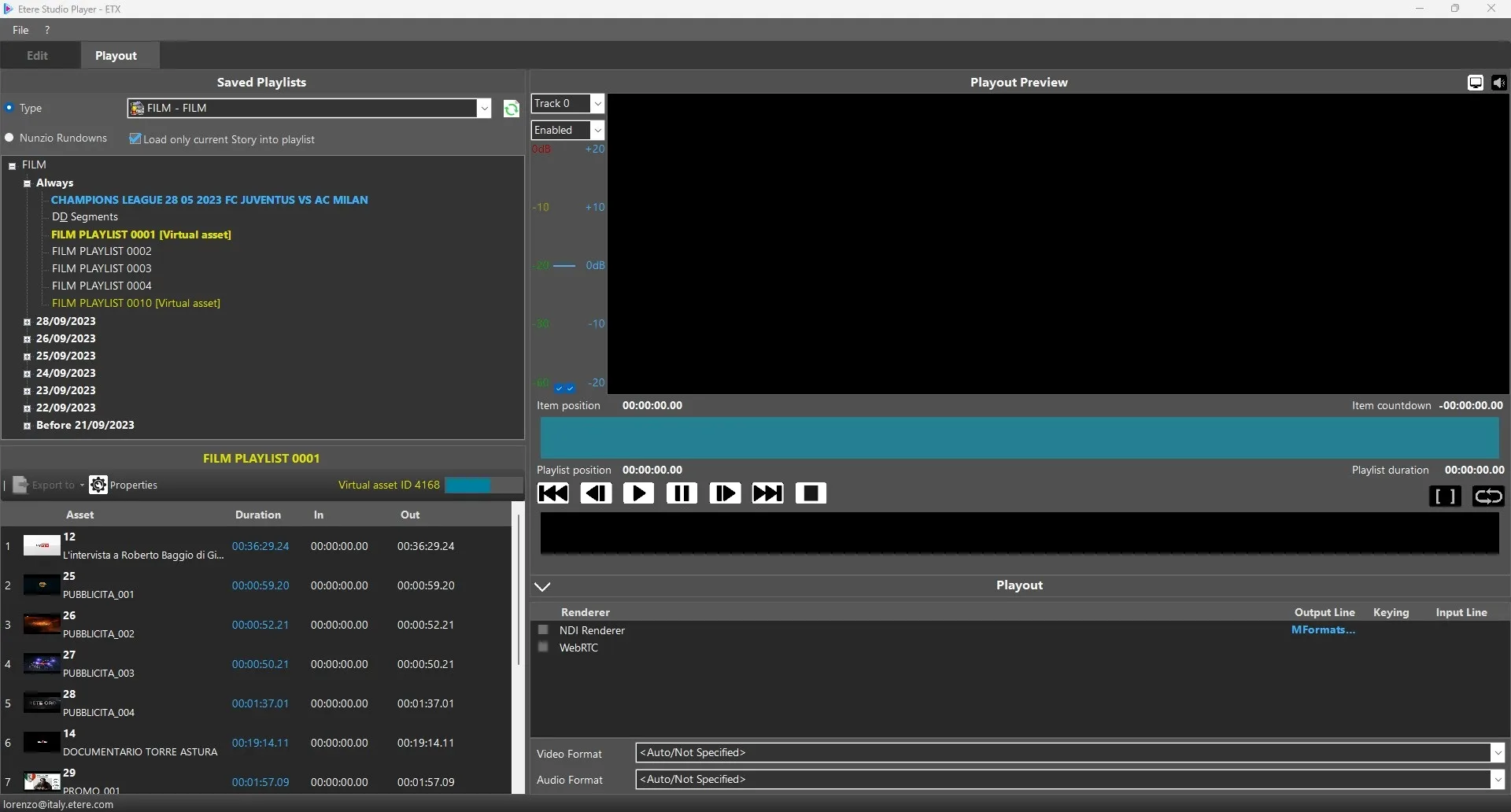
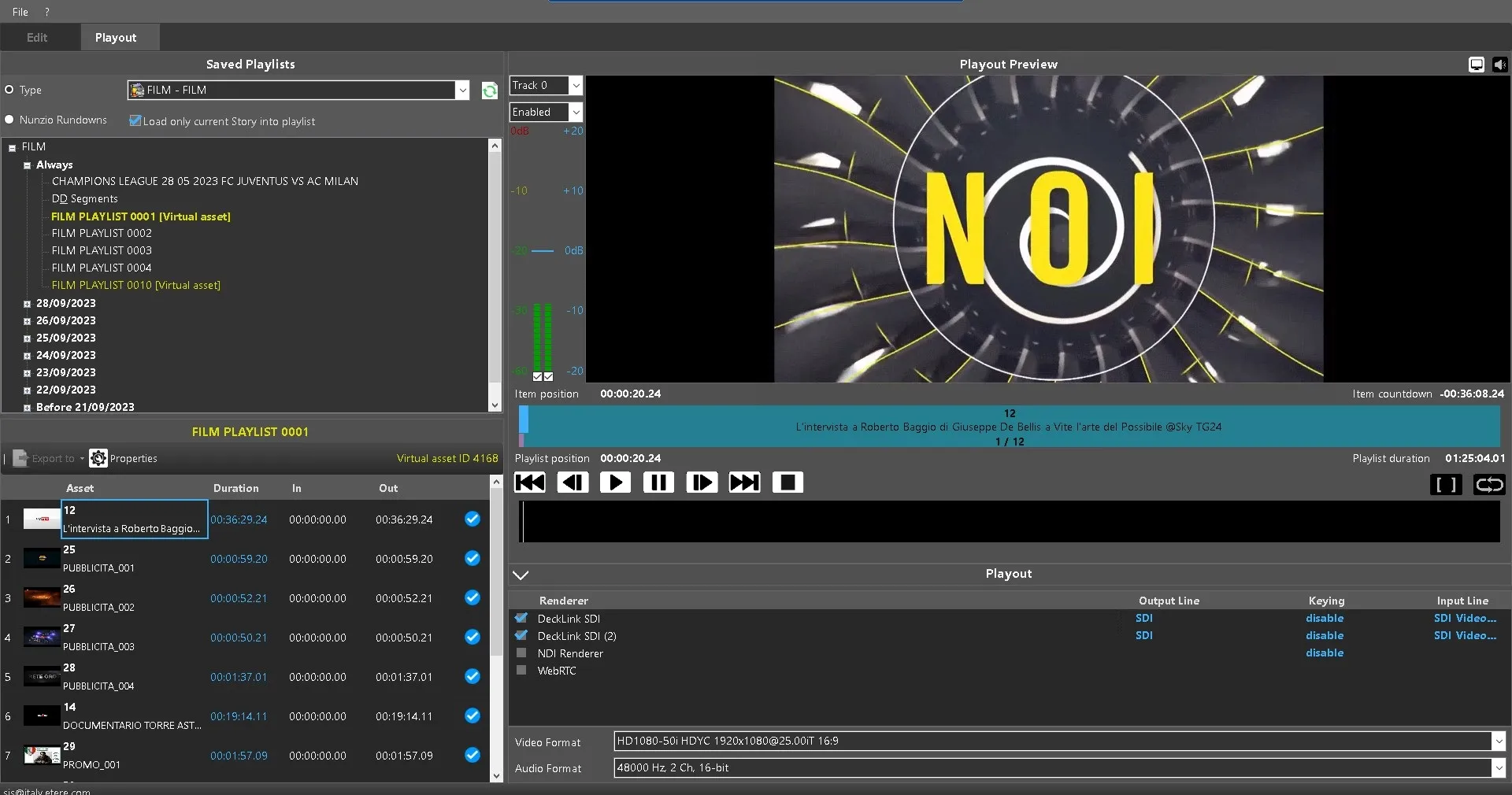
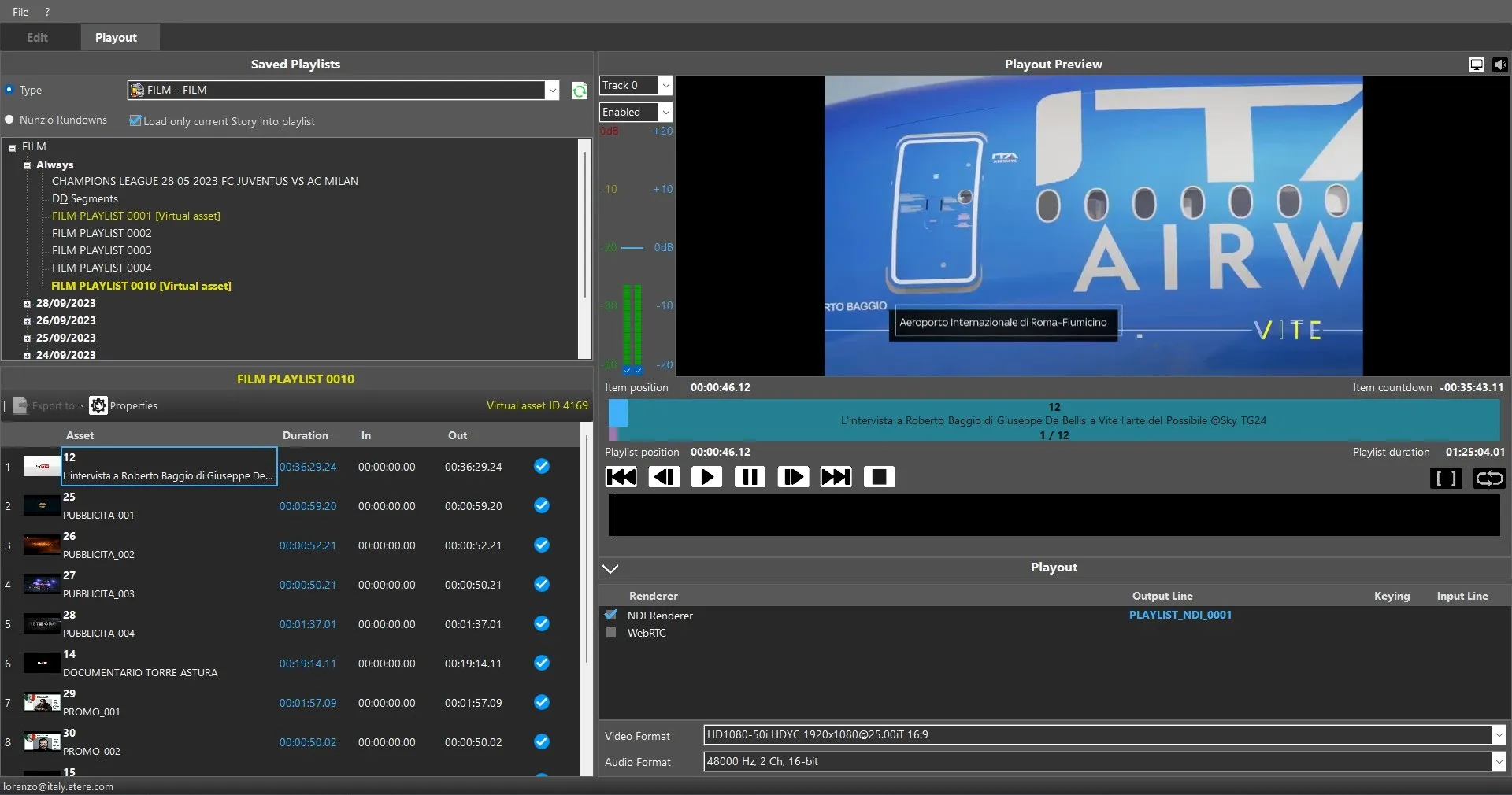
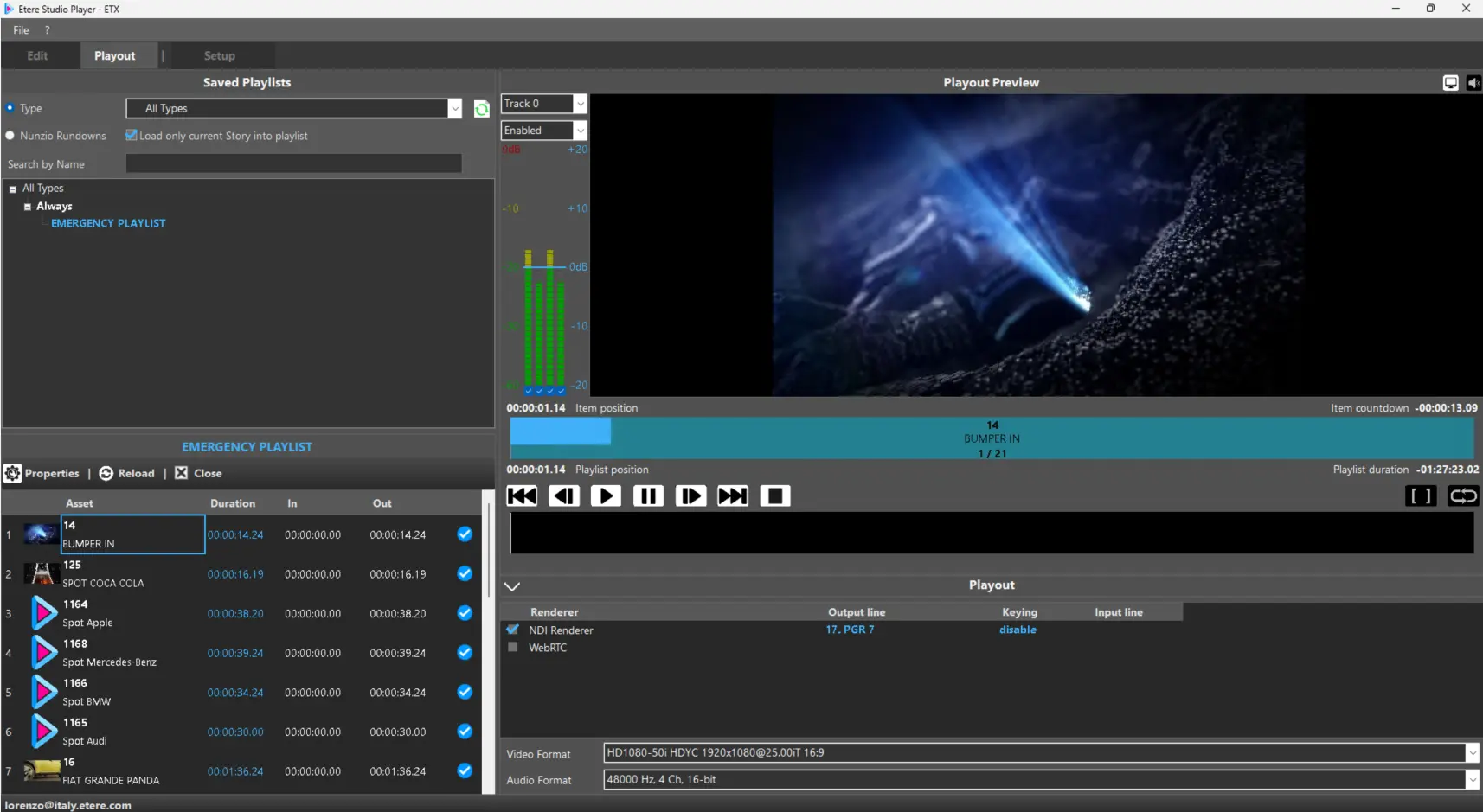
In Etere Studio Player > Playout there are 4 main areas used to manage the playout workflow: Saved Playlist | Playlist | Playout Preview | Playout
Saved Playlist
Split into two sections:
Search Area → Playlist Type | Playlist Name | Nunzio Story / Rundown | Load Current Story Only (when applicable)
Results Area → displays filtered playlists
Double-click a playlist to load it into the Playlist panel
Playlist
Displays the selected playlist expanded in line format.
Columns: Thumbnail | Asset (code + description) | Duration (frames, Media Library value) | In (SOM) | Out (EOM) | Valid | No Valid
Note: ordering is for display only and does not affect playout sequence.
Controls: Properties (open/close playlist details) | Reload (reload assets) | Close (unload playlist and stop playback)
Playout Preview
Real-time preview during playout.
Audio: enable/disable track | enable/disable channels | gain adjustment per channel (default 2 visible, more can be enabled depending on configuration)
Video Preview: on/off workstation preview
Audio Preview: on/off workstation monitoring
Controls: Play (Enter) | Pause (Space) | Prev/Next Frame (Left/Right) | Prev/Next File (Ctrl+Left/Right) | Stop (Ctrl+Space) | Single File Mode | Loop
Info: Item Position | Item Countdown | Playlist Position | Playlist Duration
Playout
Manages output rendering and final transmission settings.
Renderer Selection → one or more renderers depending on system configuration | NDI output via Etere IP Router or manual NDI name input
Error (if renderer in use): “Unable to open XXX: it could be in use by another application”
Format Settings → Video Format | Audio Format (affects playout and preview)
Panel can be collapsed after configuration and expanded when needed.
Settings Persistence → renderer configuration saved on exit | GUI layout (size/position) restored on restart
Content Protection Rules
When enabled in Executive Editor:
“Events marked as Not OK to Broadcast must not go on air” | “Expired events must not be transmitted”
Behavior:
Blocked from playout → expired or non-compliant assets
Allowed in playlist → but flagged with warning indicators explaining restriction
 StudioPlayer_Playout_Load_Playlist
 StudioPlayer_Playout_SDI
 StudioPlayer_Playout_NDI
 EtereStudioPlayerPlayout