1.3.7 Media Web Service setup
Follow these steps to install Etere Media Web Service.
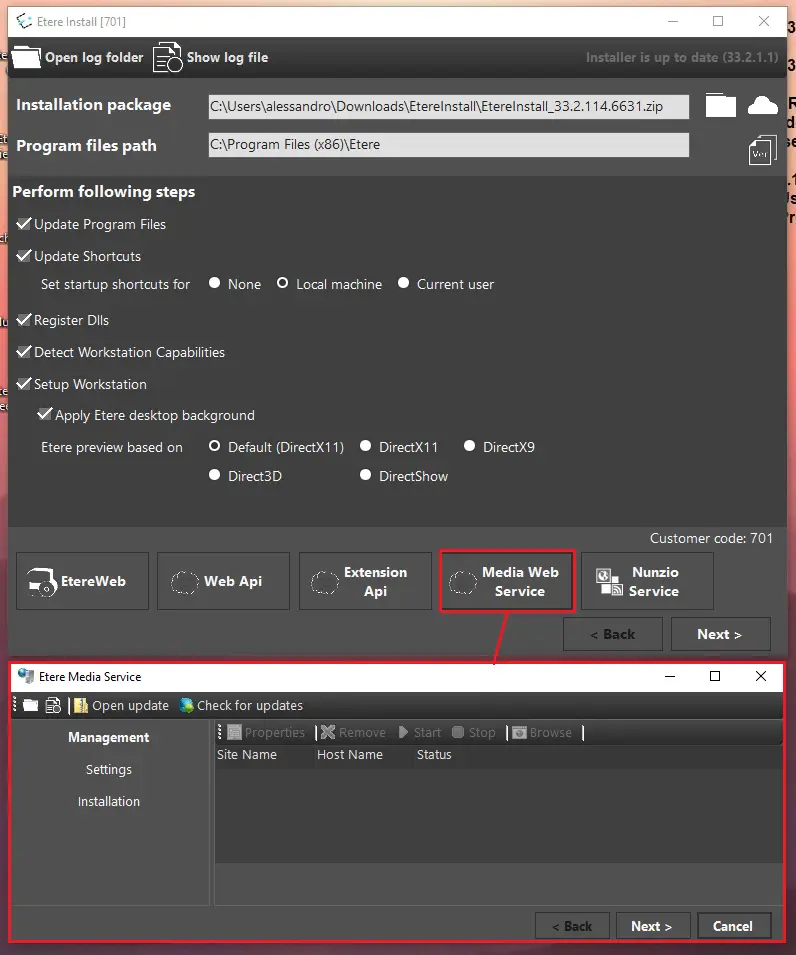
1. In the Etere Install module, click the Media Web Service button once the DB connection has been correctly set. The following window will open:
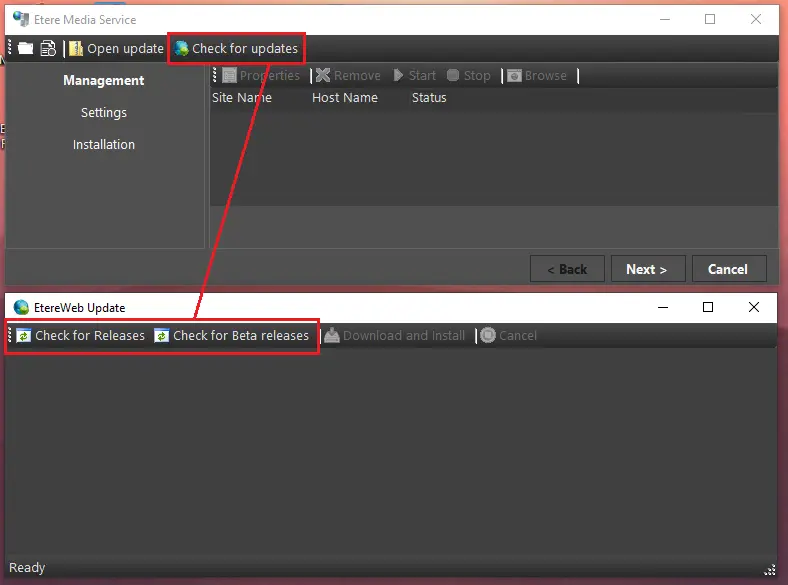
2. Click on Check for updates, then choose to look for releases or beta releases, clicking on the appropriate button:
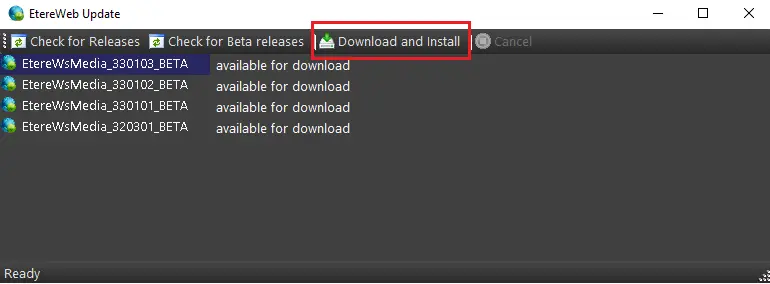
3. Download the desired version by clicking on Download and Install button. Users can stop the download process anytime by clicking on the Cancel button.
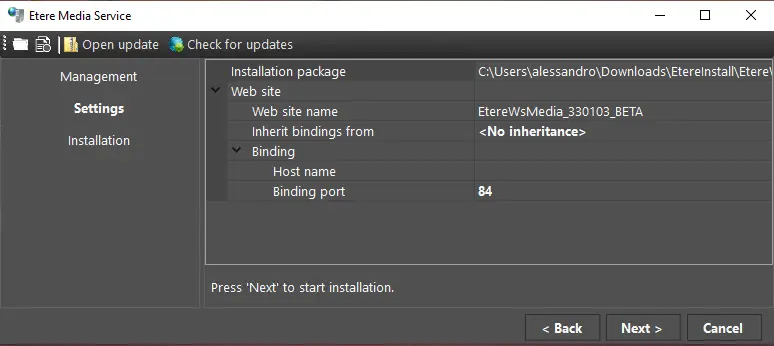
4. Once the download process is completed, the following window will be displayed:
Installation package: Path and filename of the Media Web Service package just downloaded. By default, it's downloaded in the current user's local Downloads folder, in a subfolder (created by the installer) called EtereInstall.
Website name: Name of the website that will be installed on the server. By default, it has the same name as the package EtereWsMedia_xxxxxx_BETA, where "xxxxxx" represents the version.
Inherit bindings from If it's the first time this feature is installed, there is no other site to inherit bindings from, so the label <No inheritance> is displayed. Instead, if it's an update, the previous version's site name will be displayed, and the new site will take its bindings. The user can choose which area to inherit the bindings from if multiple old versions are installed.
Hostname: The user can specify a hostname for the new site; otherwise, "localhost" will be used.
Binding port: The user can specify the port for the new site's URL; otherwise, port 84 will be used by default.
5. Press the Next button to start the installation.
During the process, the installer will prompt a warning in case of issues with one or more steps.
Once installation is completed successfully, the Back to Management and Browse buttons will be available. The first one allows one to return to the management page, where the user can see the list of the sites and start\stop\uninstall\delete\browse them or see their properties. The Browse button lets you open the site in the local default browser.
 media_web_service_1
 media_web_service_2
 media_web_service_3
 media_web_service_4