6.2.5 Platforms Template
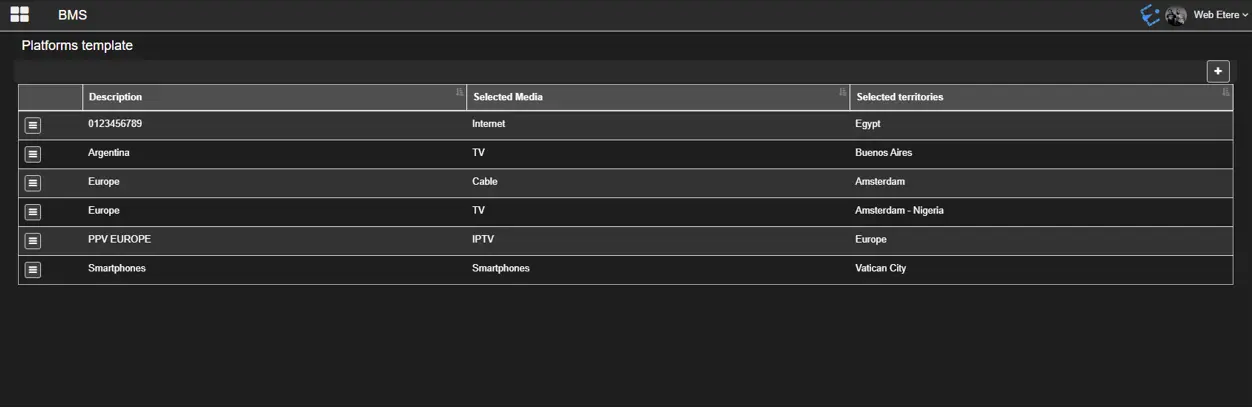
The Platform Template section specifies the media platform on which the content would be delivered and includes the territories where it should be provided.
Platform_Template
You can use the + button to add a new platform template to the list.
new_platform_template
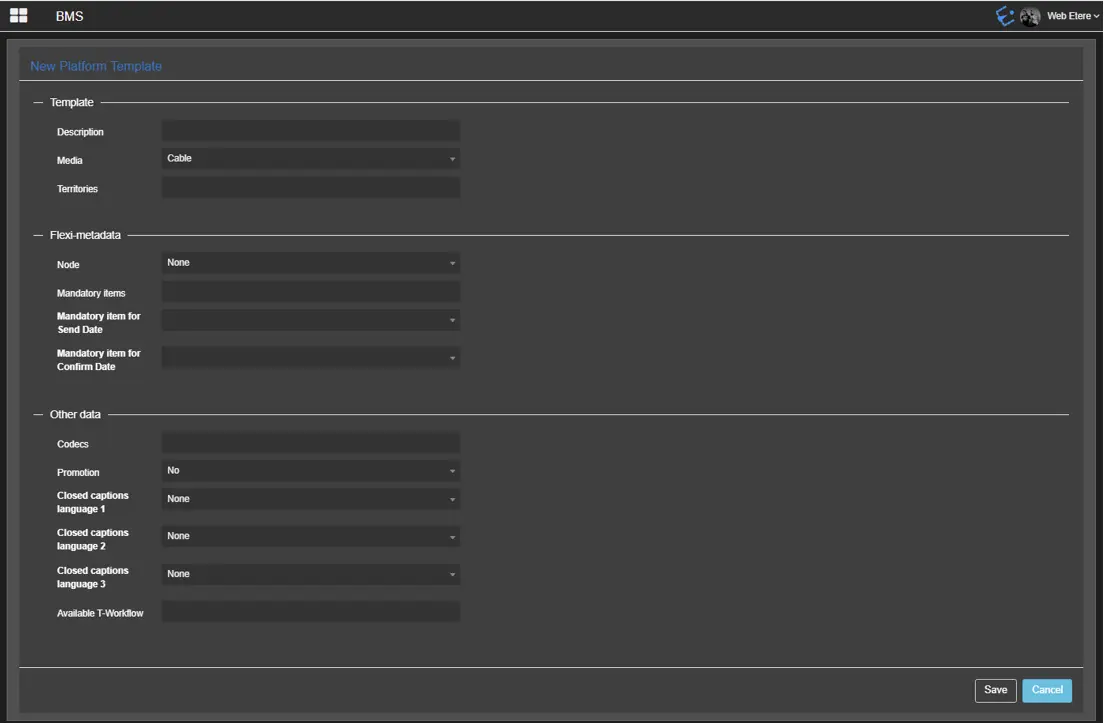
Fulfill the following required parameters to create a new platform template:
Template
Description: Give a name to the new platform template.
Media: Select the available media for the new template.
Territories: Select an existing territory to be used when the user defines the diffusion of rights.
Flexi-metadata
Node: Insert the node's name which the flexy-metadata to be checked belong to.
Mandatory items to check: Insert the asset's mandatory flexi-metadata that have to be present and compiled in order to successfully deliver the content.
Mandatory delivery item for Send Date: Insert the mandatory flexi-metadata for Send Date when sending as an asset assigned in the VOD contract.
Mandatory delivery item for Confirm Date: Insert the mandatory flexi-metadata for the Confirm Date when the contract's asset is delivered.
Other data
Codecs: Insert the desired codec or codecs when assigning an asset in the contract line.
Promotion: Indicate if the linked asset in the contract line is a Promo (Yes / No).
Closed captions language 1-2-3: Specify up to 3 languages in case the linked asset contains subtitles.
Available T-workflow: Select a T-workflow to be launched if a VOD contract matches the above criteria.
Click the Save button to confirm the creation of a new platform template.
 new_platform_template
 Platform_Template
 Data_saved_properly