Resource Configuration
59.6.2.124 Select the end mode
End-mode can be set in AMP protocol so that when a player reaches the end of a clip the clip will show a specific feature. To set this option just follow the procedure described below:
1. Click on the channel whose protocol you want to specify,
2. Select Control > Options. The Options dialog box displays:
Options_dialog_box_displays
3. Set the "Default" mode (to allow auto-play) under the End Mode tab.
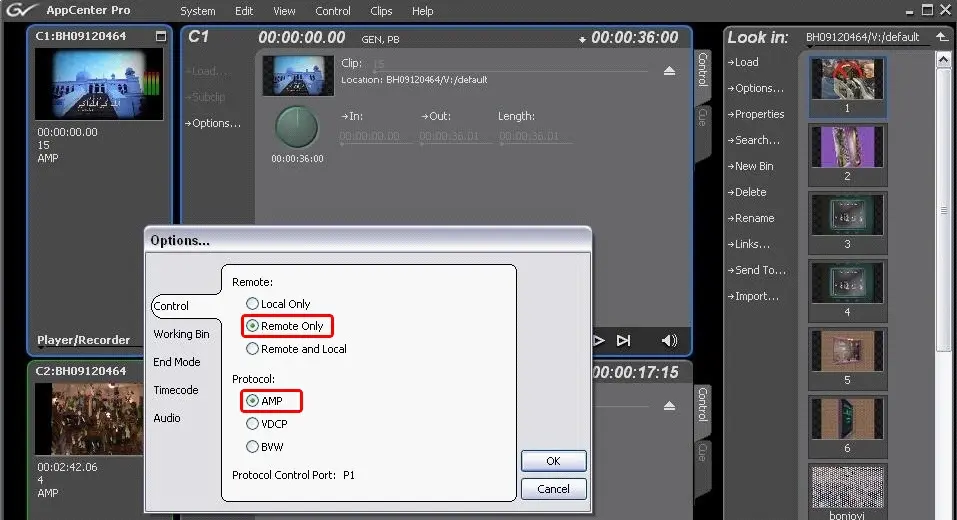 Options_dialog_box_displays