59.5.4.113 PRE\POST LOGS
Report Description
The Pre/Post Log times report allows the generation of a document containing a chronological list of all the events of a particular order scheduled within a certain period, detailing the customer, scheduled time, commercial type, station, asset, duration and price.
This report provides two versions:
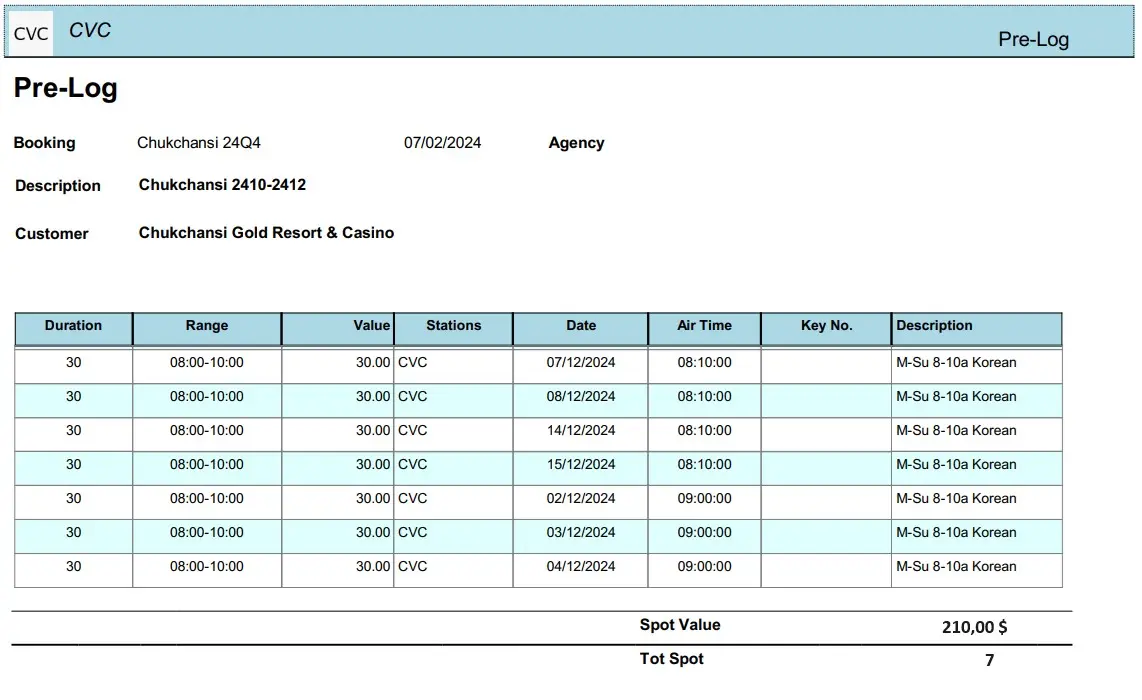
PRE-LOG: Shows for an order how and when the runs not yet transmitted were planned.
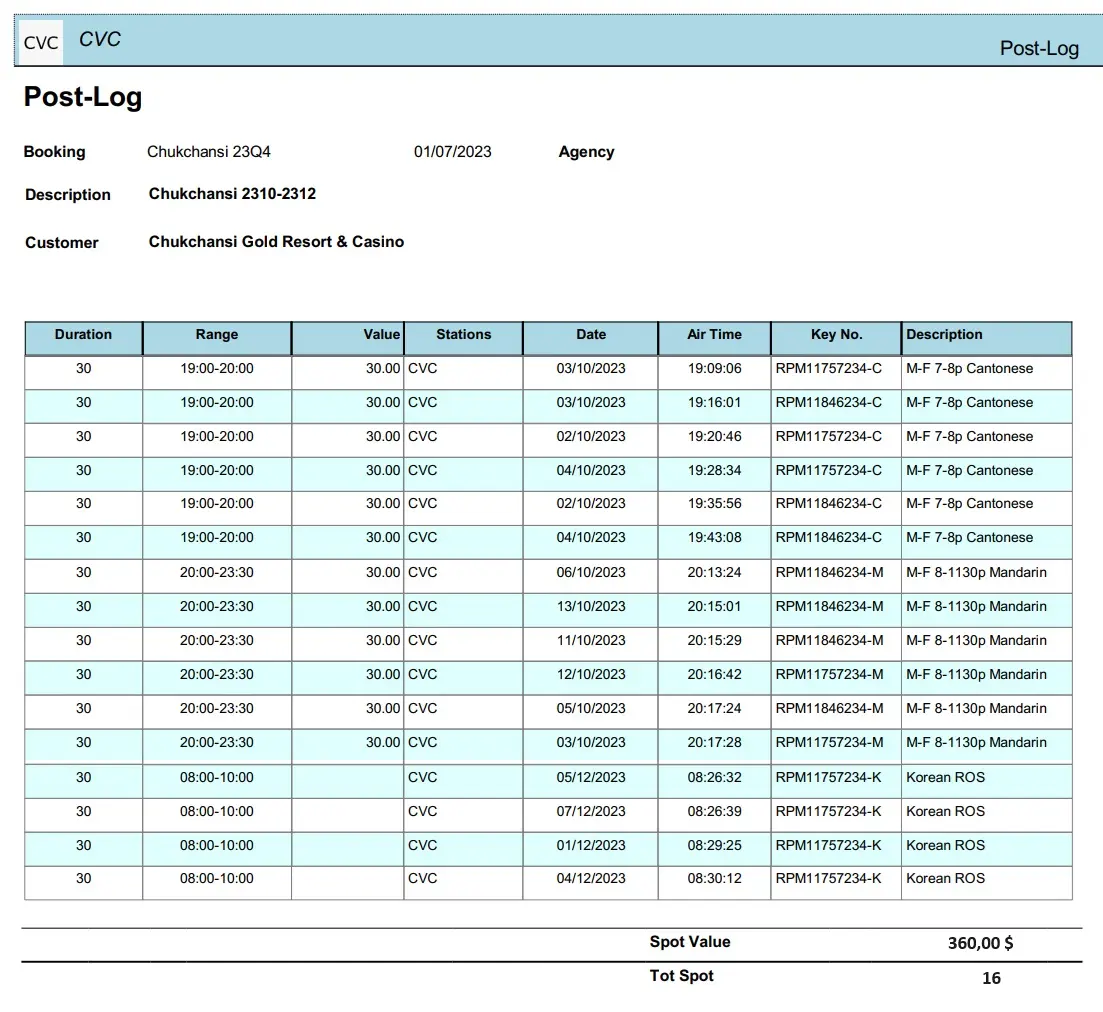
POST-LOG: Shows all runs already transmitted for an order.
Report Filters
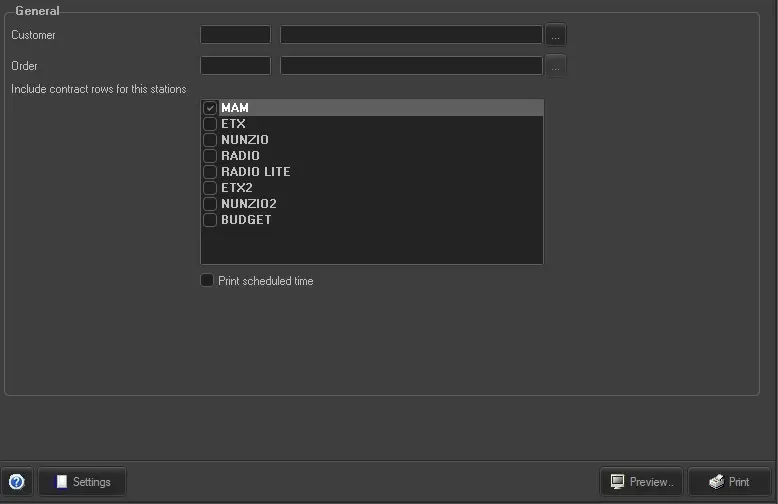
All the parameters that permit a detailed report generation have been spread across seven different tabs to allow a more manageable configuration. By default, all filters are disabled it is enough to configure at least one parameter inside to enable them. Available filters include:
•Customer: Select the customer for which the report is
•Order: Specify the order in which the report is being created,
•Print scheduled time: If enabled, the time column will display the scheduled time of events; instead, if disabled, it will display their actual time.
•Period: Select the exact time interval to be analyzed from which scheduled assets will be retrieved.
•Stations: Select the correct stations for which you want to export information in the report.
Report Preview
The [Settings] permits configuring the page layout of the outgoing document; once filters and settings have been set, it will be possible to select between displaying a preview using the related [Preview] button or printing the document directly using the [Report] button. Please note that some reports permit the export of the generated document in the most common formats (pdf, CSV, doc, xls, XML, etc) just by using the [Export] button.
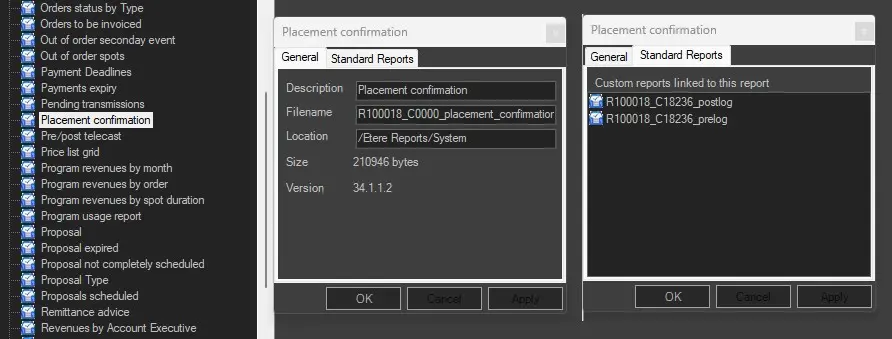
PRE-POST CUSTOM REPORTS
PRE-POST LOGS PARAMETERS
PRE-LOG
POST-LOG
NB: this is a customized REPORT, if you need it in your system you must write to marketing@etere.com to have it enabled.
 PRE-POST_CUSTOM_REPORTS
 PRE-POST_LOGS_PARAMETERS
 PRE-LOG
 POST-LOG