3.1 EtereWeb login
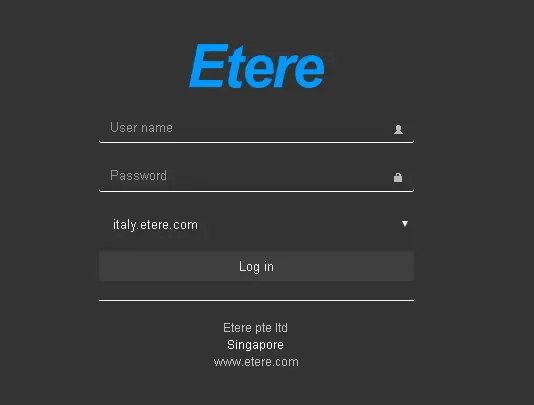
Upon a successfully established network connection to EtereWeb, the EtereWeb Home page would appear where a user must log in with a valid username and password.
You can refer to the Home Page chapter for more information.
After installing EtereWeb:
- Open the Windows Web browser.
- Enter the URL address http://localhost:port number.
- Press the <Enter> key, and A login window appears.
NB: In the URL address, if you use the default port number (port 80), the port number is not required to be entered.
On the Login page, you can replace the logo with a custom logo by changing the logo settings, inserting custom information and page footer information for recognition by entering the custom logo and custom information in "Configuration > Configuration Editor > Web > Web settings > Etereweb" parameter.
Enter the user name and password to grant access to the EtereWeb application. The EtereWeb Home page will appear after a successful login.
You can determine if the same user account can be login to more than one station with the Deny contemporary access with the same account settings in Configuration Editor > Web Settings. If set to "True", the same user account can log in to one EtereWeb station at a time.
NB: If you had a login to EtereWeb with a user account registered in Active Directory, the User name and Password information would not be reflected in the Personal Data form. Without Active Directory integration, a valid username and password must be registered in the Personal Data form for authentication during login.
NB: From Etere released version "Etere310214_BETA.zip" onwards, the login support LDAP cross-platform protocol in Active Directory authentication.
NB: If you have forgotten the login password or it expired, you can change the password registered in the User and Password section in Personal Data > Other Data.
NB: The number of users allowed to be logged on is embedded in Etere License ET2002. If the value is set to "0" in license ET2002, the number of users allowed to log in will refer to the value specified in License ET2001, with the embedded value multiplied by 2.
 user_login