Season Manager
72.3.17 Scheduling status
In this section, you can view the scheduling status of the season that have been scheduled. You can select which blocks you would like to view, which segments and which splits (if applicable). Specify a time frame and date range (by default the full season's order validity will be displayed).
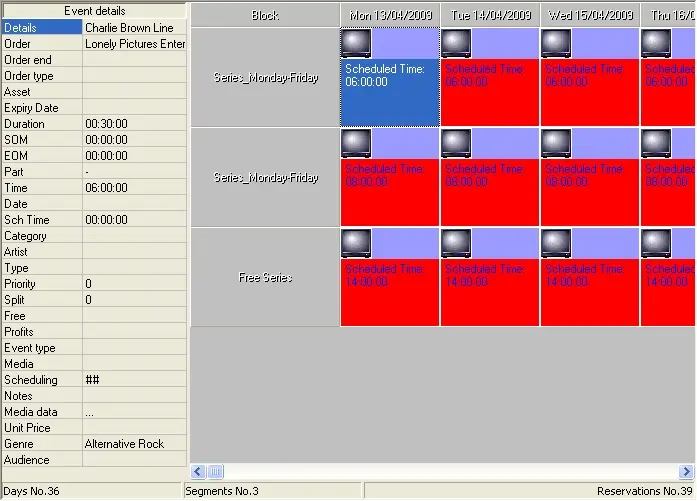
By clicking on the 'Scheduling Status' button you can view a window containing all the scheduling of the current season, click on the 'Details' button to view the properties of any specific insertion:
Scheduling status
As shown in the figure above, all the successfully assigned events will be displayed in red.
 Scheduling_status