79.4.8.5 Collections
Users can create dedicated folders, called Collections, within the Nunzio tree directory. These folders contain projects with stories that can be retrieved and shared for collaboration.
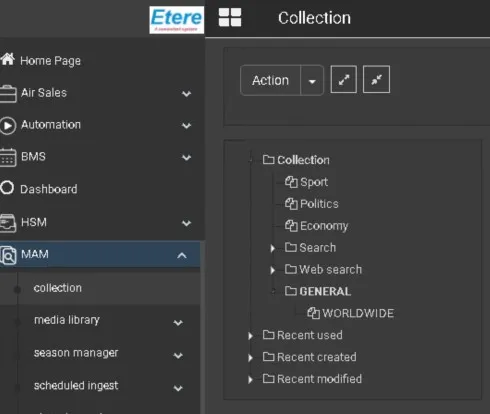
Collections are created in the Collection section of EtereWeb (9.1.1.0, Etere MAM).
Collection
Users with the appropriate permissions (configured in EtereWeb\collections) will be able to view them in the Nunzio tree.
The Collection folder will open in the same way as the Stories Basket.
Users will be able to drag and drop stories from one collection to another in order to assign them to the
destination collection.
Stories can also be dragged from the Stories Basket or from the Stories Search.
When dropping stories into the destination collection, the user will be able to choose between two options:
1. Create a new version of the story and assign it to the destination collection.
2. Assign the destination collection directly to the existing story.
Multiple stories can be processed at once by selecting several items in the Source List and dragging them
together.
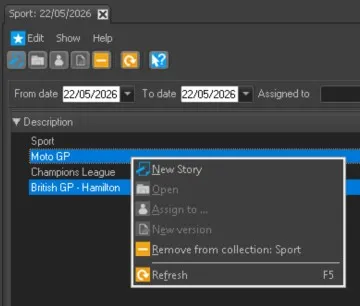
Multiple_Drag&Drop - Remove_From_Collection
To add/remove a story in a collection, open the story editor, click on the star and select Add to \Remove from collection
Add_or_Remove_single_story
 Collection
 Add_or_Remove_single_story
 Multiple_Drag&Drop
 Remove_From_Collection