5.1 Ingest list
In the Ingest list section, you can view the assets scheduled within a specific number of days to determine which assets need to be ingested.
The Ingest List contains items which are not ingested in the playlist and alternative schedule.
PARAMETERS
Template: Select one of the templates configured in Configuration > Settings > Web Configuration > Web Ingest List. The criteria to display the assets depends on the template configuration.
Search in following days - Specify how many days ahead (excluding the current one) the assets have to be searched ahead for.
Note: An additional option, "Show MamIngest list", is available for license code 1345. If enabled, the list displays also the assets produced by MAM Ingest module; it includes assets created in the past 30 days, including the current day.
Next, click the View button to launch the search.
INGEST LIST
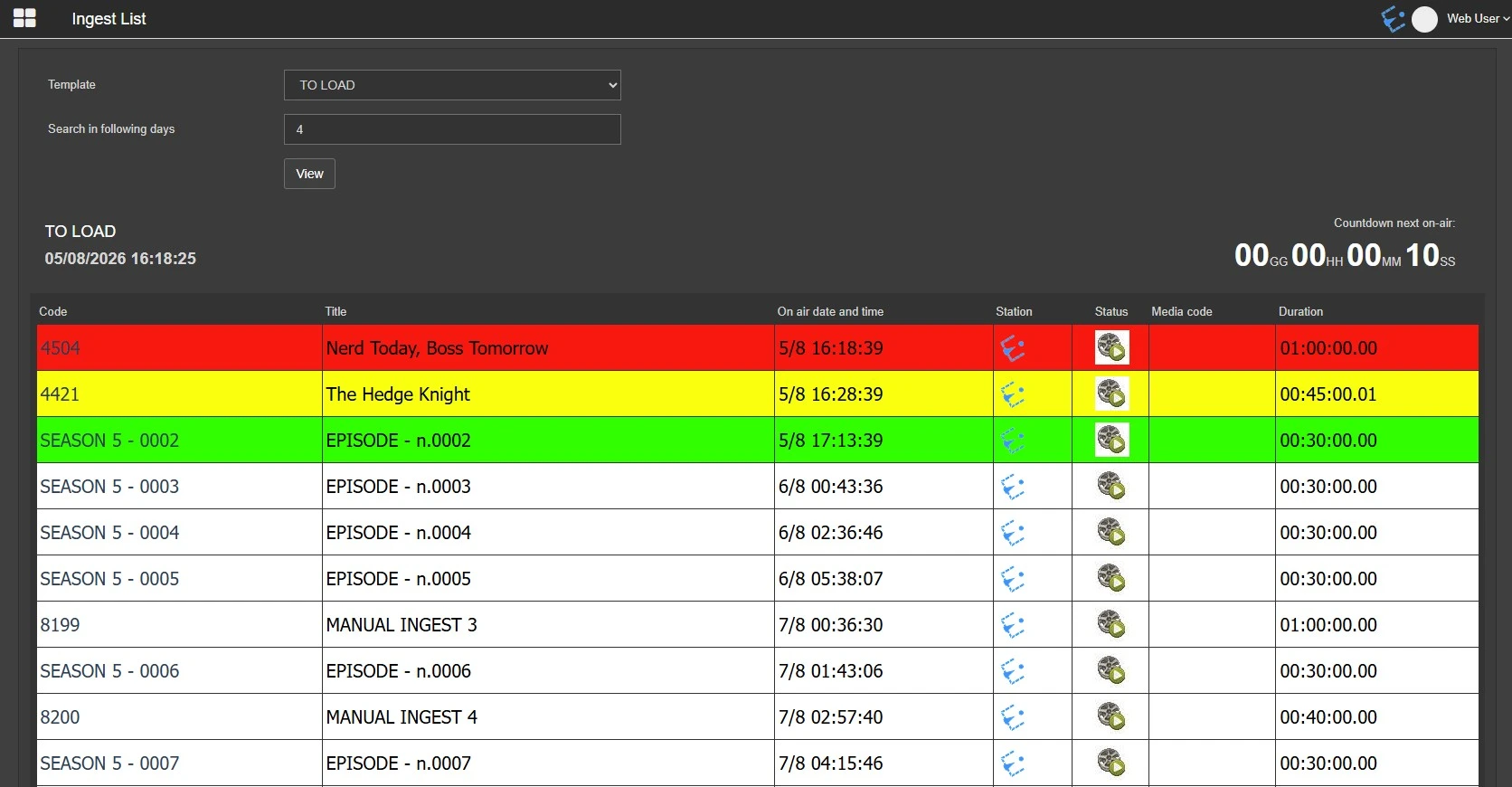
Right below the filters, the name of the selected template, the current date and time and a countdown which tells the user how much time is left until the time of the next not-yet-ingested on-air event are displayed.
ingest_list
The table below lists all the assets scheduled to be on-air within the template's specified time ranges. They are displayed with different colour codes configured in the template.
In the example above, the time ranges are configured in this way:
Red - 00:10:00.00 (all assets, matching the criteria, which go on-air between 0 to 10 minutes from the current time)
Yellow - 00:30:00.00 (all assets, matching the criteria, which go on-air between 10 to 30 minutes from the current time)
Green - 01:00:00.00 (all assets, matching the criteria, which go on-air between 30 to 60 minutes from the current time)
To know the criteria for the visualization of the assets in this page, please refer to the chapter 59.2.49.10 Web Ingest List.
 ingest_list