93.2.1.27 MMS - Auto Censorship
Overview
The MMS AUTOCENSORSHIP action is managed by the Media Manager Service (MMS) within ETERE. It automatically analyzes video content using an external API to detect sensitive elements and generate censorship markers that can be reviewed in the Web Censorship interface. This feature allows ETERE to divide the desired file in segments (to not be confused with the ones that can be modified in the Annotations tab of Media Library) and singularly analyse those segments following the parameters that can be set in their related tab.
The configuration of this action is organized into two main macro areas:
GENERAL
AUTO CENSORSHIP
OPTIONS
ADVANCED OPTIONS
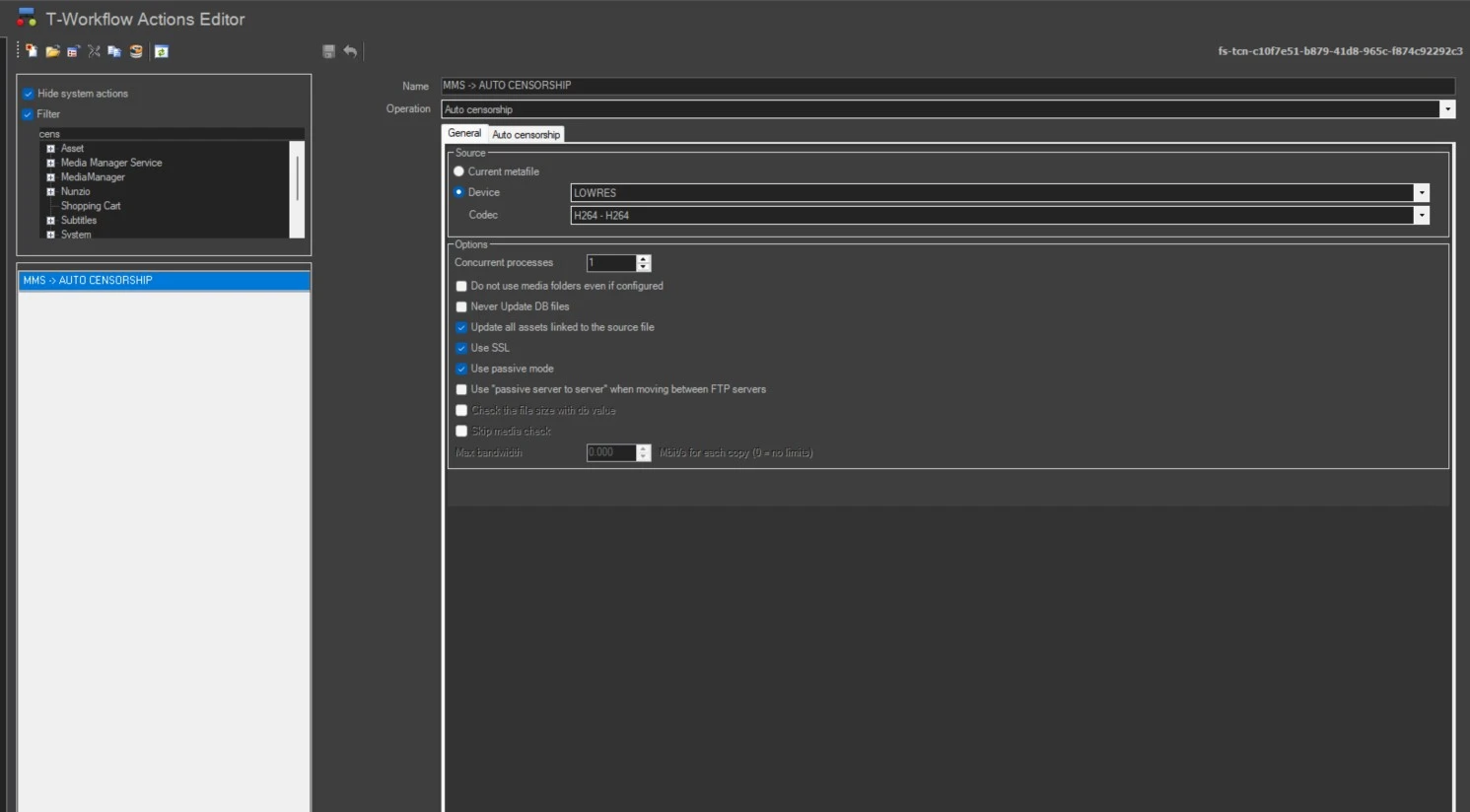
1. GENERAL
This section defines the basic configuration of the action.
Name
Assign a short and meaningful name to easily identify the action within the workflow.Operation
Select the operation type. For this action, choose “Auto Censorship”.Source
Define the source of the media to be analyzed. Available options include:
Current Metafile: Select this option to use the previously set metafile.
Device and Codec: Select the source device and codec. If the metadevice contains multiple versions (codecs) of the file, select the codec you wish to copy or delete.
Concurrent Processes: Set the maximum number of simultaneous actions.
Never Update DB Files: Do not update the file in the database.
Update all assets linked to the source file: Associate the copied file with all linked assets (if disabled, only with the current asset).
Use SSL: Enable secure file transfer (TLS/SSL with FTP fallback).
Use Passive Mode: Use passive mode for FTP transfers.
Use "Passive Server to Server" when moving between FTP servers: Enable passive server-to-server transfers when supported.
2. AUTO CENSORSHIP
This macro area contains all parameters related to the automatic content analysis and is divided into two sections: OPTIONS and ADVANCED OPTIONS.
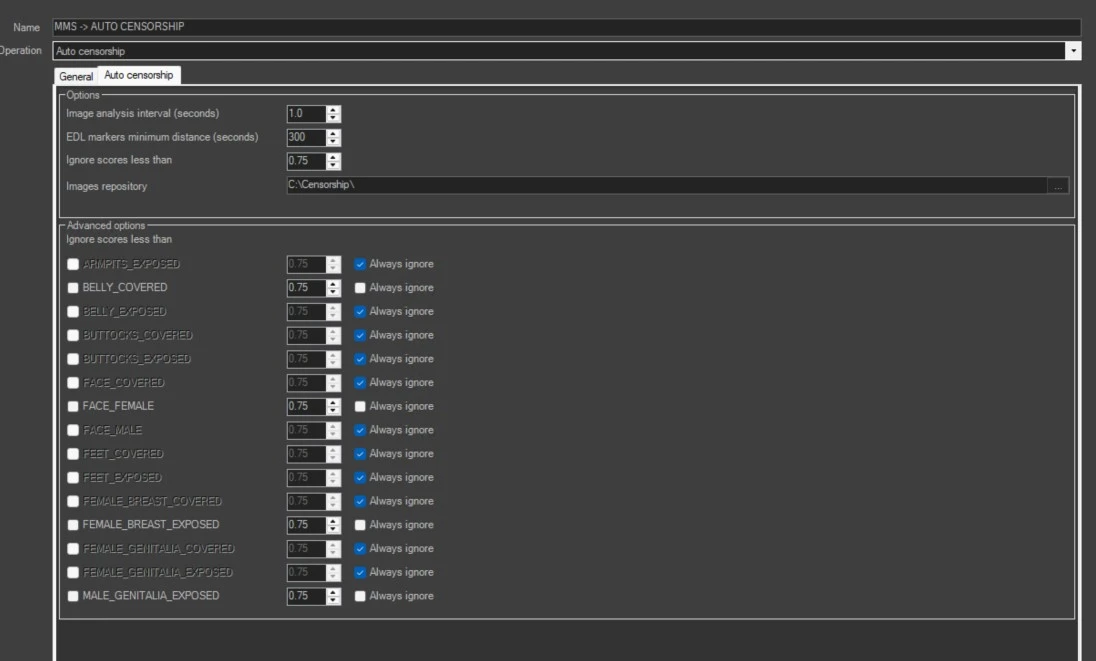
2.1 OPTIONS
IMAGE ANALYSIS INTERVAL (SECONDS)
Specifies the interval (in seconds) at which frames are extracted from each segment.
Each extracted frame is sent to the external API for analysis.
EDL MARKERS MINIMUM DISTANCE (SECONDS)
Defines the duration (in seconds) of each segment.
The media file is divided into segments of this length, and frames are analyzed within each segment based on the defined interval.
To avoid having control instances at unanticipated time points, it will be necessary to set the EDL MARKERS MINIMUM DISTANCE value so that it is an exact multiple of the value set in IMAGE ANALYSIS INTERVAL
IGNORE SCORES LESS THAN
This is the default threshold used by ETERE.
If the score returned by the API is lower than this value, it is ignored.
If the score is higher, a censorship marker is generated and made visible in Web Censorship.
IMAGES REPOSITORY
Temporary folder used to store frames extracted during analysis.
These images are:
Temporarily saved
Stored in the database
Automatically deleted from the folder after processing
2.2 ADVANCED OPTIONS
This section allows fine-grained control over which content categories are analyzed.
Each parameter can be set to:
Enabled → the system evaluates the category
Disabled → the system ignores the category (no markers will be created)
Default → uses the global threshold defined in IGNORE SCORES LESS THAN
If a parameter is disabled, even if the API returns a score higher than the threshold, no marker will be generated.
Available Detection Parameters
- ARMPITS_EXPOSED – Detection of exposed armpits
- BELLY_EXPOSED – Detection of exposed abdomen
- BELLY_COVERED – Detection of covered abdomen
- BUTTOCKS_COVERED – Detection of covered buttocks
- BUTTOCKS_EXPOSED – Detection of exposed buttocks
- FACE_COVERED – Detection of covered faces
- FACE_FEMALE – Detection of female faces
- FACE_MALE – Detection of male faces
- FEET_COVERED – Detection of covered feet
- FEET_EXPOSED – Detection of exposed feet
- FEMALE_BREAST_COVERED – Detection of covered female breast
- FEMALE_BREAST_EXPOSED – Detection of exposed female breast
- FEMALE_GENITALIA_COVERED – Detection of covered female genitalia
- FEMALE_GENITALIA_EXPOSED – Detection of exposed female genitalia
- MALE_GENITALIA_EXPOSED – Detection of exposed male genitalia
For each parameter, it is possible to:
Override the default threshold
Enable or disable detection independently
Notes and Best Practices
Lower threshold values increase detection sensitivity but may generate false positives.
Higher values reduce false positives but may miss some relevant detections.
Use ADVANCED OPTIONS to focus only on relevant categories and optimize performance.
The accuracy of results depends on the external API used for analysis.
Conclusion
The MMS AUTOCENSORSHIP action provides a flexible and automated solution for detecting sensitive content in media files. By properly configuring both GENERAL and AUTO CENSORSHIP sections, users can tailor the analysis to their operational needs and ensure efficient content review workflows within ETERE.
Chapter 9.7 Web Censorship explains how the system’s automatic censorship works and provides guidance on how to manage and modify it manually when needed to meet specific requirements.
 MMS_-_AUTO_CENSORSHIP
 MMS_-_AUTO_CENSORSHIP_PARAMETERS
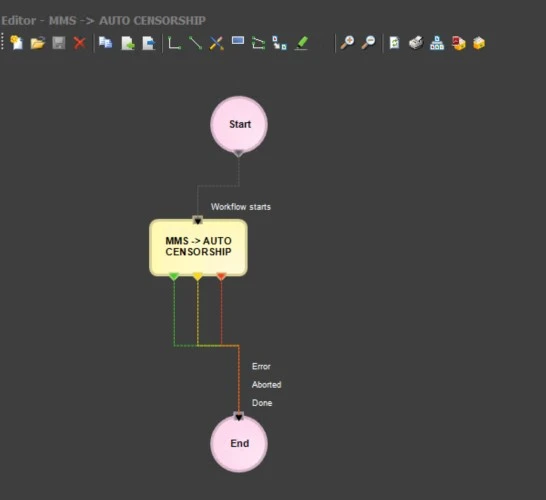 WF_-_AUTO_CENSORSHIP
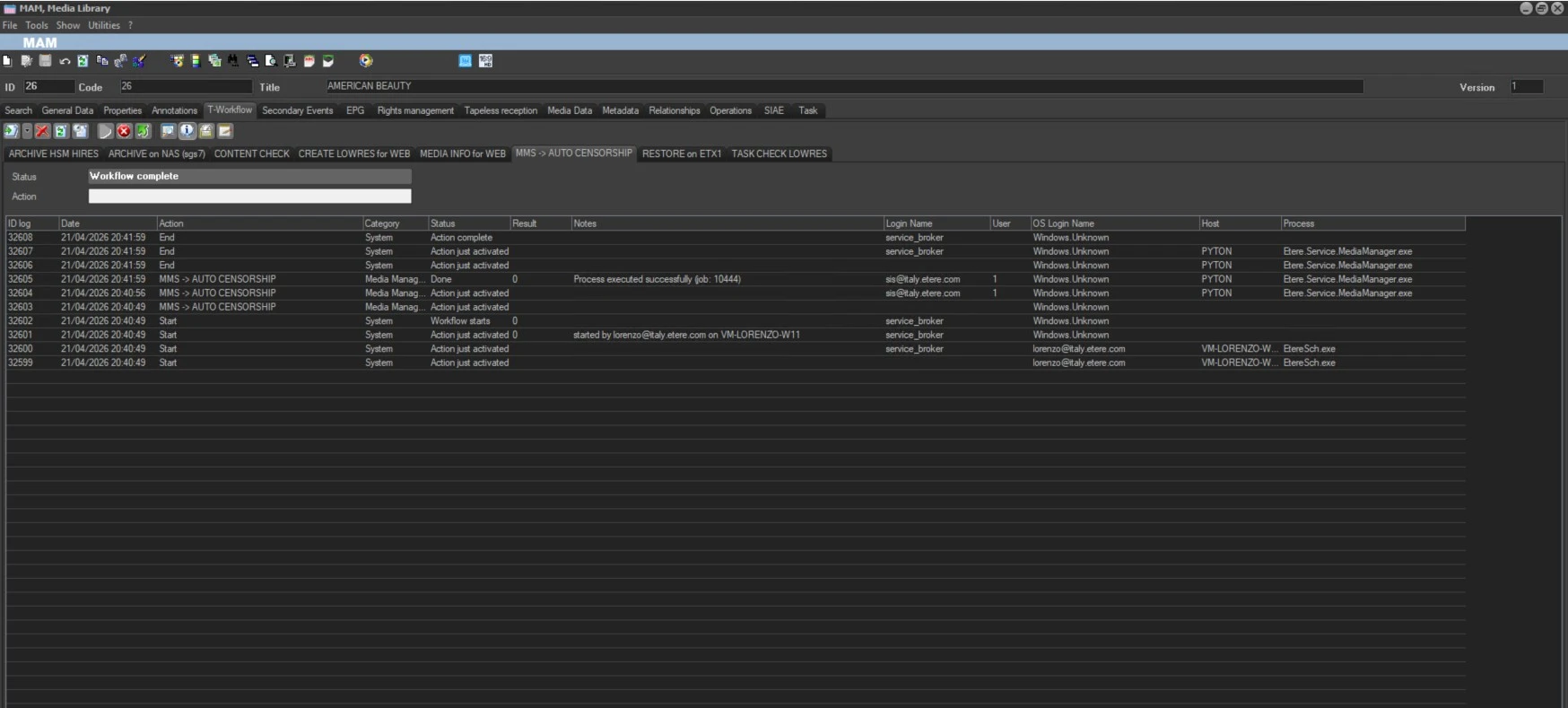 WF_EXECUTED_IN_AN_ASSET