Scheduled Ingest
9.4.2 New Single Recording
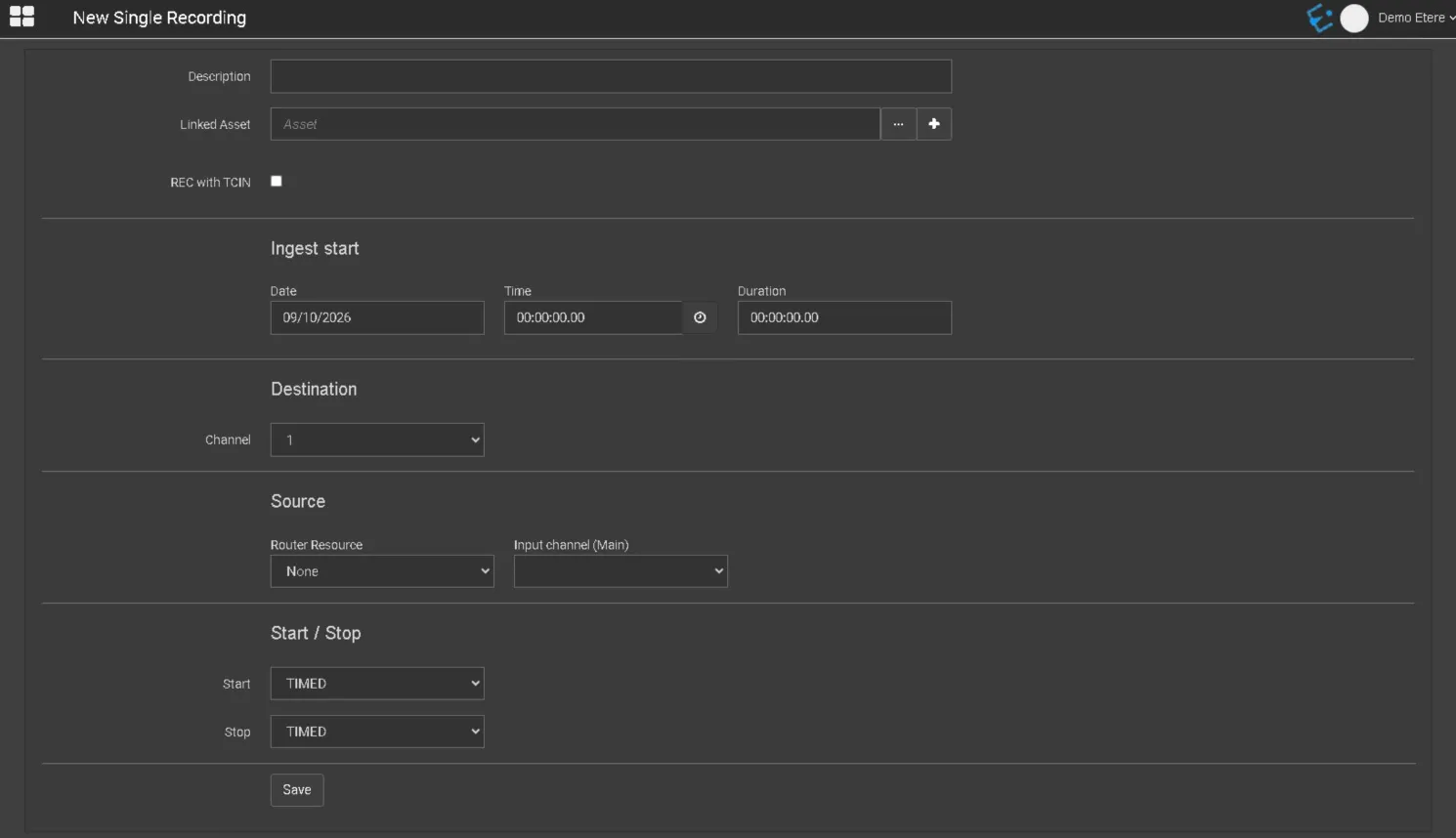
In New Single Recording, you can plan for a single ingest operation to be performed at a specific date and time by defining the parameter settings:
Single_Recording
- Description: A short description to identify the ingest operation;
- Linked asset: Associate an asset to the ingest operation. You can click the browse button to search for an existing asset in the database. By clicking on the Create new asset button, you can directly create a new asset and select it to be ingested;
- REC with TCIN: Enable this option to record the asset with the start timecode;
- Date: Indicate the date to start the schedule ingest;
- Time: Indicate the time to start the ingest operation. You can click on the button to insert the current time into the parameter;
- Duration: Indicate the duration of the ingest operation;
- Channel: Specify the destination device channel used for ingest;
- Router Resource: Indicate the router resource used for ingest;
- Input channel: Indicate the main input channel to be used for ingest operation;
- Start: Select an option to start the ingest operation at a fixed time or start to ingest via GPI signal;
- Stop: Similarly, select an option to stop the ingest operation at a fixed time or stop ingest via GPI signal;
 single_recording