79.4.6.8 Rundown Settings
Global Settings
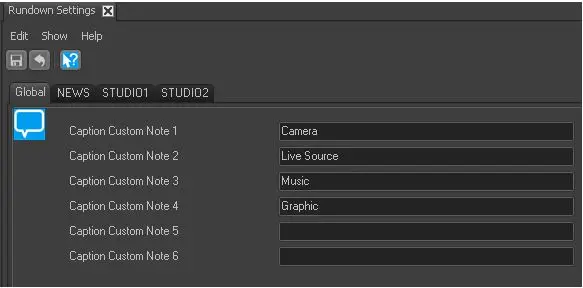
In the Settings node, you can add up to 6 additional notes columns and define different description for each column in the rundown.
Rundown_settings_1
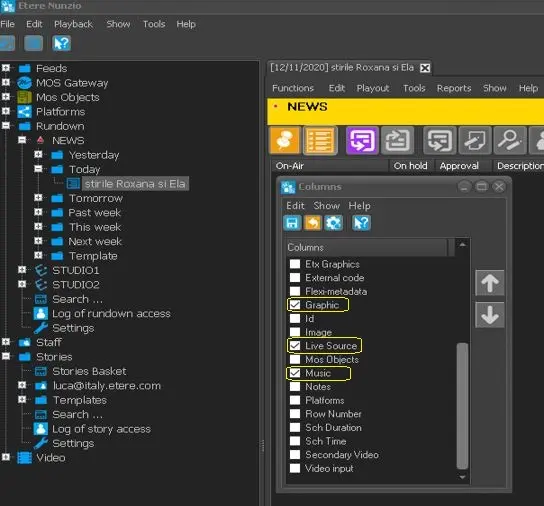
After which, you can add the custom columns to the Rundown columns as shown below.
Etere_Nunzio
It is also possible to define the ordering rule for rundowns within the same day:
Name: Ordering will follow alphabetical order of rundown titles
Scheduled time: Ordering will follow scheduled time order
rundown_ordering
Nunzio Settings
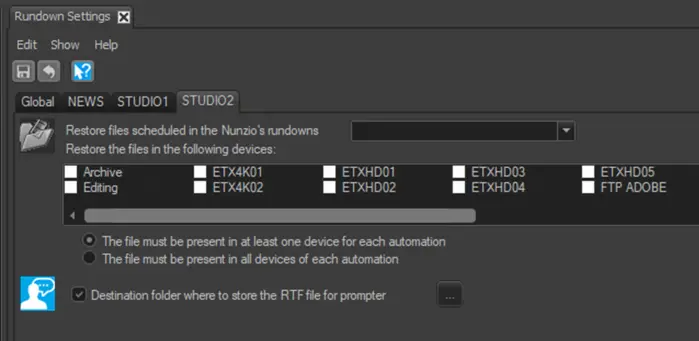
Rundown_settings_2
The settings available for Nunzio are:
- Restore files scheduled in the Nunzio’s rundowns: This parameter allows you to restore files scheduled in one of the Nunzio’s rundowns, e.g. HSM Archive, News story approval, Not to broadcast.
- Restore the files in the following devices: Select one of the device to restore files stored in the device.
- The file must be present in at least one device for each automation: If enabled, the selected file to be restored must present in one of the above device for each automation.
- The file must be present in all devices of each automation: If enabled, the selected file must be present in all above devices of each automation in order to be restored.
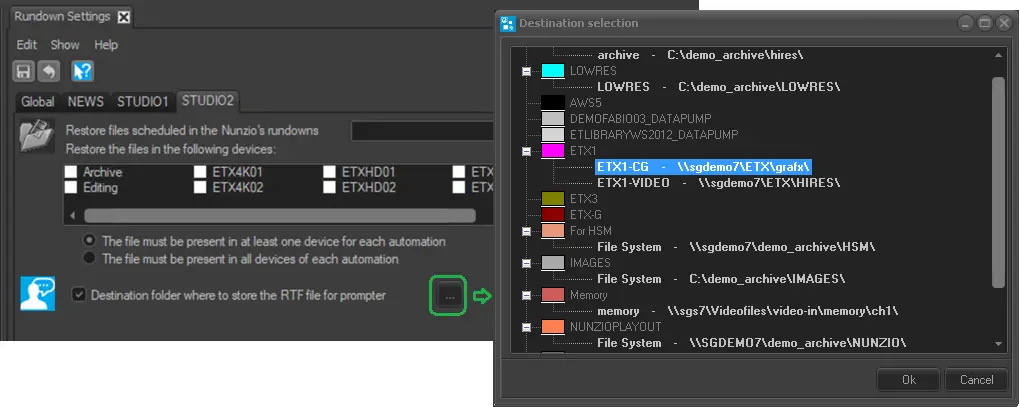
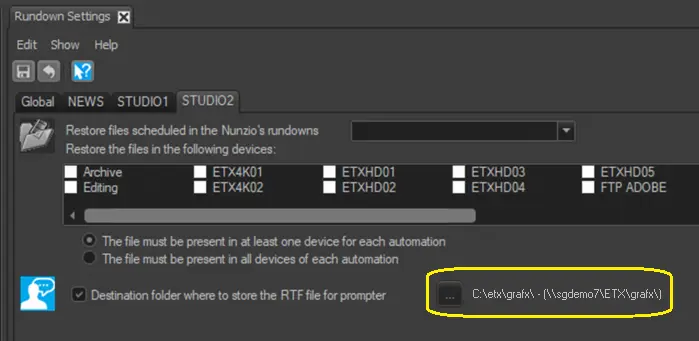
- Destination folder where to store the RTF file for prompter: If the MOS Control function is activated, you can enable this option to export the rundown into RTF (Rich Text Format) and click the browse button to select a destination folder to store the RTF file.
Rundown_settings_3
Click <OK> to confirm the selection of destination. The selected path would be updated in the settings.
Rundown_settings_4
The RTF file would be automatically recreated when each rundown change.
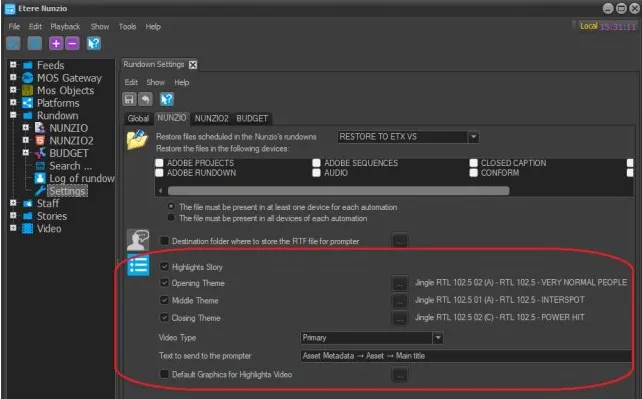
Highlights Story: When the "Highlights Story" option is enabled for a story, configure the bumper assets that will be played before the first video, between videos, and after the last video in a rundown story.
To do this, select the appropriate asset for Opening Theme, Middle Theme, and Closing Theme.
Below these, the following options are available:
Video type (Primary or Secondary): Select whether the highlights will be used for the primary or the secondary system.
Text to send to the prompter: A list of all available flexis for the selected assets is displayed here. Select the one that will be used as the On-screen text.
Default Graphics for Highlights Video: Similar to the option above, select a graphic together with a flexi to define the default graphic that will be used for the Highlights video.
See chapter 79.4.6.5 for information on how to use Highlights Story.
 Rundown_settings_1
 Etere_Nunzio
 rundown_ordering
 Rundown_settings_2
 Rundown_settings_3
 Rundown_settings_4
 Highlights_Story