24.1 VOD Installation and Configuration
Prerequisites
Before installing VOD, ensure that the following components are installed and properly configured:
- Internet Information Services (IIS).
- .NET 10 ASP.NET Core Hosting Bundle.
- IIS URL Rewrite Module.
- EtereWebAPI.
Installation Procedure
1. Launch EtereUpdate.exe
Run EtereUpdate.exe on the server where the VOD application is to be installed.
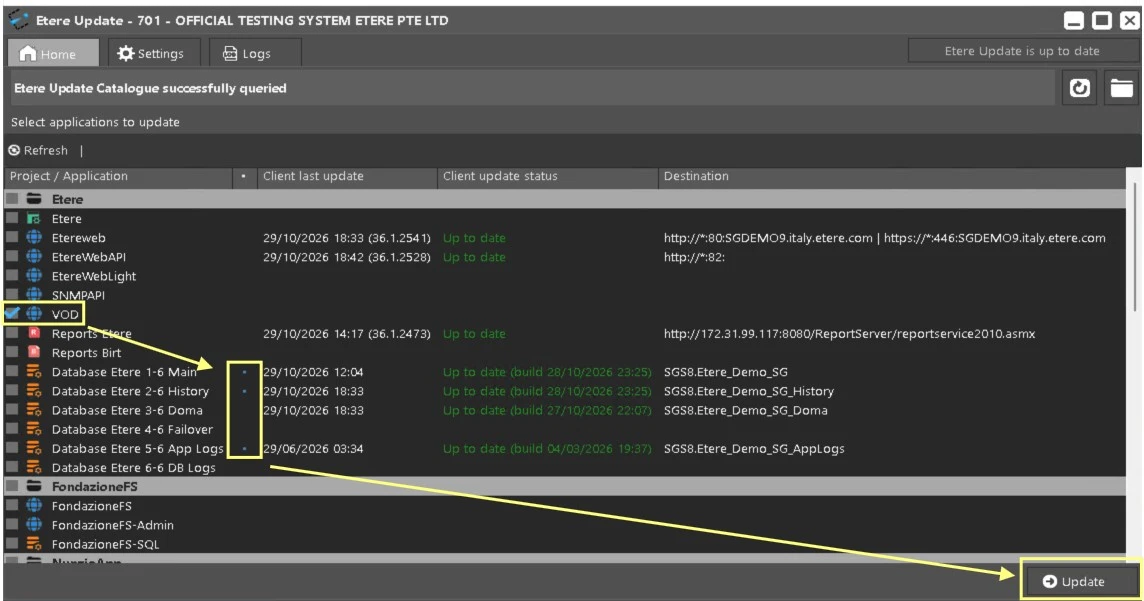
2. Select the VOD Application
In the application selection screen, select VOD.
The database connection details are retrieved from the database fields configured in EtereUpdate:
- Database Etere 1-6 Main
- Database Etere 2-6 History
- Database Etere 5-6 App Logs
Verify that these fields contain the correct connection settings before proceeding.
VOD_Selection
Click Update to proceed with the VOD installation configuration.
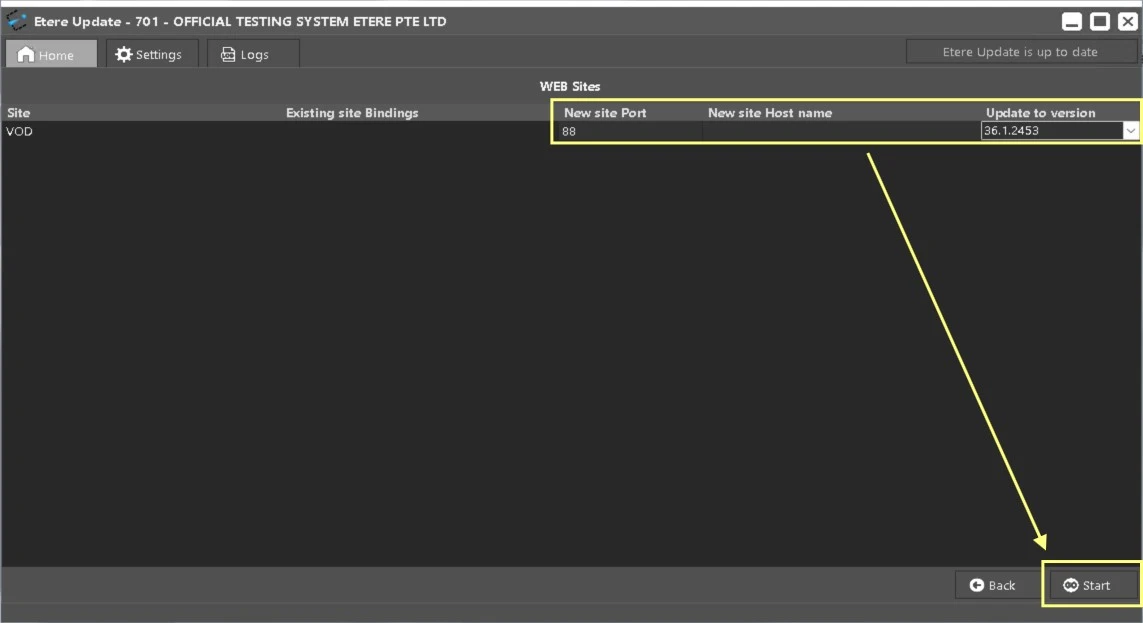
3. Configure the Application Port and Version
In the update configuration screen, specify the following parameters:
- New Site Port: Enter the port to be assigned to the VOD application.
- Update to version: Select the VOD version to install. By default, the latest available version is automatically selected.
Site_port
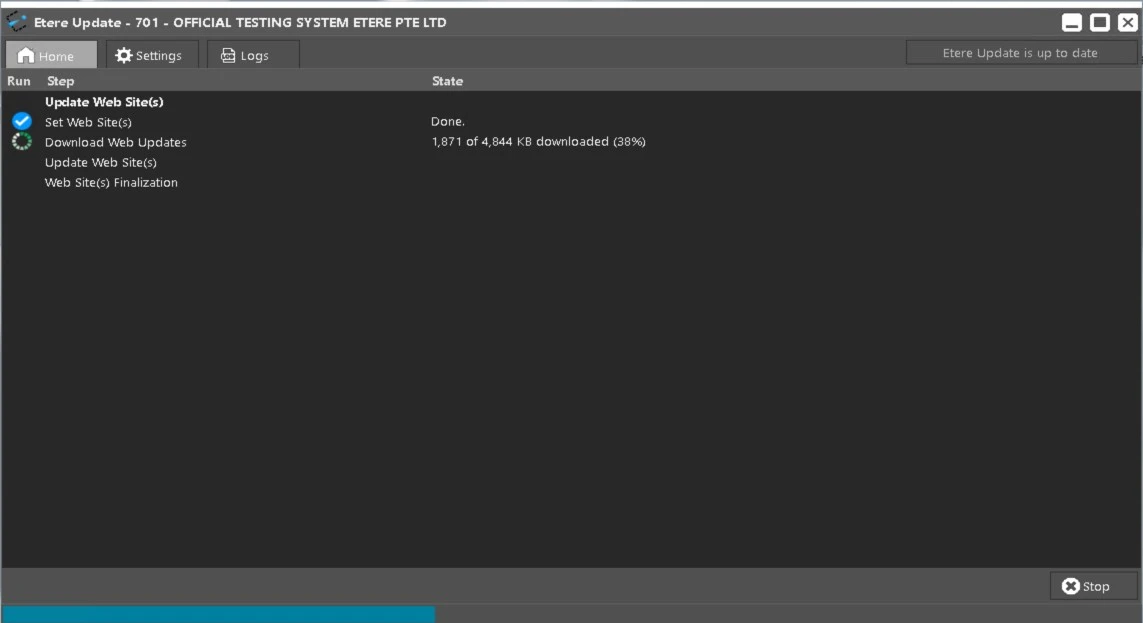
4. Start the Installation
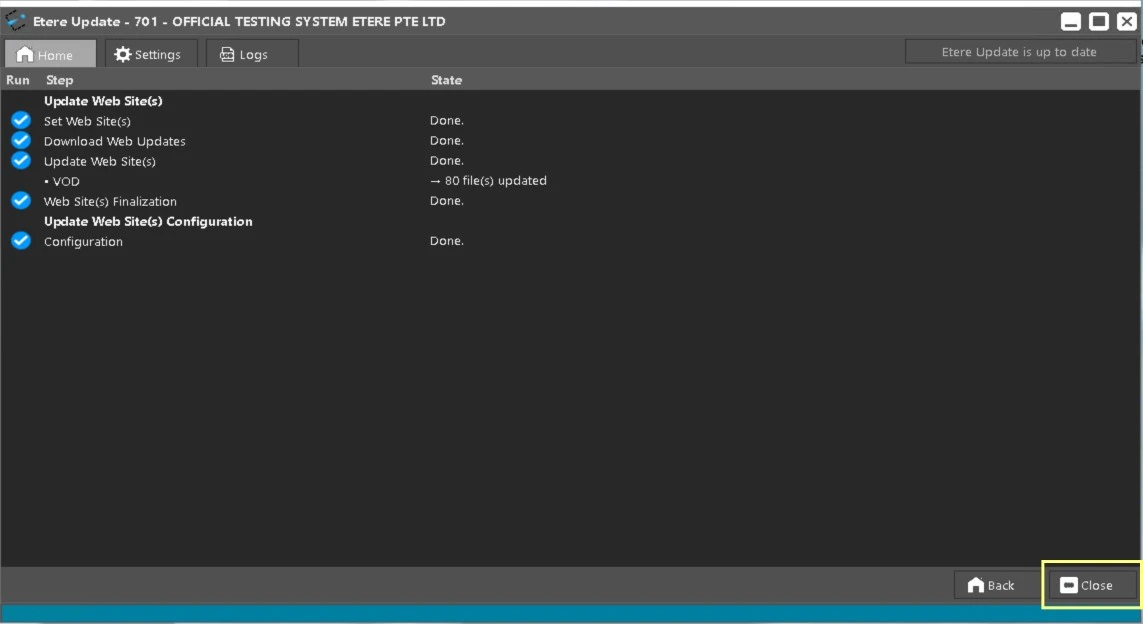
Click Start to begin the installation process. A progress window will be displayed, showing the status of the installation operations.
Wait until the installation process has completed before proceeding to the configuration steps.
Site_installation_progress - Site_installation_complete
5. Configure the Portal Authentication Domain
After completing the installation, configure the VOD API environment variables in the Web.config file of the VODAPI application.
The VODAPI application is automatically installed within EtereWebAPI.
Open the Web.config file associated with the VODAPI application and locate the following environment variable:
<environmentVariable name="PORTAL_AUTH_DOMAIN" value="" />
Set the value attribute to the correct domain for the target environment.
Example:
<environmentVariable name="PORTAL_AUTH_DOMAIN" value="YOUR_DOMAIN" />
Replace YOUR_DOMAIN with the appropriate domain name.
6. Configure the Portal URL (If Required)
If the main EtereWeb site is configured on a port other than port 80, or if the main EtereWeb site is hosted on a different server, configure the PORTAL_URL environment variable in the same Web.config file.
Locate the following entry:
<environmentVariable name="PORTAL_URL" value="" />
Enter the complete URL of the main EtereWeb portal, including the appropriate protocol, hostname, and port when applicable.
Example:
<environmentVariable name="PORTAL_URL" value="https://your-server:8080/" />
Replace the example URL with the exact address of the main EtereWeb portal in the target environment.
Accessing VOD
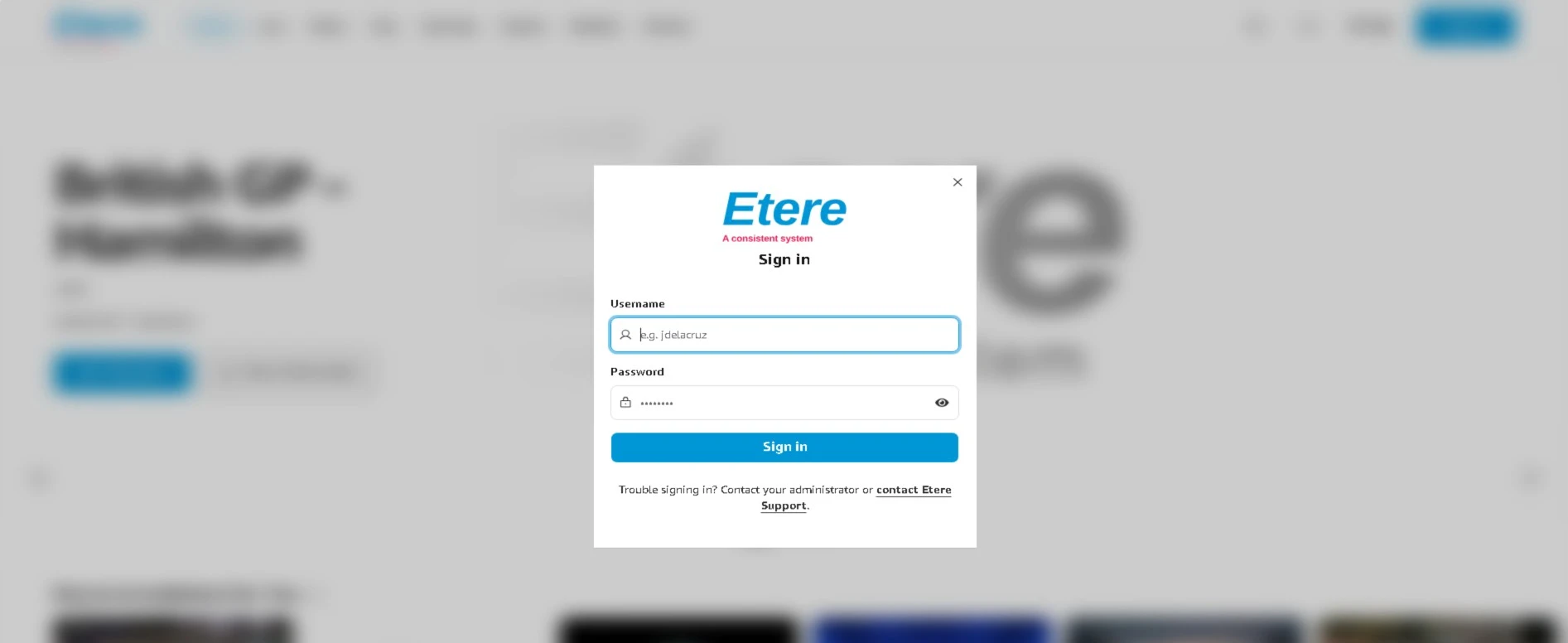
Once the installation and configuration are complete, access VOD by navigating to the relevant VOD Web portal and signing in with your
domain credentials.
VOD_login
 VOD_Selection
 Site_port
 Site_installation_progress
 Site_installation_complete
 VOD_login