73.3.5 Maintenance
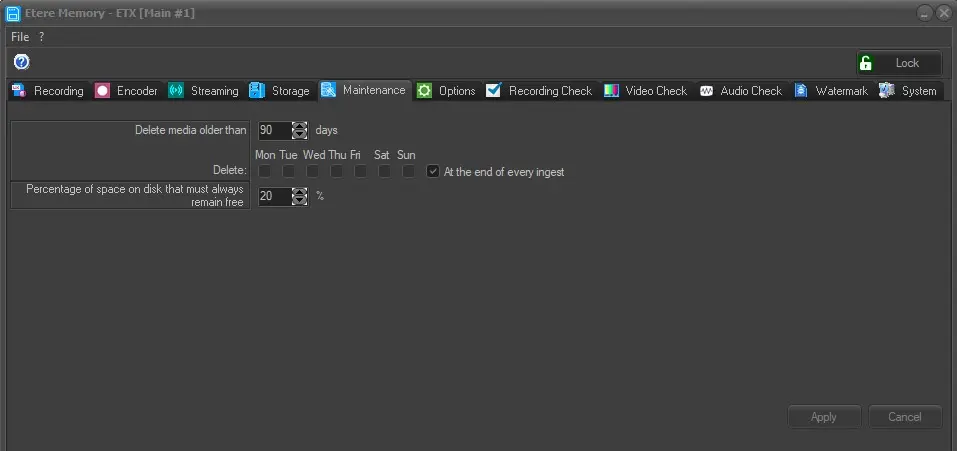
The "Maintenance" tab allows the user to define rules regarding the deletion of a media using the following parameters.
Memory_Maintenance
Delete media older than: Delete media older than: If enabled, the software would automatically delete files older than 'xx' days (e.g. 90) specified in the parameter, freeing up space on the hard disk for files ingested in the future, this operation can be carried out "at the end of every ingest" on every day or only on a selected day(s).
When deleting Memory files, the related metafile and related asset in the date specific folders would also be deleted if the asset has no more file linked to it. In the Memory Log, you can filter the files deletion records using keyword “Cleaning recording folder” to view the details
Percentage of space on disk that must always remain free: This value is set at 20% by default. When the free space on the hard disk is less than the default percentage, Etere Memory will automatically stop ingest and prompt a message:
WARNING!!! NEVER SET THIS PARAMETER BELOW THE SECURITY LEVEL, WHICH IS 1-2%
Apply: can be used to confirm the changes made.
Cancel: can be used to discard the changes made.
 Memory_Maintenace