85.2.14.3 Automatically Insert SCTE Secondary Events in Etere Executive Editor
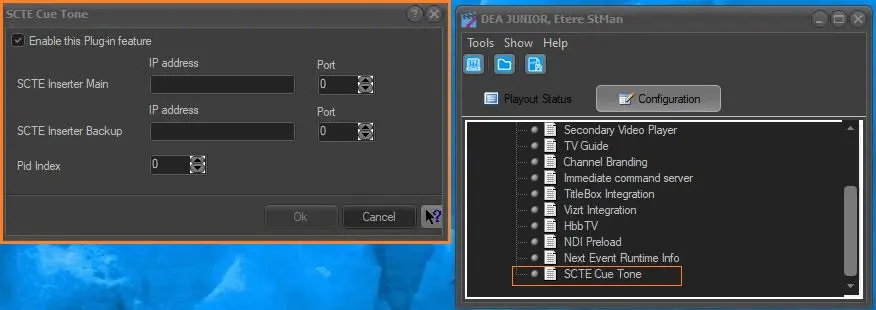
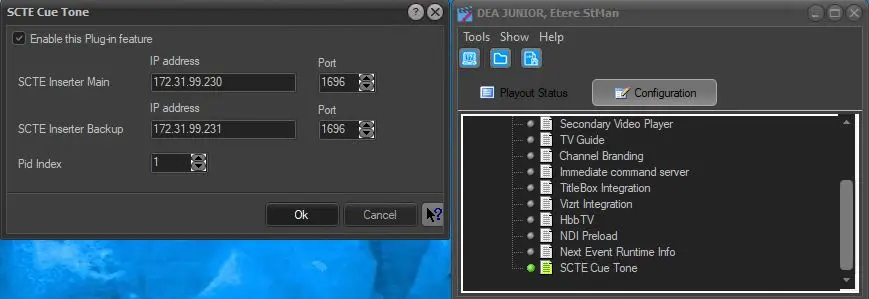
Once the SCTE Cue Tone Plugin is enabled in Etere StMan, is possible to schedule all the given secondary events automatically and allows the start/end of the commercial blocks in an automated way.
scte_cue_tone
scte_cue_tone_enabled
In order to accomplish this, we may need to perform some steps before the given configuration.
First thing first, we need to create a proper Group Types in order to include in there all the TYPES which are basically not commercials.
In order to do so we need to go in:
Etere Configuration > Settings > Types Editor > Groups
Create a brand new Group named PROGRAMS > PROG by pressing the New button and then:
- set a proper CODE, in this case PROG;
- set a proper Description, PROGRAMS in this case;
- assign an Icon(optional);
- assign a given Color (optional);
- assign the Group Proprierties. Keep in mind that giving the following logic, it should be anything except COMMERCIALS.
types_group
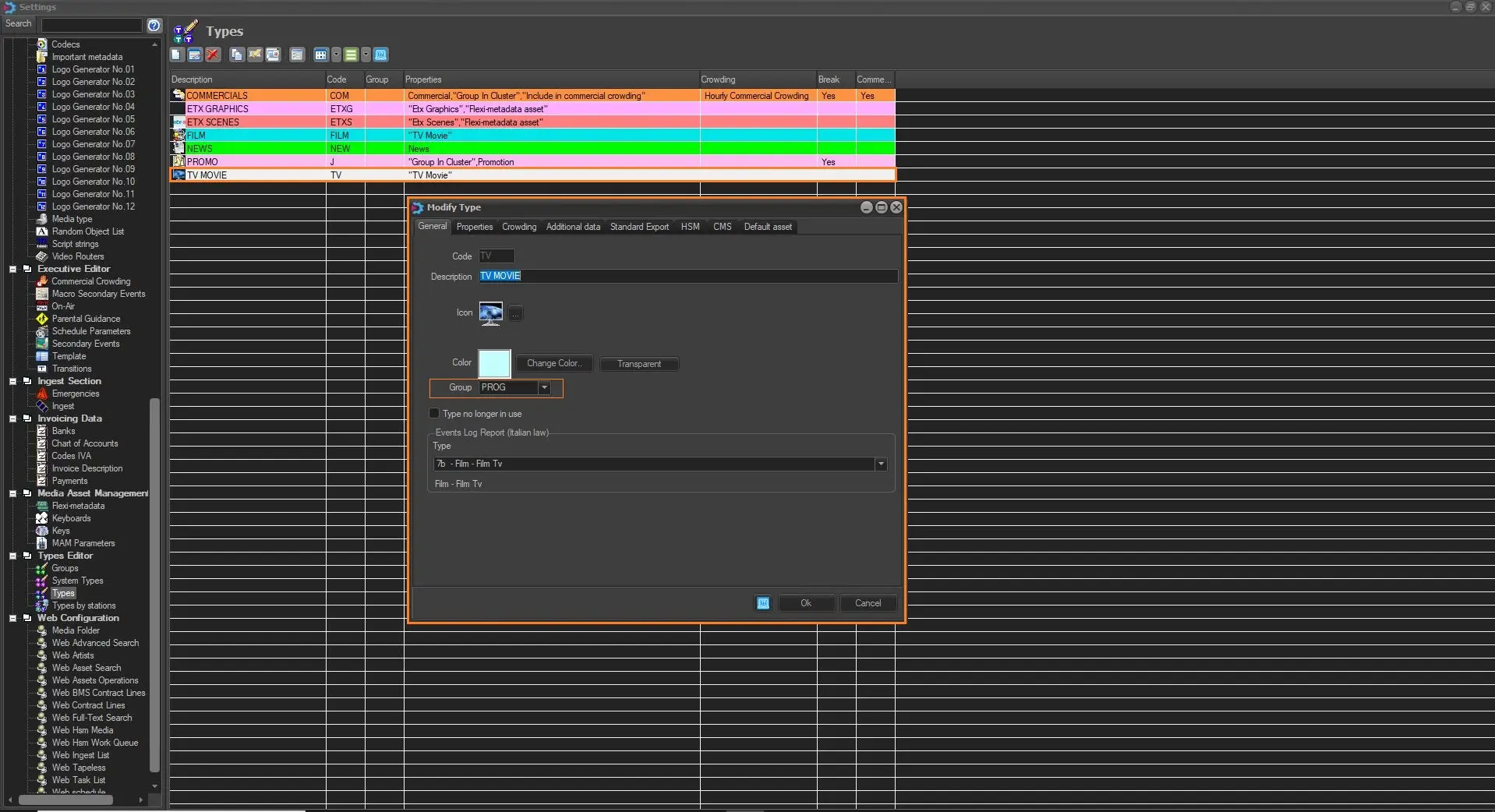
After that, we can start assigning TYPES to the previously created Group, just by recalling any type in:
Etere Configuration > Settings > Types Editor > Types
and then select the PROG group from the General Tab.
progr_types
So based on the given configuration, everything which is not a PROG type determine the start and stop of the Commercial Block.
After that we can deceide to insert them as follows:
- by relying on Etere Executive Editor function "Apply Secondary Events as Default"
apply_as_default_ee
- insert them at any Etere Executive Editor publication.
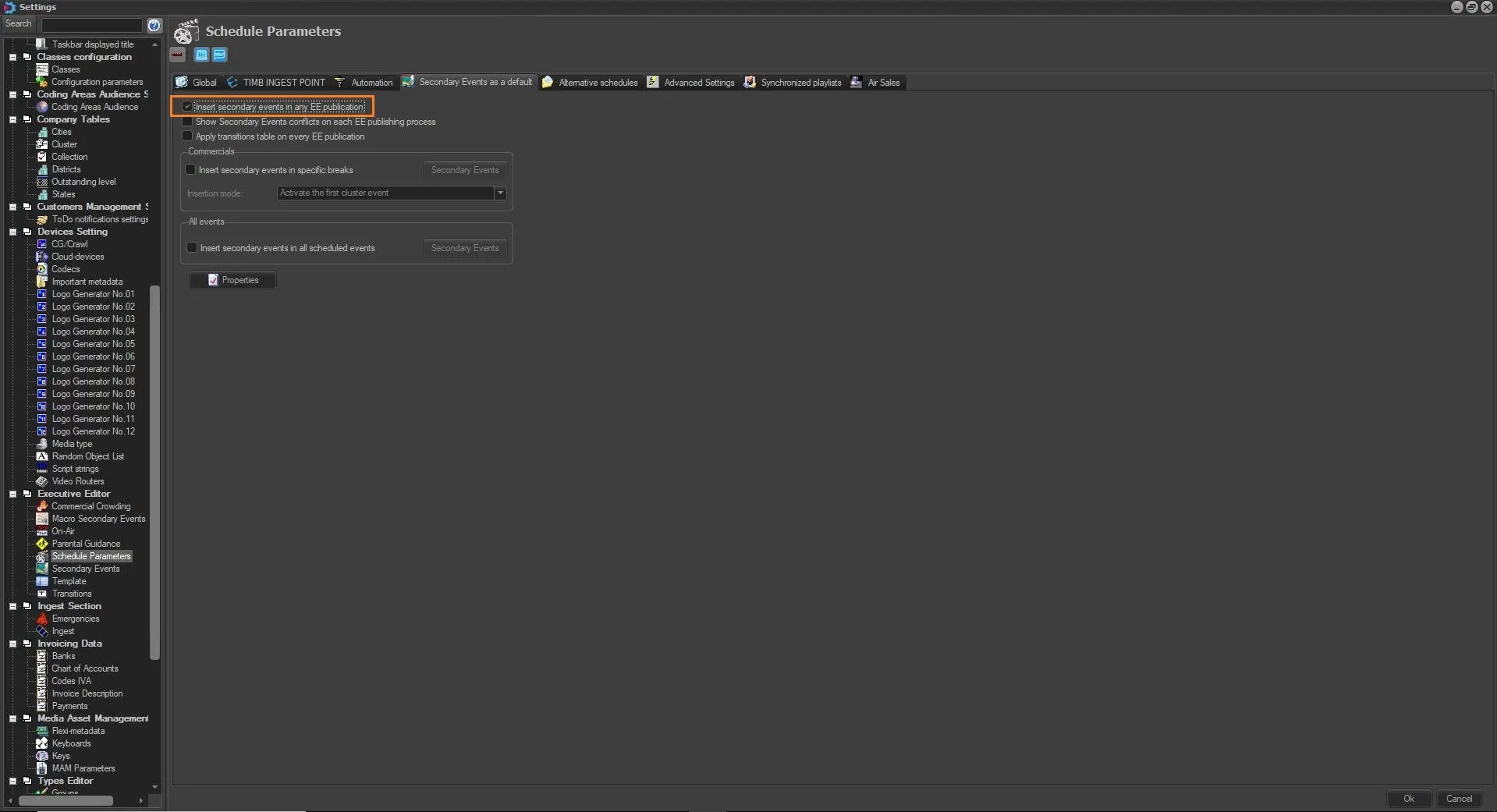
In order to do so, we may need to set an additional parameter which is found in:
Etere Configuration > Settings > Scheduled Parameters > Secondary Events as Default
and is called "Insert Secondary Events in any EE pubblication"
insert_any_ee
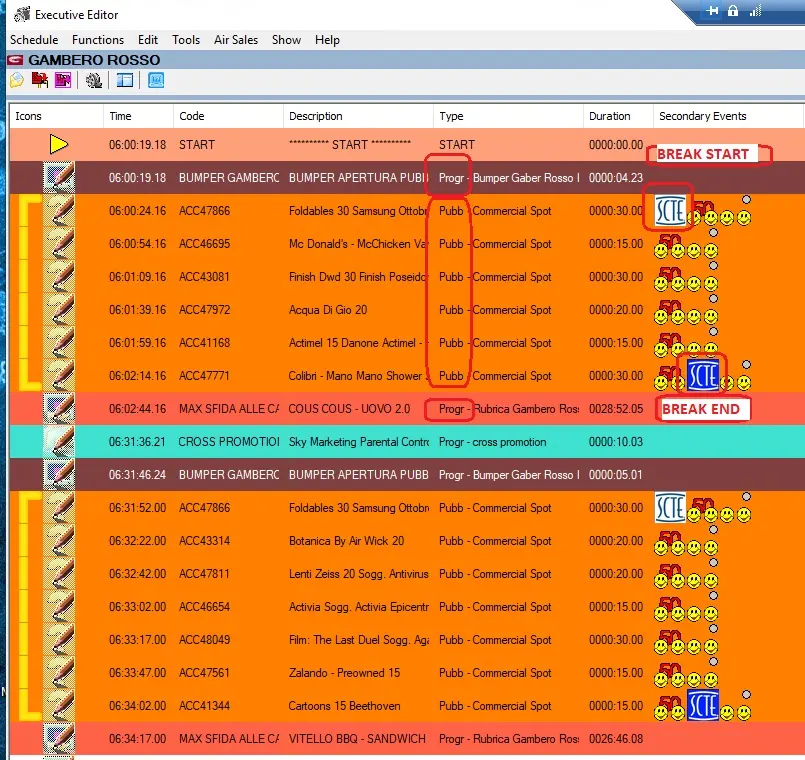
After that, each time the operator perform the Publish procedure, the given secondary events are placed into the Etere Executive Editor Playlist, distinguish from Commercial Breaks and normal programs.
scte_break_start_break_end
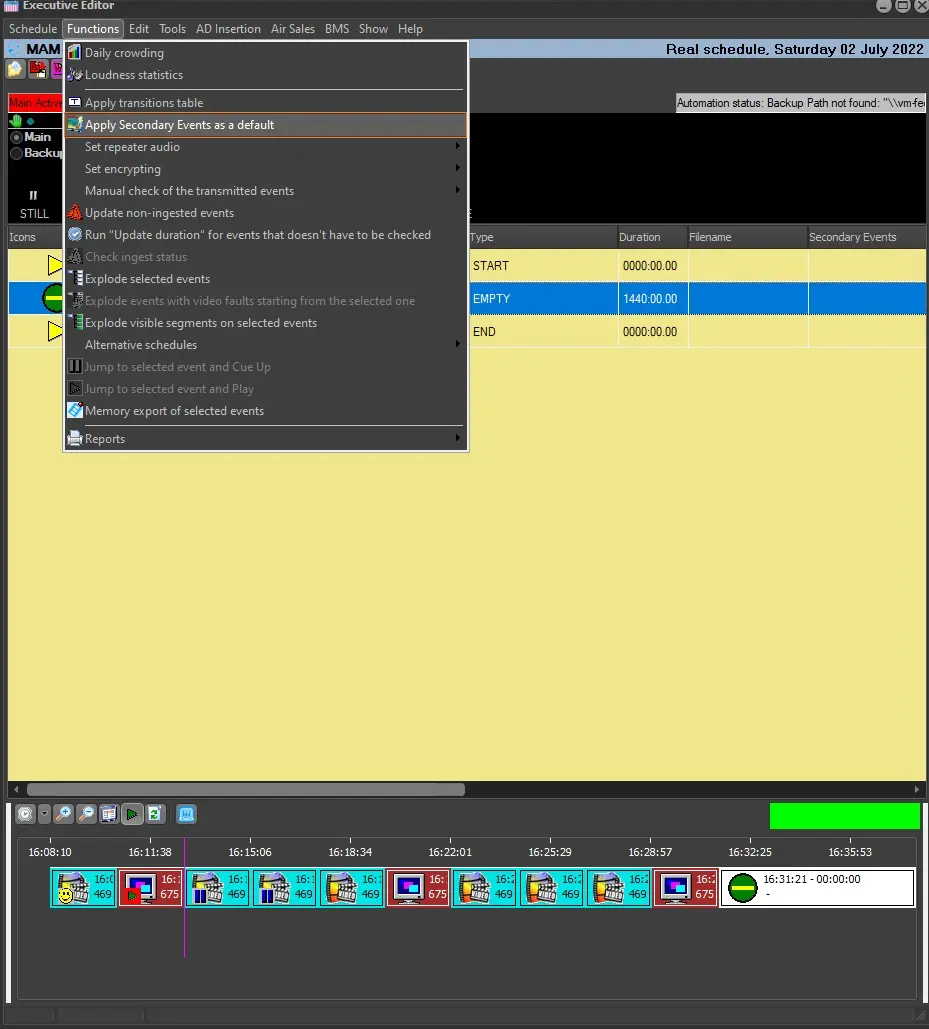 apply_as_default_ee
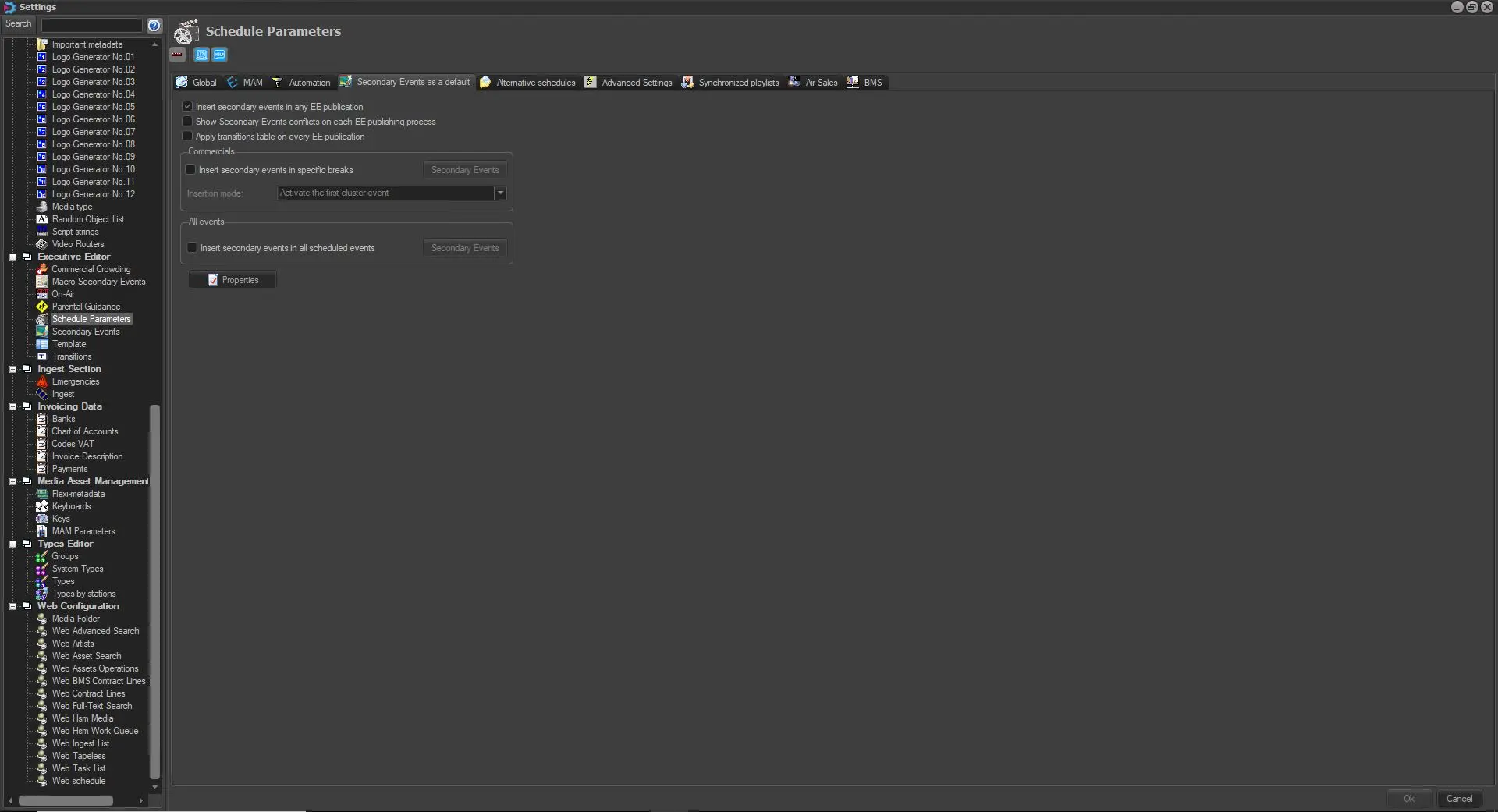 insert_any_ee
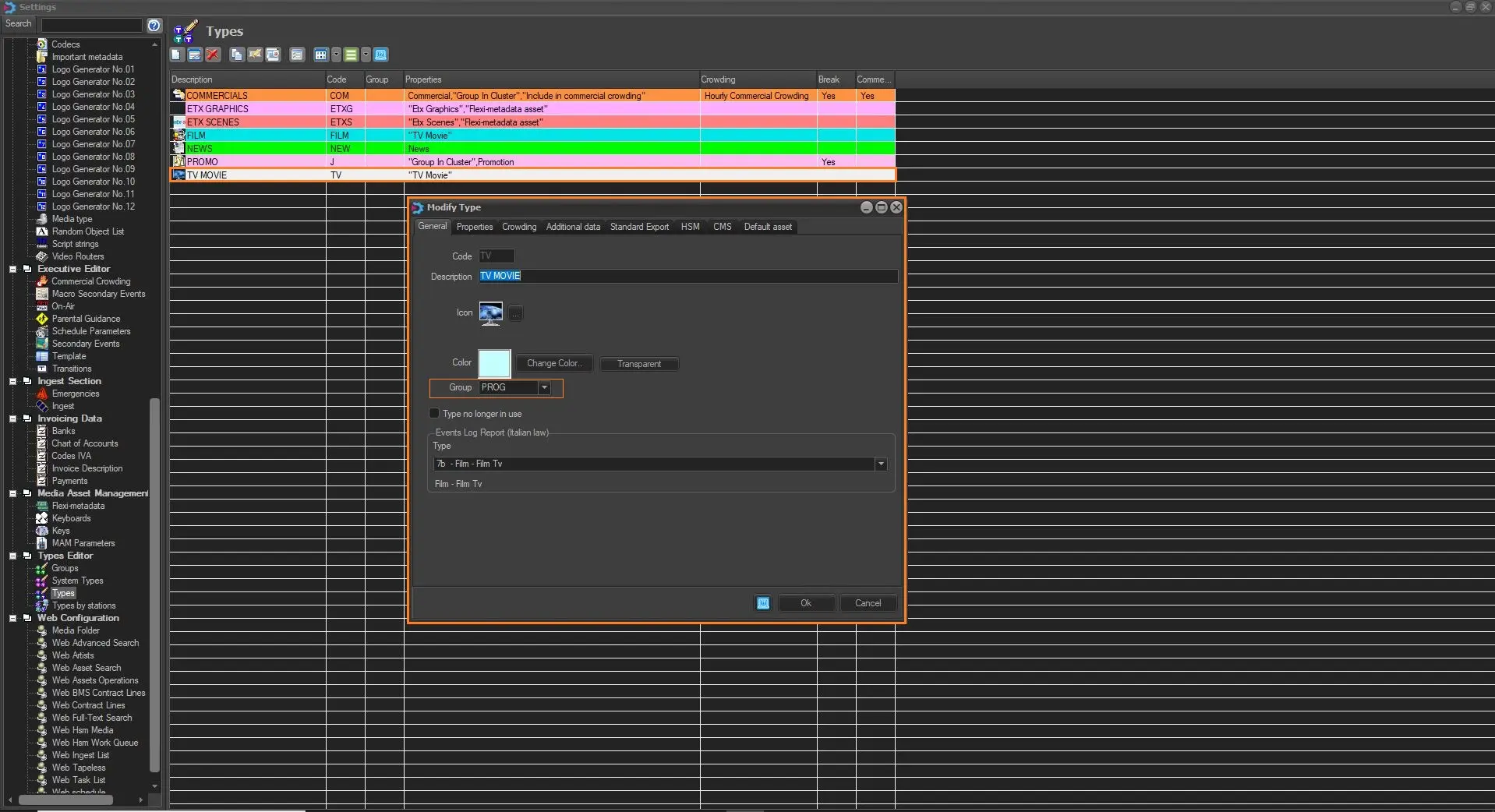 progr_types
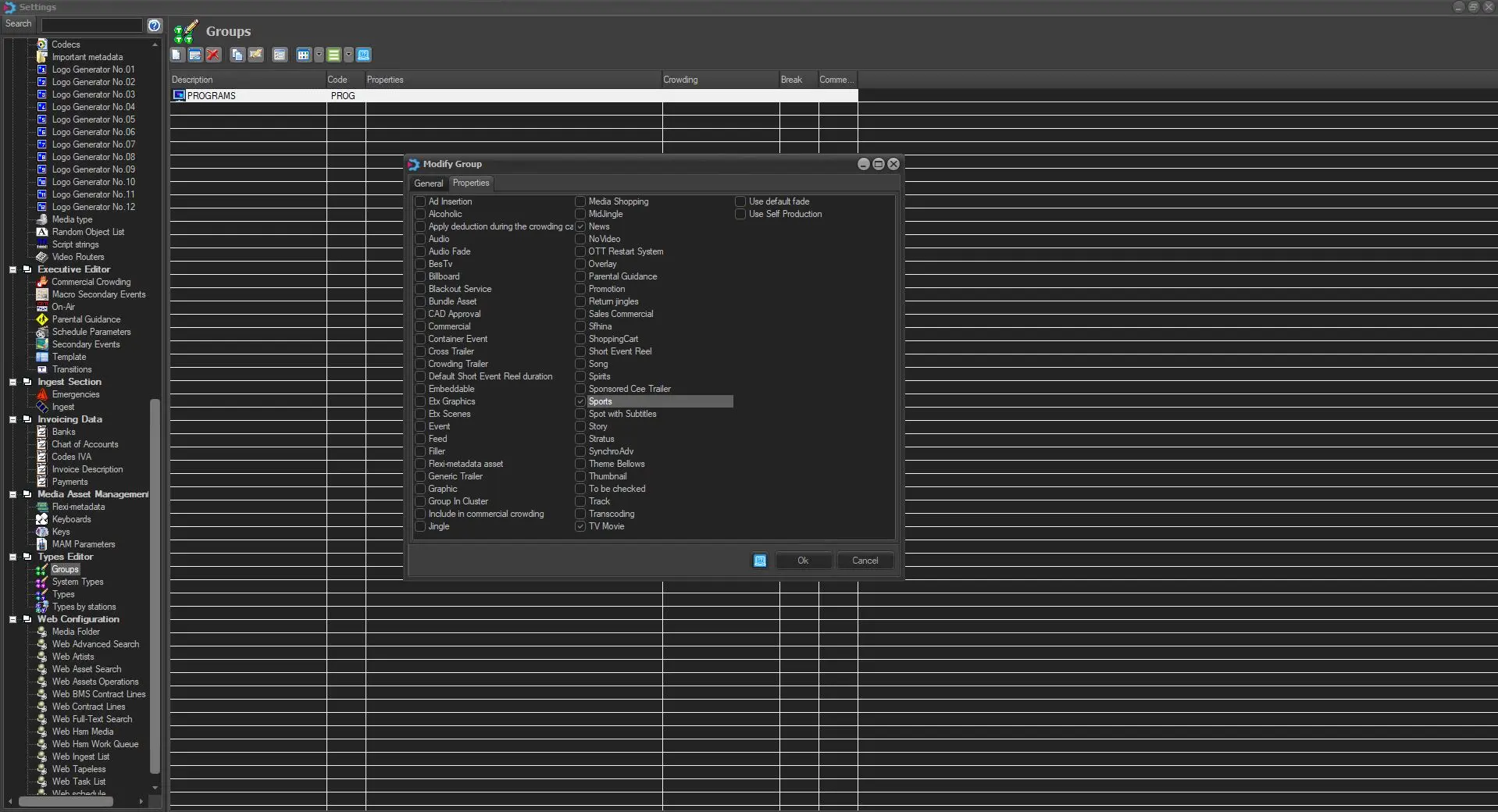 types_group
 progr_types
 scte_cue_tone
 scte_cue_tone_enabled
 insert_ee
 scte_break_start_break_end