22.5 Trailer List
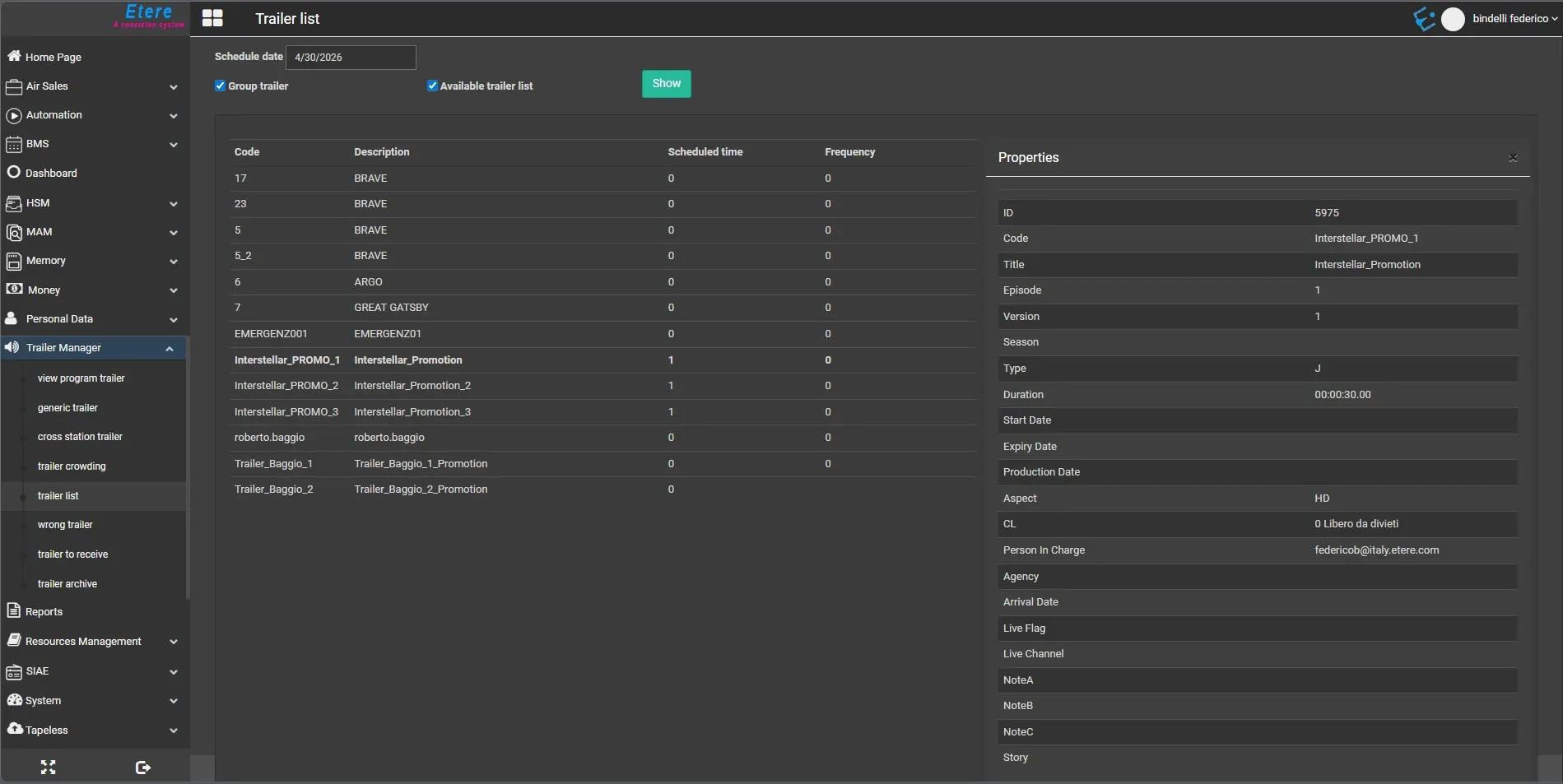
The Trailer list section displays all the trailers (promotions, generic promos and cross station promos) scheduled on a certain day, it also allows to group repeated schedule appearances to simplify the view:
•Group Trailer: Use this option to display trailers only once in the list, indicating the number of times they have been scheduled in the period.
•List available Trailers: Enable this option to display the available trailer, including trailer which are not scheduled.
In the Promo List, if the number in the “Scheduled time” column is greater than the number in “Frequency” column (if greater than 0), a warning message would be prompted.
Refer to Rights Management section in MAM for information on Frequency.
The Promo List displays all trailer scheduled on the specific date, including valid trailer assets without value in “Start date” and “Expiry date”. If you wish to hide those trailer assets from the scheduled date, simply enter a future date as “Start date” or enter a past date as “Expiry date” to exclude from the daily scheduled list.
9853_Trailer_List
 Trailer_List