91.1 Preliminary Configuration
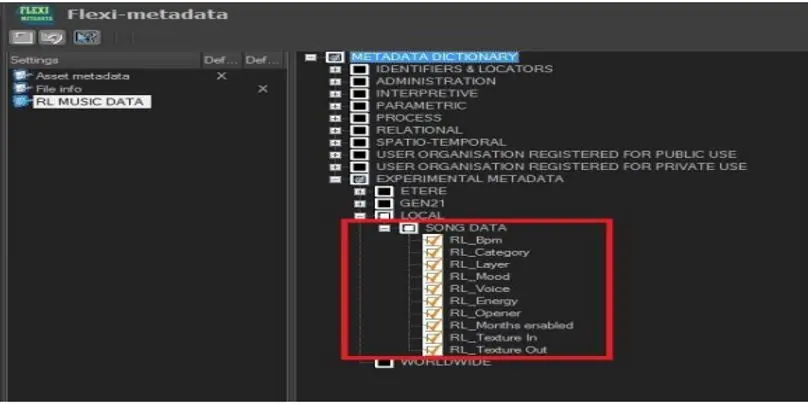
The Radio Live (RL) default metadata are automatically created by system maintenance, as indicated in the screenshot below (with the suffix “RL”).
Radio_live_basic_config_flexi
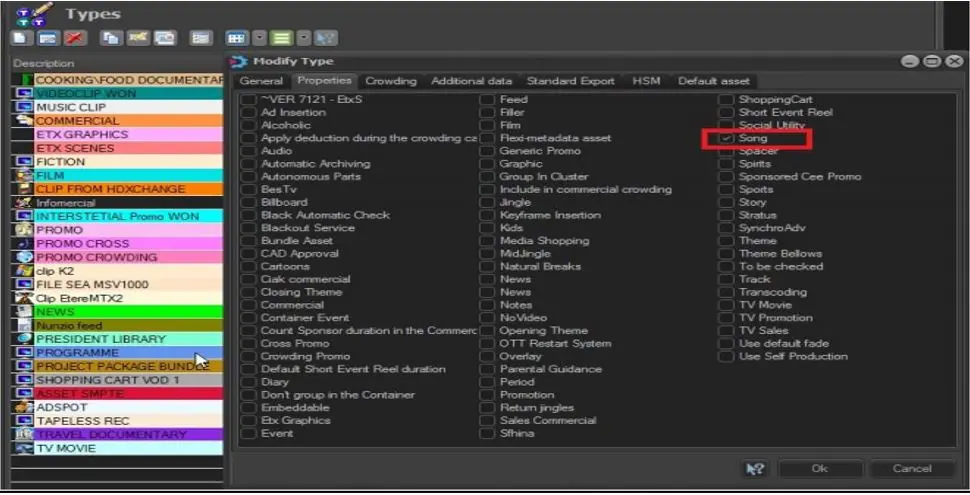
In Etere Configuration > Types, an asset type “Song” property must be created to be associated with the musical assets in the schedule.
Radio_live_basic_config_type
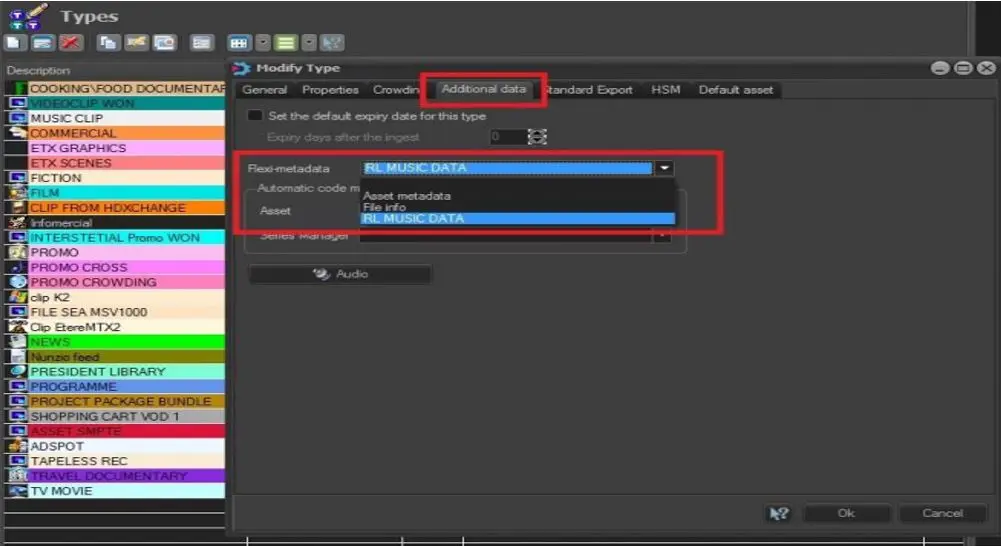
Once the above settings are defined, in the Types > Additional Data configuration settings, you can associate the flexi-metadata to the asset type, as illustrated below.
Radio_live_basic_config_type-1
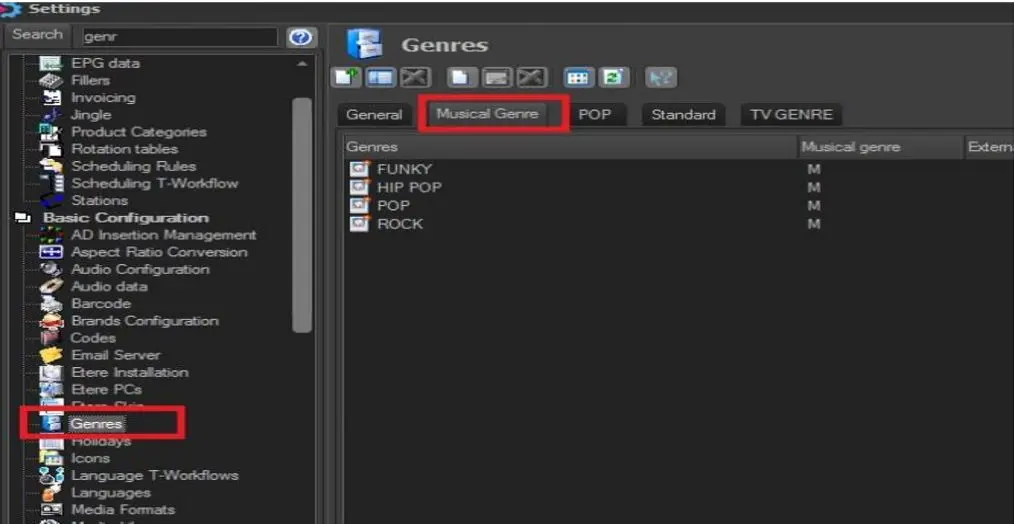
Moreover, it is possible to associate the musical genres with the asset by adding the appropriate genre in the “Musical Genre” tab.
Radio_live_basic_config_genres
Artists can be created using the Artists section in Etereweb (see chapter 15.1.0.0 Artists for details) and associated to asset forms using Media Library's Properties tab. After insertion, each artist can also be associated with the schedule rules described in the Radio Live manual.
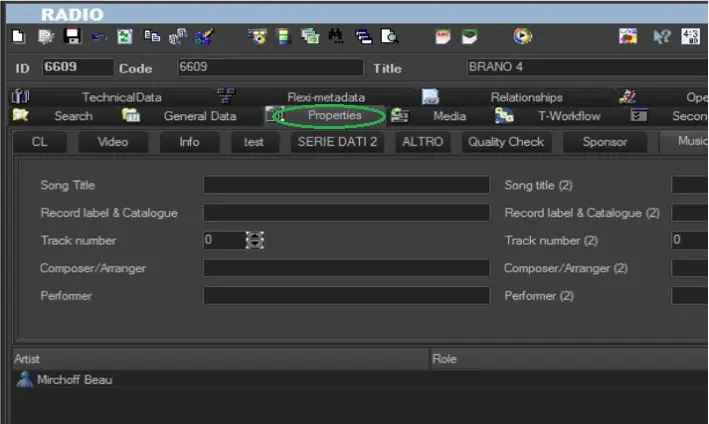
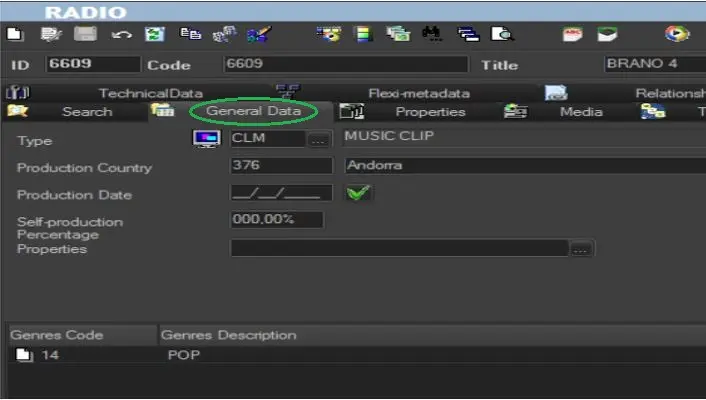
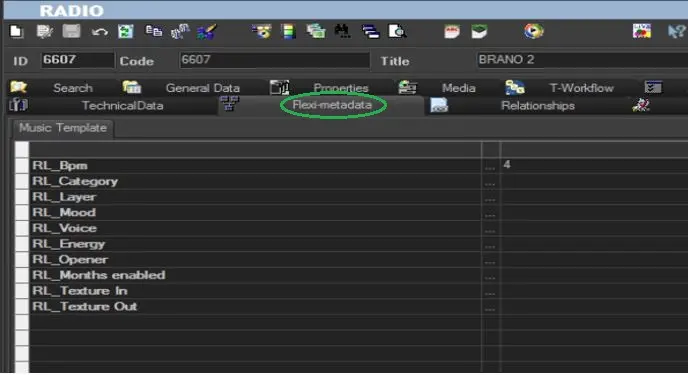
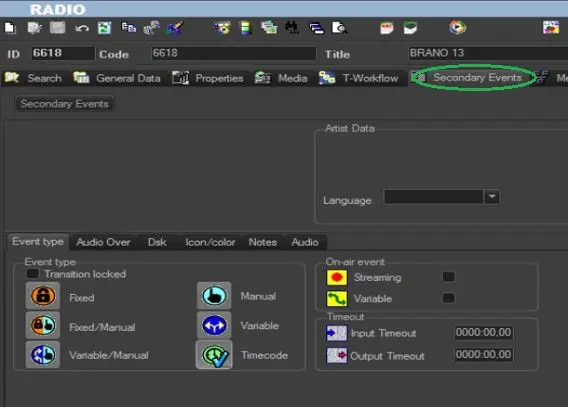
When the above basic configuration is in place, you can create the assets in the Media Library to be used in the musical schedule. Listed below are the main tabs where you can enter the information of the musical asset.
Radio_live_mam-1
Radio_live_mam-2
Radio_live_mam-3
Radio_live_mam-4
RADIO STATIONS AND STANDARD FRAMERATE
Etere is capable to manage both TV and RADIO stations, but due to the different way to manage them, a distinction was needed.
So Etere implemented this difference inside its license to identify the stations dedicated to a television system from the ones for a radio system.
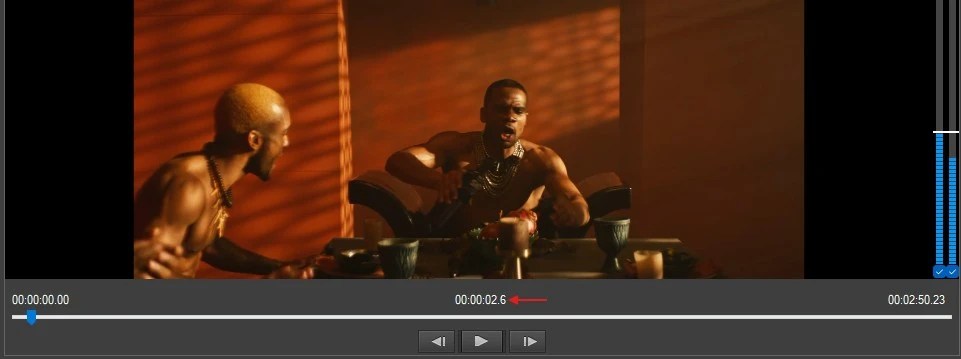
One of the practical changes is the counters visualization in Radio Live modules.
If the station used is a RADIO station, the counters of the following players are displayed in tenths of seconds, otherwise they will be displayed in frames:
- Radio Live Director: Player C
- Radio Live Director: Player Fades
- Radio Live Cartwall: Player Grid
- Radio Live Cartwall: Player List
- Radio Live Playout: Player Playlist
tenths_of_a_second_counter
A radio station is different from a television station also for the framerate.
While the majority of television stations run with PAL (25fps) or NTSC (30fps), radios usually use the framerate Hundredths of second to manage audio contents.
For this reason, only in case of a radio station AND a standard framerate set to Hundredths of second, the video preview is disabled for the players mentioned above. Only audio can be played.
 Radio_live_basic_config_flexi
 Radio_live_basic_config_type
 Radio_live_basic_config_type-1
 Radio_live_basic_config_genres
 Radio_live_mam-1
 Radio_live_mam-2
 Radio_live_mam-3
 Radio_live_mam-4
 tenths_of_a_second_counter