55.2 General Settings
Etere Aligner requires the following parameters to be set to fulfil station needs properly:
Parameters 1
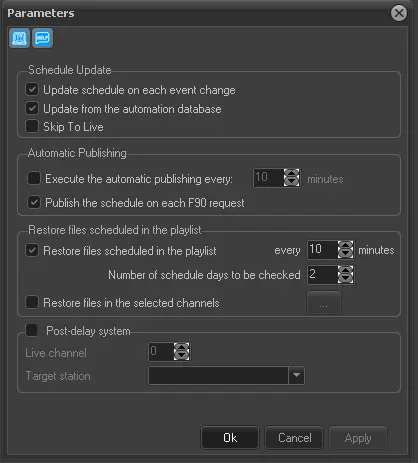
Schedule update (update the programming schedule during the playout)
• Update schedule on each event change: Set the update of the published schedule (viewed from the Executive Editor) each time a new event starts.
• Update from the automation database: If enabled, the automation schedule (i.e. tpal file) of the previous day will be checked and in case it exists, the related programming schedule (i.e. tpalinse table) will be updated based on it with the actual transmission times; then, once this operation is completed, the automation schedule will be renamed (i.e. tpalMMDD.dbf >>> tpalMMDD.tra).
NB: Events updated by this function will be marked in the Executive Editor as automatically certified.
• Skip to Live: If checked, it bypasses all scheduled events and starts a new event.
This option is available when the value of the event is set to zero (0).
Parameters 2
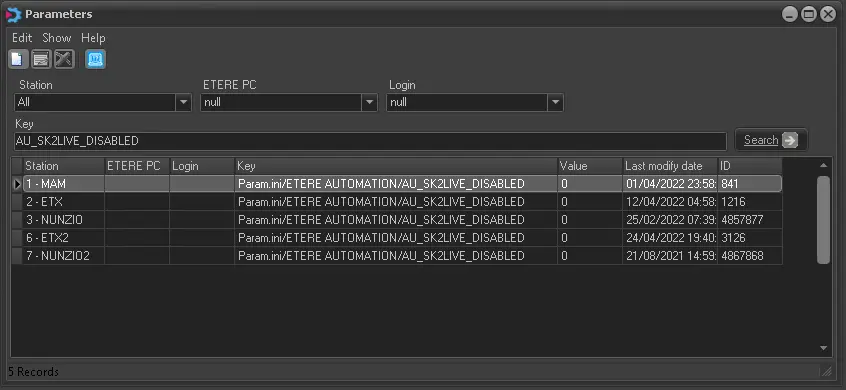
If this option is enabled in the automation schedule, the value of all on-air and Live events would be set to zero (0).
Automatic Publishing (automatic publishing of the programming schedule)
• Execute the automatic publishing every: Set the frequency in minutes of the automatic publishing.
• Publish the schedule on each F90 request: If enabled, the programming schedule will be automatically published each time Etere F90 request it (e.g. after an import operation).
Restore files scheduled in the playlist (restore clips each time they are scheduled for going on-air).
• Restore files scheduled in the playlist: Set the frequency with which files will be restored in the automation server once scheduled.
NB: The restore is performed through the restore workflow set in Etere Configuration > Conf.Editor > T-Workflow > Default T-workflows.
• Number of scheduled days to be checked: If the "restore files scheduled in the playlist" parameter is enabled, indicate here the number of following days for which scheduled clips will be restored.
• Restore files in the selected channels: Enable this option and click the button to open a list of available channels. You can select multiple channels (not all channels) and launch the restore workflow using a single aligner.
NB: This option helps restore workflow on multiple channels without Automation.
Post-delay system (adjust the time on post-delay systems)
• Live channel: Enable the "post-delay system" option when using a post-delay system that partially transmits the current station's exact contents across a second station. Etere Aligner will continuously check if LIVE events have been transmitted in the configured live channel (e.g. 8) if enabled. In the affirmative case, the following actions will be performed on the target station (e.g. channel 3) for the delayed live event:
1. Adjust the duration of the segments that hold the delayed live event according to the transmitted source event;
2. Set the event type of the delayed live event as 'timecode'; this is for transmitting it from its mark-in point (SOM) to its mark-out end (EOM);
3. Publish the schedule where the delayed live event is present;
4. Reload all Executive Editor opened schedules.
Note: If the fixed event start time is shifted, if the shifted start time is less than five frames, the scheduled on-air time is retrieved from the asset scheduling playlist (TPALINSE) instead of from the automation playlist (TPAL) to ensure the fixed event is aired on specified start time.
• Target station: The secondary station partially transmits the same content as the main one.
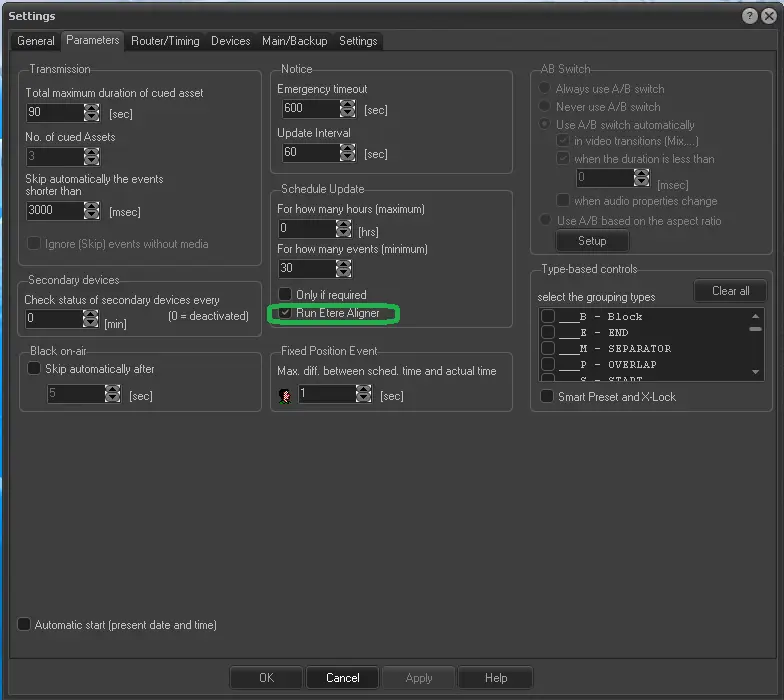
Enable the use of Etere Aligner from Etere Automation.
Besides setting the parameters mentioned above, it is essential to set Etere Aligner to start automatically when Etere Automation is launched, so you need to ensure the 'Run Etere Aligner' box is active under Automation | Settings | Parameters:
Settings
This parameter is enabled by default, but it's always a good practice to ensure it's not been disabled.
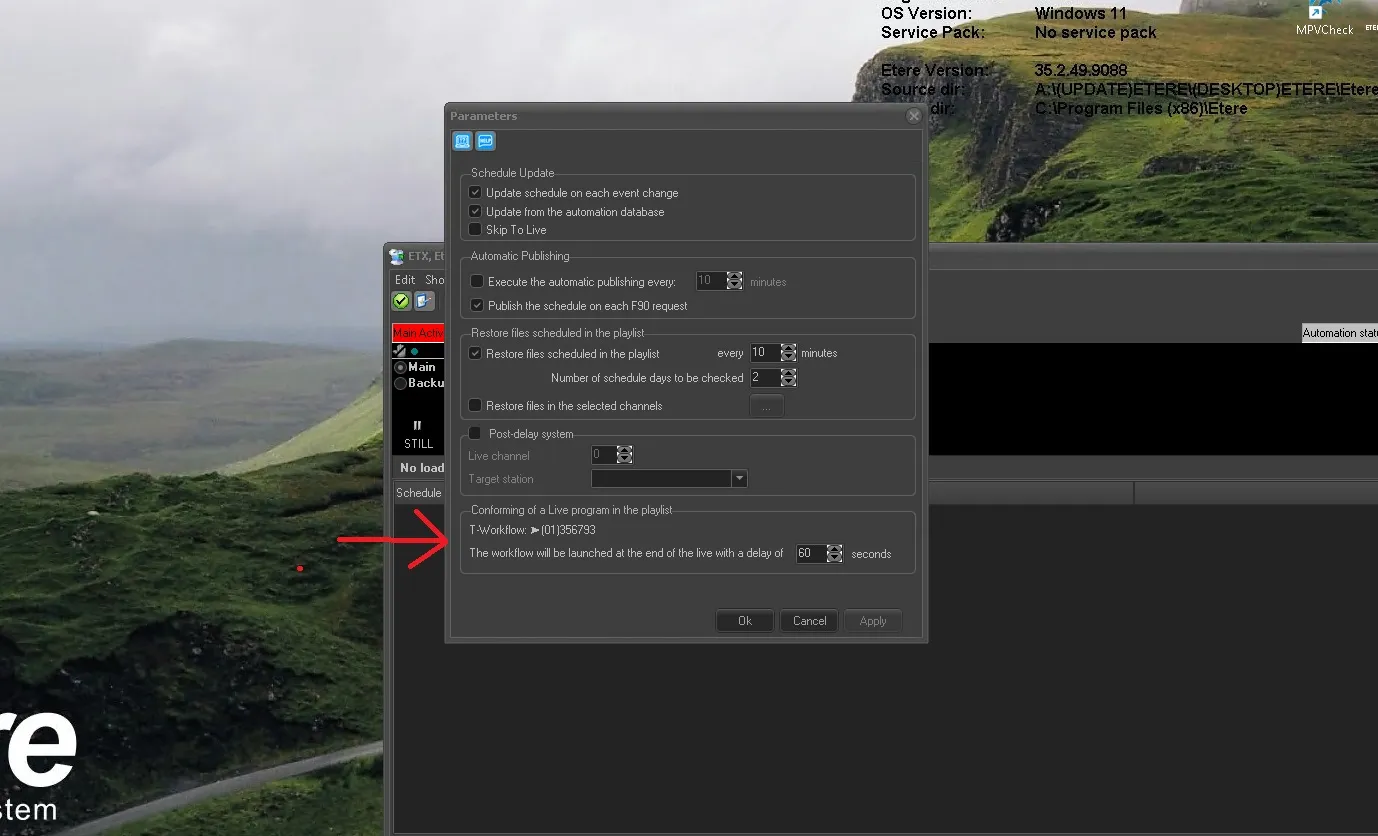
Conforming of a Live program in the playlist
This setting appears within the Aligner settings in newer versions and allows you to launch the workflow deferred at the end of a Live event in the playlist to perform the Live Conforming operation
Parameters_3
• T-Workflow: The assigned workflow to be started after the Live event is broadcasted. The workflow is automatically retrieved from the database, it must be set in Etere Configuration > Configuration editor > T-Workflow > Default T-Workflows > Conforming of a live program in the playlist.
• The workflow will be launched at the end of the live with a delay of: If you need to delay the start of the workflow after the end of the live, specify here the amount of time delay in seconds.
The scheduled event must have the Autorecording secondary event set to "In the current asset" is required to make Aligner perform the search before launching the workflow.
SE_in_asset
 Parameters_2
 Parameters_1
 settings
 Parameters_3
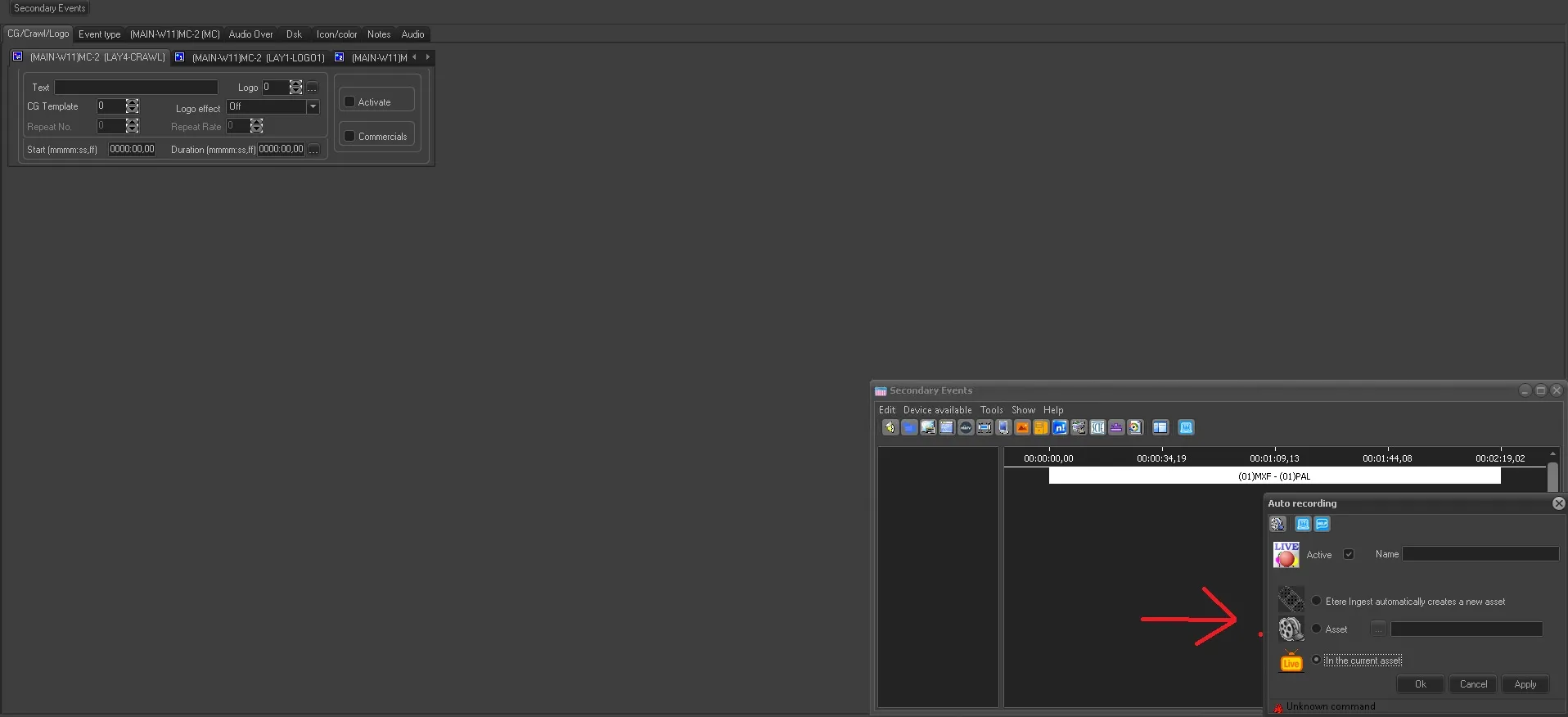 SE_in_asset