21.1 Search
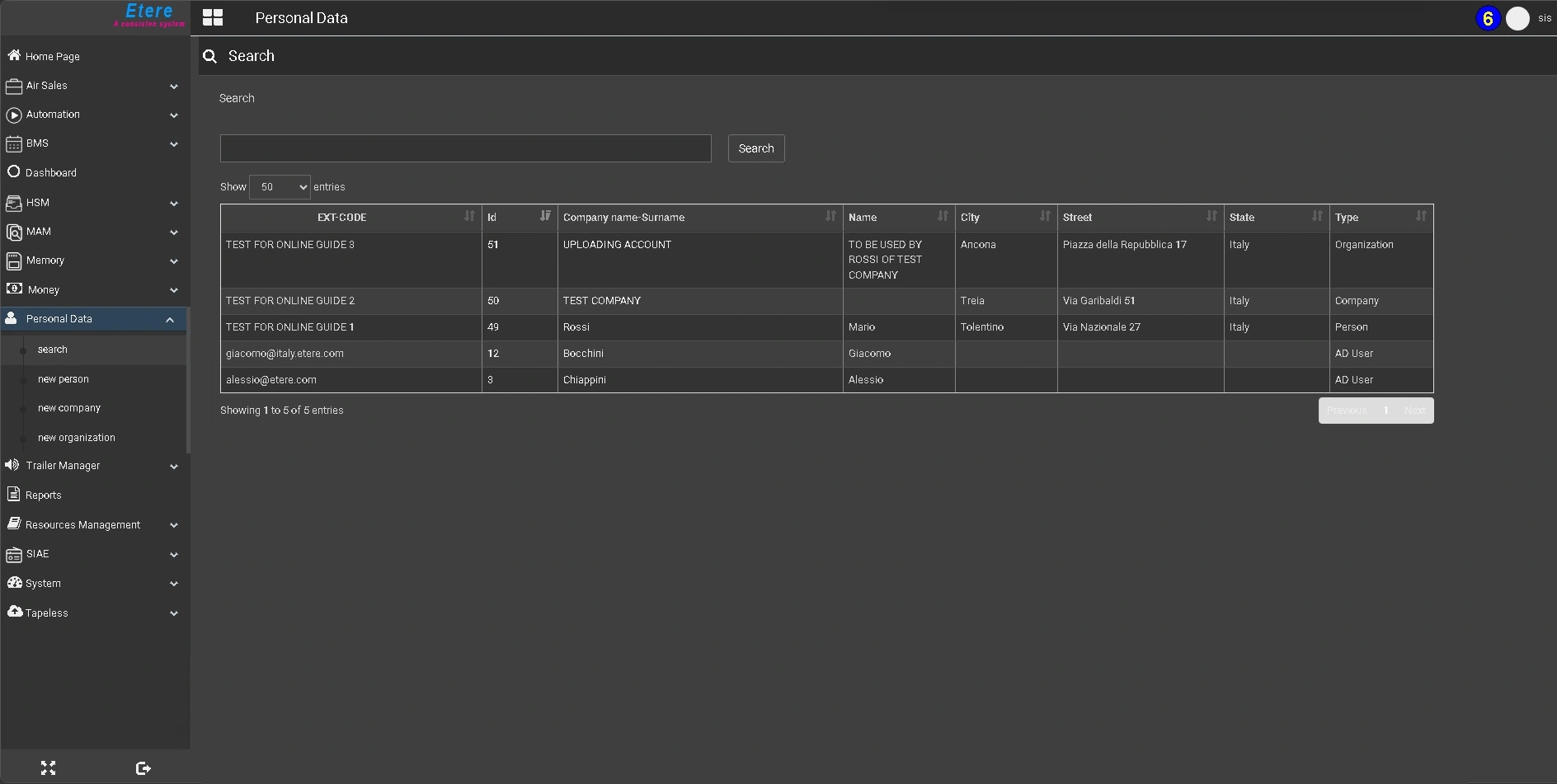
The Search page of the Personal Data module allows you to perform quick and comprehensive queries across the contact database for existing users, persons, companies, and organizations. Searches are based on a full-text mechanism, similar to a search engine, which allows matching one or multiple terms across all relevant fields stored in the database by entering text in the search bar.
To display the full list of contacts, simply press the Search button without entering any criteria.
The results are displayed in a tabular format, where each column represents a specific attribute of the contact. Columns can be sorted by clicking on their headers, allowing for easier navigation and data analysis.
After executing a search, an additional control labeled “Show entries” appears above the results table. This option allows you to define how many records are displayed per page by selecting 25, 50, or all results from the available drop-down menu.
This control is only visible once a search has been performed; when accessing the Search page for the first time, or when refreshing the Search page, no results are displayed and the option is not shown.
The main fields displayed include:
EXT-CODE: A unique and user-defined, editable identifier that can be used alongside the system-generated ID to quickly recognize a contact.
Id: A unique, sequential identification number automatically assigned by the system.
Company Name - Surname: The name of the company or the surname of the person, depending on the contact type.
Name: The first name of the person (where applicable).
City: The city associated with the contact.
Street: The street address of the contact.
State: The state or region associated with the contact.
Type: The contact classification, which can be User, Person, Company, or Organization.
Selecting a contact from the list allows access to its full record for consultation or editing
 etereweb_personal_data_search