18.4.4 Device Controller
In order to be correctly managed by other services, devices must be controlled by the Etere Device Controller service.
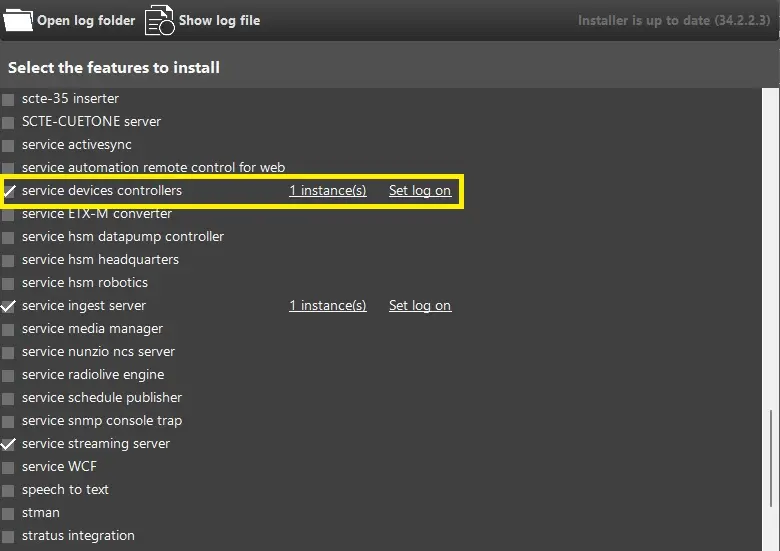
It can be installed from its related menu on the Etere Update, start by selecting "service device controllers" option and assign the correct user for the service log on
Install_device_controller
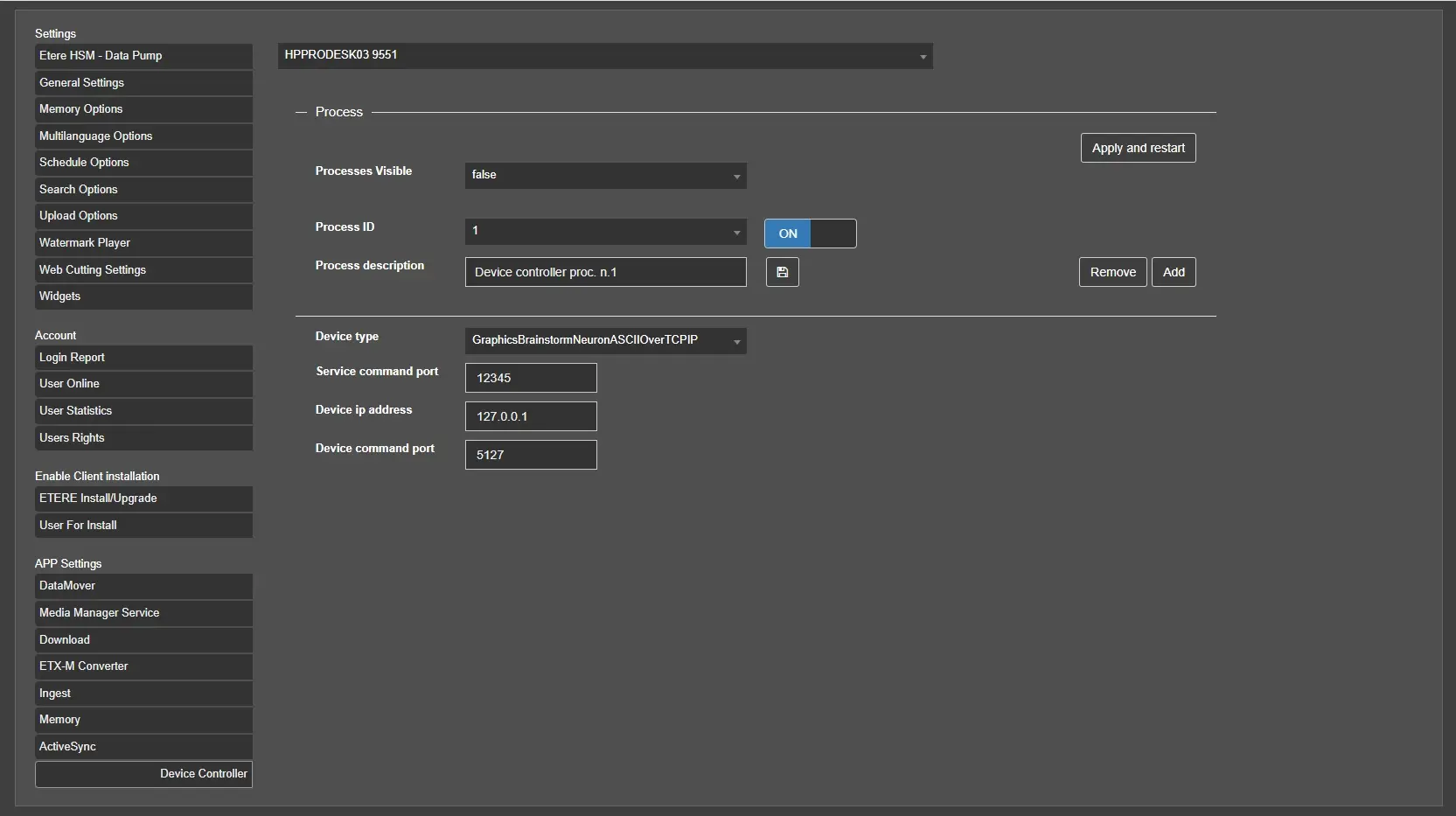
The User Preferences section in Etere Web will be available the Device Controller section, it lists all the servers where the new service has been installed, allowing each to be configured.
From the first drop down menu, you can choose each server, and select the ADD button to configure the server settings:
Process ID: ID given for each service running on server.
Process description: Enter the description of the service process.
Device type: Each service can use one of the drivers available on the list:
- GraphicsBrainstormNeuronASCIIOverTCPIP
- GraphicsBrainstormNeuronCIIOverTCPIP
- GraphicsClassXCGRemote
- RouterHarrisPlatinumOverTCPIP
- RouterBlackmagicVideohubOverTCPIP
Service command port: Port to be used to communicate with the Etere Device Controller service.
Device IP Address: IP address of the device to be controlled.
Device command port: Command port to be used to communicate with the device.
Device_controller_settings
 Install_device_controller
 Device_controller_settings